SNIPPET
zhuang-xdSnippets
obsidian-snippets
This repository stores some css I commonly used
Table of Contents
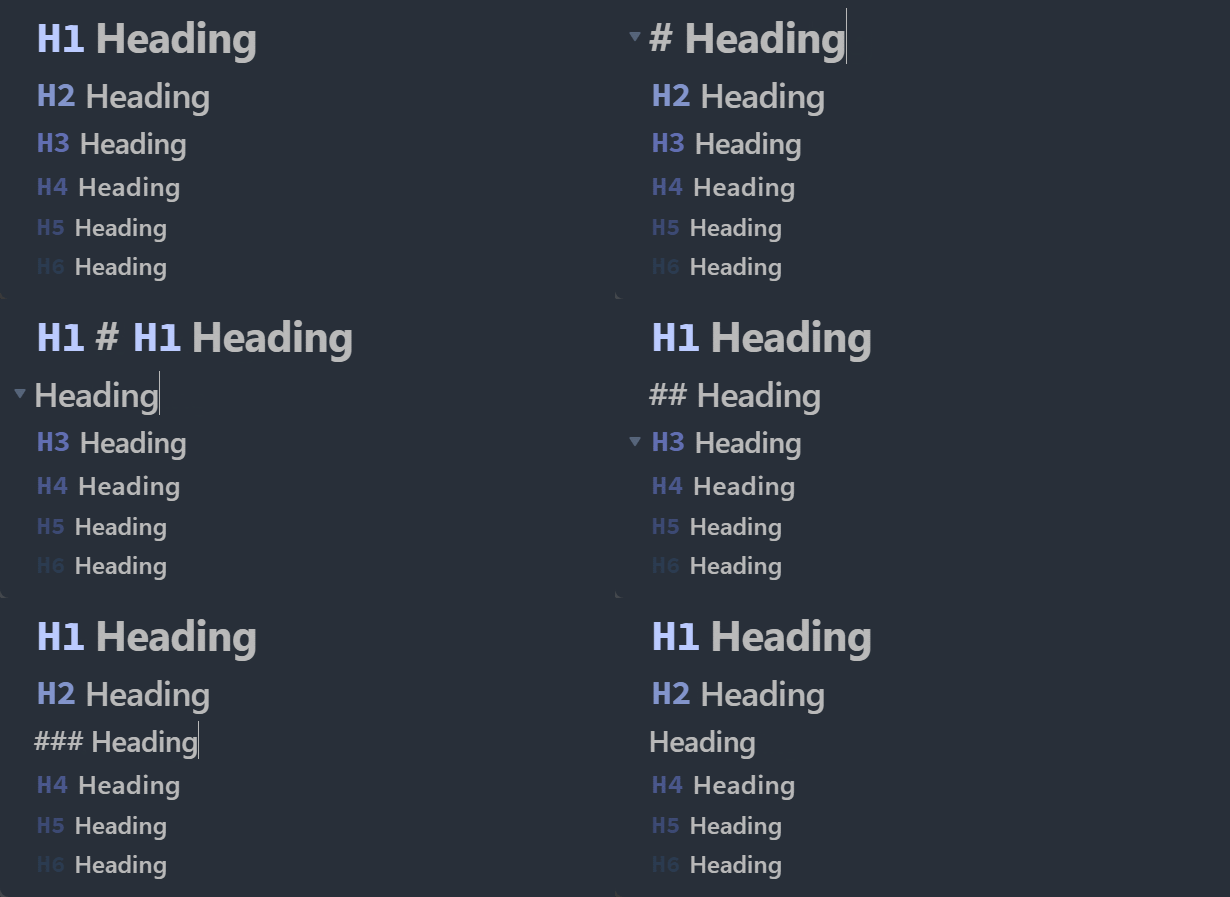
Clutter-Free Headings
https://github.com/Shelton212/obsidian-snippets/blob/master/clutter-free-headings.css
WYSIWYG-ish headings which line up headings, show the formatting markers when editing and replace them with a muted "H1", "H2" etc when not the active line.
I modified it based on this version because it only works on legacy editor
How to Install
- Download the repository ZIP below
- Unzip it and find the CSS snippet file
- Move the CSS file into your vault's
.obsidian/snippets/folder - Open Obsidian → Settings → Appearance → CSS Snippets → Enable it
Stats
Stars
1
Forks
0
Last updated 50mo ago
Categories