obsidian-toolkit
Plugins, templates, css snippets and more for obsidian.md
CSS Snippets
Reusable snippets
checkboxes-into-spoilers.css
Add snippets/checkboxes-into-spoilers.css to your <vault folder>/.obsidian/snippets/ folder.
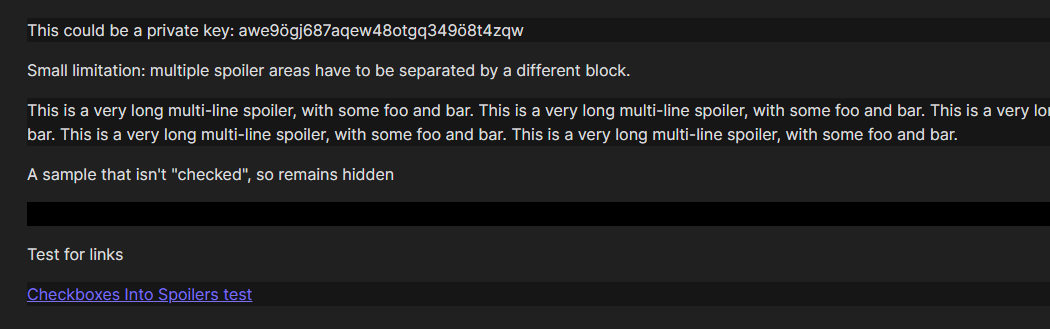
Adding cssclass: checkboxes-into-spoilers into your yaml frontmatter changes the preview mode markdown checkboxes in that note into spoiler tags a'la Discord's ||spoiler||. Spoilers have to be separated by a different block inbetween. See screenshot below.
language-todo.css
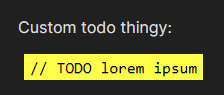
Changes code blocks with the language todo into bright yellow todo blocks that match my personal settings for them in ReSharper. See screenshot below.
animated-search-highlight.css
Changes search result highlight backgrounds into an animated one, a'la iOS's slide to unlock effect (except on the background and not on the text). See screenshot below.

UI / Content theming
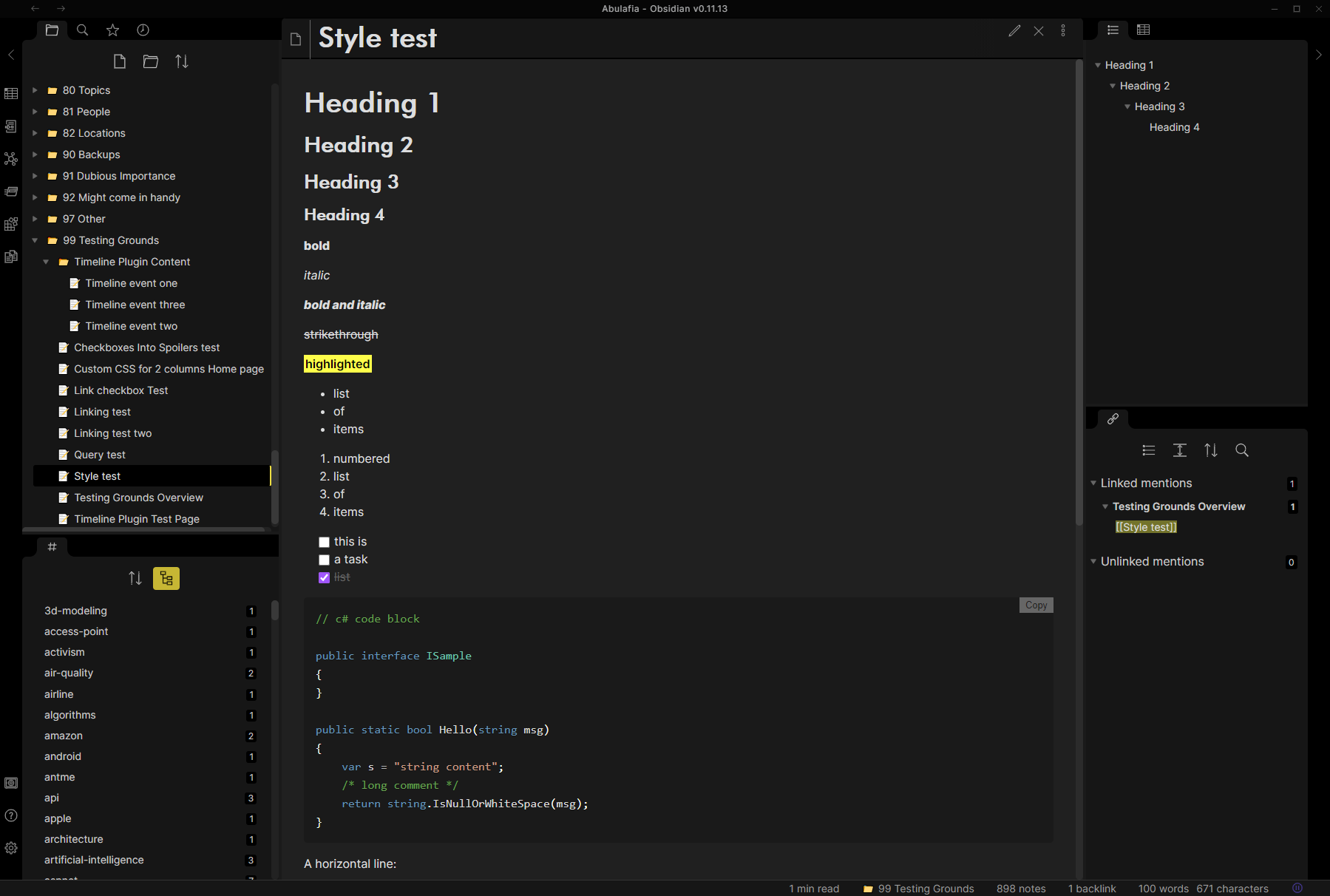
The following CSS snippets are intended to modify the basic obsidian theme. See screenshot below.
ui-custom.css
Modifies the Obsidian UI in the following ways:
- makes the UI fonts lighter, increasing readability and contrast
- adds yellow-ish accents instead of the blue ones
- shortens the flashing animation
- changes the note header to match an H1 block
- changes the note tree header
- adds icons to the tree (with an extra sample on how to add custom icons for custom paths)
fonts.css
Modifies the Obsidian markdown preview in the following ways:
- changes the headers to Futura BT Medium (assuming it's available on your PC)
- increases header sizes across the board
- changes code block highlighting to match the Visual Studio default dark theme
- changes the inline code blocks to a light blue color
- changes the highlights to a bright black-on-yellow style
How to Install
- Download the repository ZIP below
- Unzip it and find the CSS snippet file
- Move the CSS file into your vault's
.obsidian/snippets/folder - Open Obsidian → Settings → Appearance → CSS Snippets → Enable it
Stats
Stars
38
Forks
2
License
MIT
Last updated 43mo ago
Categories
Tags