[!tip] You can also check out the Obsidian Prime theme as well, although you don't have to use the theme to use these snippets!
Usage
Download (or copy) the CSS snippet you want to use, and add it to .obsidian/snippets folder inside your Obsidian vault.
Or, clone the repository to add all the snippets:
git clone git@github.com:rivea0/obsidian-prime-snippets.git

cp obsidian-prime-snippets/*.css <path/to/your/vault>/.obsidian/snippets
Table of Contents
Snippets
Callout Emojis
Use emojis as callout icons, with skin tones!
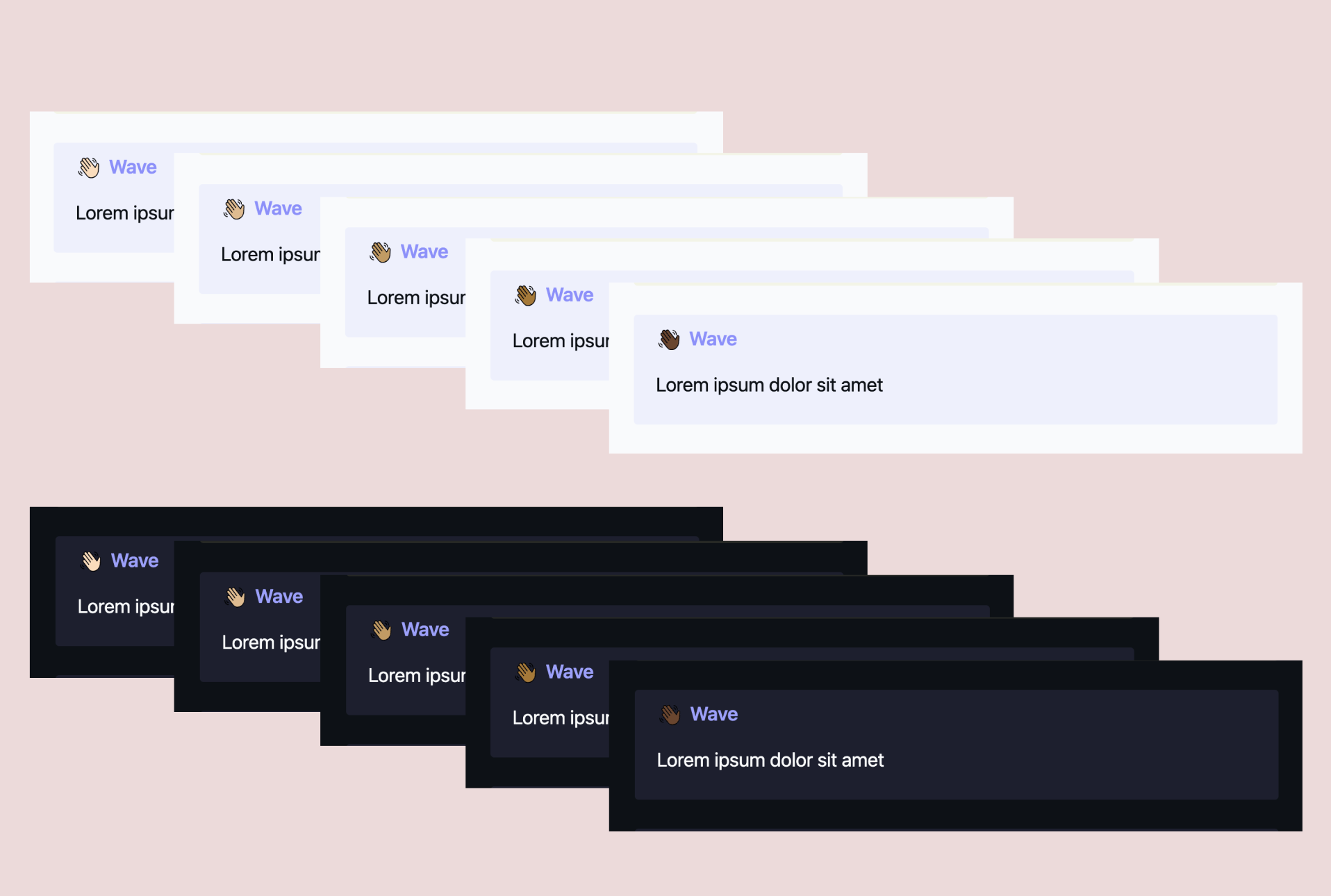
Note: you can use the Obsidian Style Settings plugin to easily switch between skin tones.
Usage
In Obsidian, callouts can be created by giving a type identifier such as [!info] to the first line of a blockquote such as:
> [!info]
> Here's a callout block.
See more at https://help.obsidian.md/Editing+and+formatting/Callouts.
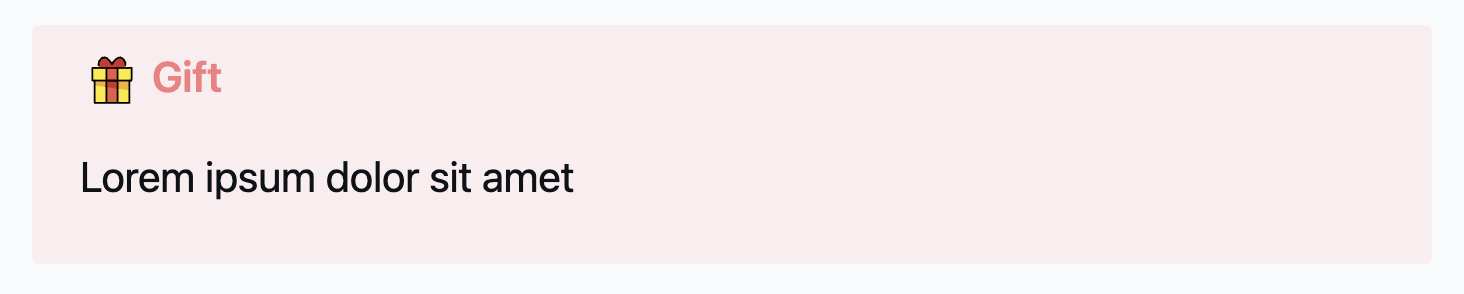
Emoji names work just like type identifiers, so you can add, for example, [!gift] to display the gift emoji (🎁) as the icon:
List of emojis
Activities
jack-o-lanternchristmas-treefireworkssparklerfirecrackersparklesballoonpartyconfettitanabata-treepine-decorationjapanese-dollscarp-streamerwind-chimemoon-viewingred-enveloperibbongiftribbon-2tickettrophymedalmedal-1stmedal-2ndmedal-3rdsoccerbaseballsoftballbasketballvolleyballfootballrugbytennisflying-discbowlinglacrosseping-pongbadmintonboxinggoal-netflag-in-holeice-skatefishingdivingbullseyeyo-yokitecrystal-ballmagic-wandjoystickjoystick-2slot-machinepuzzleteddy-bearchess-pawnjokerpalettethreadpictureyarnknot
Animals & nature
monkeydogwolffoxcatliontigerhorsemooseunicorncowpigmousehamsterrabbitbatbearpandachickenchickbirdpenguindoveswanowlfeatherflamingopeacockgoosephoenixdragondragon-2whalefrogsnaketurtlefishfish-2coraljellyfishoctopusbutterflybeetlebeescorpionflymicrobebouquetlotusrosehibiscussunflowerflowertuliphyacinthseedlingplantcactustreepalm-treeherbshamrockcloverfallleaf
Food & drink
grapesmelonwatermelontangerinelemonlimebananapineapplemangoappleapple-2pearpeachcherriesstrawberryblueberriestomatococonutavocadoeggplantpotatocarrotbroccolionionmushroompeppercroissantbaguettepretzelpancakescheesemeathamburgerfriespizzatacoeggcookingsaladpopcornbento-boxspaghettiice-creamdonutcupcakecakechocolatecandylollipophot-drinkteapotbottlecocktailbeercheersbubble-teaiceplatechopsticks
Objects
jeanshigh-heelscrowncapglassesgemmegaphonebelldrumguitartrumpetpianotelephonebatterylow-batterysearchcandlelightbulbbookbooksbookmarkdollarenvelopepapernotecalendarchartscissorslockedunlockedkeyshieldgearmagnetdnapillband-aidwindowsoapbubbles
Symbols
warningprohibitedno-entrypeaceinfinityquestionexclamationrecyclecheckcrosscircle-redcircle-orangecircle-yellowcircle-greencircle-bluecircle-purplesquare-redsquare-orangesquare-yellowsquare-greensquare-bluesquare-purple
Travel & places
globe-1globe-2globe-3globecompassbeachdesertclassicalwoodhouseferris-wheelcarstoptrafficanchorplanerocketufohourglassheatsunstarmoonplanetcloudfograinbowfiredroplightningshipbicyclering-buoyskateboardroller-skateluggagemilky-waytornadobussunrisesunsetthermometerhelicoptertraintaxiparachutesailboatumbrellaumbrella-raincometsnowflake
People & body
wavewave-lightwave-medium-lightwave-mediumwave-medium-darkwave-darkhandhand-lighthand-medium-lighthand-mediumhand-medium-darkhand-darkvulcanvulcan-lightvulcan-medium-lightvulcan-mediumvulcan-medium-darkvulcan-darkvv-lightv-medium-lightv-mediumv-medium-darkv-darkfingers-crossedfingers-crossed-lightfingers-crossed-medium-lightfingers-crossed-mediumfingers-crossed-medium-darkfingers-crossed-darkpoint-leftpoint-left-lightpoint-left-medium-lightpoint-left-mediumpoint-left-medium-darkpoint-left-darkpoint-rightpoint-right-lightpoint-right-medium-lightpoint-right-mediumpoint-right-medium-darkpoint-right-darkpoint-downpoint-down-lightpoint-down-medium-lightpoint-down-mediumpoint-down-medium-darkpoint-down-darkpoint-leftpoint-left-lightpoint-left-medium-lightpoint-left-mediumpoint-left-medium-darkpoint-left-darkthumbs-upthumbs-up-lightthumbs-up-medium-lightthumbs-up-mediumthumbs-up-medium-darkthumbs-up-darkthumbs-downthumbs-down-lightthumbs-down-medium-lightthumbs-down-mediumthumbs-down-medium-darkthumbs-down-darkraised-fistraised-fist-lightraised-fist-medium-lightraised-fist-mediumraised-fist-medium-darkraised-fist-darkyouyou-lightyou-medium-lightyou-mediumyou-medium-darkyou-darkclapclap-lightclap-medium-lightclap-mediumclap-medium-darkclap-darkhandshakehandshake-lighthandshake-medium-lighthandshake-mediumhandshake-medium-darkhandshake-darkeyeseyemouthtongue
Smileys & emotion
grin-1grin-2grin-3grin-4laugh-1laugh-2smile-1smile-2meltwinkhalohearts-faceheart-eyesstarstruckkisstongue-outshushthinkblushno-mouthneutraleyerollgrimacelyingrelievedsleepnauseavomithotcolddeadwoozymindblowncelebratesunglassesnerdfrownastonishedfearcryscreamconfusedwearysweattiredangrydevilskull-1skull-2pooclownghostalienrobotcat-grincat-smilecat-laughcat-heart-eyescat-screamcat-crysee-no-evilhear-no-evilspeak-no-evilkiss-markletterheart-arrowheart-sparklesheartsheart-exclamationbroken-heartheart-redheart-orangeheart-yellowheart-greenheart-blueheart-purplehundredcollisionspeechthought
Flags
flag-chequeredflag-crossedflag-blackflag-whiteflag-rainbowflag-transgenderflag-pirateflag-sh-acflag-adflag-aeflag-afflag-agflag-aiflag-alflag-amflag-aoflag-aqflag-arflag-asflag-atflag-auflag-awflag-axflag-azflag-baflag-bbflag-bdflag-beflag-bfflag-bgflag-bhflag-biflag-bjflag-blflag-bmflag-bnflag-boflag-bqflag-brflag-bsflag-btflag-bvflag-bwflag-byflag-bzflag-caflag-ccflag-cdflag-cfflag-cgflag-chflag-ciflag-ckflag-clflag-cmflag-cnflag-coflag-cpflag-crflag-cuflag-cvflag-cwflag-cxflag-cyflag-czflag-deflag-dgflag-djflag-dkflag-dmflag-doflag-dzflag-eaflag-ecflag-eeflag-egflag-ehflag-erflag-esflag-etflag-euflag-fiflag-fjflag-fkflag-fmflag-foflag-frflag-gaflag-gbflag-gdflag-geflag-gfflag-ggflag-ghflag-giflag-glflag-gmflag-gnflag-gpflag-gqflag-grflag-gsflag-gtflag-guflag-gwflag-gyflag-hkflag-hmflag-hnflag-hrflag-htflag-huflag-icflag-idflag-ieflag-ilflag-imflag-inflag-ioflag-iqflag-irflag-isflag-itflag-jeflag-jmflag-joflag-jpflag-keflag-kgflag-khflag-kiflag-kmflag-knflag-kpflag-krflag-kwflag-kyflag-kzflag-laflag-lbflag-lcflag-liflag-lkflag-lrflag-lsflag-ltflag-luflag-lvflag-lyflag-maflag-mcflag-mdflag-meflag-mfflag-mgflag-mhflag-mkflag-mlflag-mmflag-mnflag-moflag-mpflag-mqflag-mrflag-msflag-mtflag-muflag-mvflag-mwflag-mxflag-myflag-mzflag-naflag-ncflag-neflag-nfflag-ngflag-niflag-nlflag-noflag-npflag-nrflag-nuflag-nzflag-omflag-paflag-peflag-pfflag-pgflag-phflag-pkflag-plflag-pmflag-pnflag-prflag-psflag-ptflag-pwflag-pyflag-qaflag-reflag-roflag-rsflag-ruflag-rwflag-saflag-sbflag-scflag-sdflag-seflag-sgflag-shflag-siflag-sjflag-skflag-slflag-smflag-snflag-soflag-srflag-ssflag-stflag-svflag-sxflag-syflag-szflag-taflag-tcflag-tdflag-tfflag-tgflag-thflag-tjflag-tkflag-tlflag-tmflag-tnflag-toflag-trflag-ttflag-tvflag-twflag-tzflag-uaflag-ugflag-umflag-unflag-usflag-uyflag-uzflag-vaflag-vcflag-veflag-vgflag-viflag-vnflag-vuflag-wfflag-wsflag-xkflag-yeflag-ytflag-zaflag-zmflag-zwflag-englandflag-scotlandflag-wales
Clocks
1212-3011-3022-3033-3044-3055-3066-3077-3088-3099-301010-301111-30
Brands & logos
pinterestyoutubegithublinkedinandroidmusicbrainzopenfoodfactsopenstreetmapwikidatadotnetgolangkotlinrubyfirefoxsafarioperachromiumchromenetscape-navigatorieedgeinaturalistgitlabmastodonpeertubepixelfedsignalelementjellyfinredditdiscordccpluspluscsharpchrome-canaryfirefox-devfirefox-nightlyjstswasvgmdwinrarubuntuwindowsartstationapple-logo
Miscellaneous
flagicebergfirst-aidlocationbrainbarcodeqrshuttlepyramidsinterviewfiltertrashcommentred-jarblue-jarorange-jaryellow-jargreen-jarpurple-jarhacker-cat
Showcase
See showcase in the wiki.
Extending emojis
You can add more emojis from OpenMoji by downloading the SVG of the emoji you choose. This repository includes a helpers.mjs file to convert it easily to a CSS variable.
For example, you can get the CSS variable of your SVG:
console.log(
  makeEmojiCSSVariable(
    'unicorn', makeSVGOneLine('/path/to/unicorn.svg')
  )
);
And add it to :root in callout-emojis.css.
Then, inside callout-emojis.css, you can add the new variable to be the callout icon:
.callout[data-callout='unicorn'] {
  --callout-color: <your-prefered-color-rgb>;
  --callout-icon: var(--unicorn);
}
Note that the unicorn emoji is already included as an icon!
Gradient Frames
Add color to your Obsidian window with hand-picked gradients!
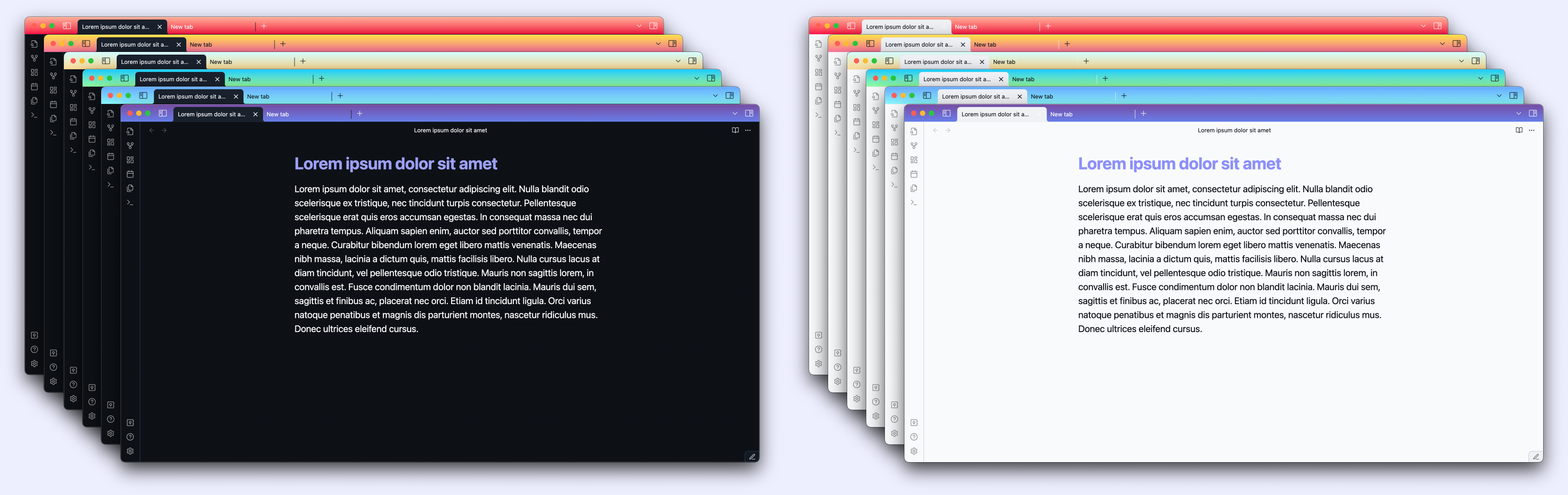
42 linear gradients are from WebGradients.
You can choose the linear gradient direction: top or bottom.
Note: You can use the Obsidian Style Settings plugin to easily switch between gradients and their direction.
List of gradients
See the list of all the gradients in the wiki.
Extending gradients
You can add more gradients of your choosing with top and bottom variations, such as:
:root {
  /* ... */
  --rainy-ashville-top: linear-gradient(to top, #fbc2eb 0%, #a6c1ee 100%);
  --rainy-ashville-bottom: linear-gradient(to bottom, #fbc2eb 0%, #a6c1ee 100%);
}
You can then create the styles:
body.top.rainy-ashville .workspace-tab-header-container,
body.top.rainy-ashville .workspace-ribbon.mod-left:before,
body.top.rainy-ashville .sidebar-toggle-button.mod-right {
  background-image: var(--rainy-ashville-top);
  color: var(--color-dark); /* or var(--color-light) */
  ...
}

body.bottom.rainy-ashville .workspace-tab-header-container,
body.bottom.rainy-ashville .workspace-ribbon.mod-left:before,
body.bottom.rainy-ashville .sidebar-toggle-button.mod-right {
  background-image: var(--rainy-ashville-bottom);
  color: var(--color-dark); /* or var(--color-light) */
  ...
}
And add them in gradient-frames.css in .obsidian/snippets folder inside your Obsidian vault.
License
GPLv3
How to Install
- Download the repository ZIP below
- Unzip it and find the CSS snippet file
- Move the CSS file into your vault's
.obsidian/snippets/folder - Open Obsidian → Settings → Appearance → CSS Snippets → Enable it
Stats
Stars
19
Forks
0
License
GPL-3.0
Last updated 15mo ago
Categories
Tags