Snippets
obsidian-snippets
This repo contains css-snippets I use to make my obsidian a little bit prettier
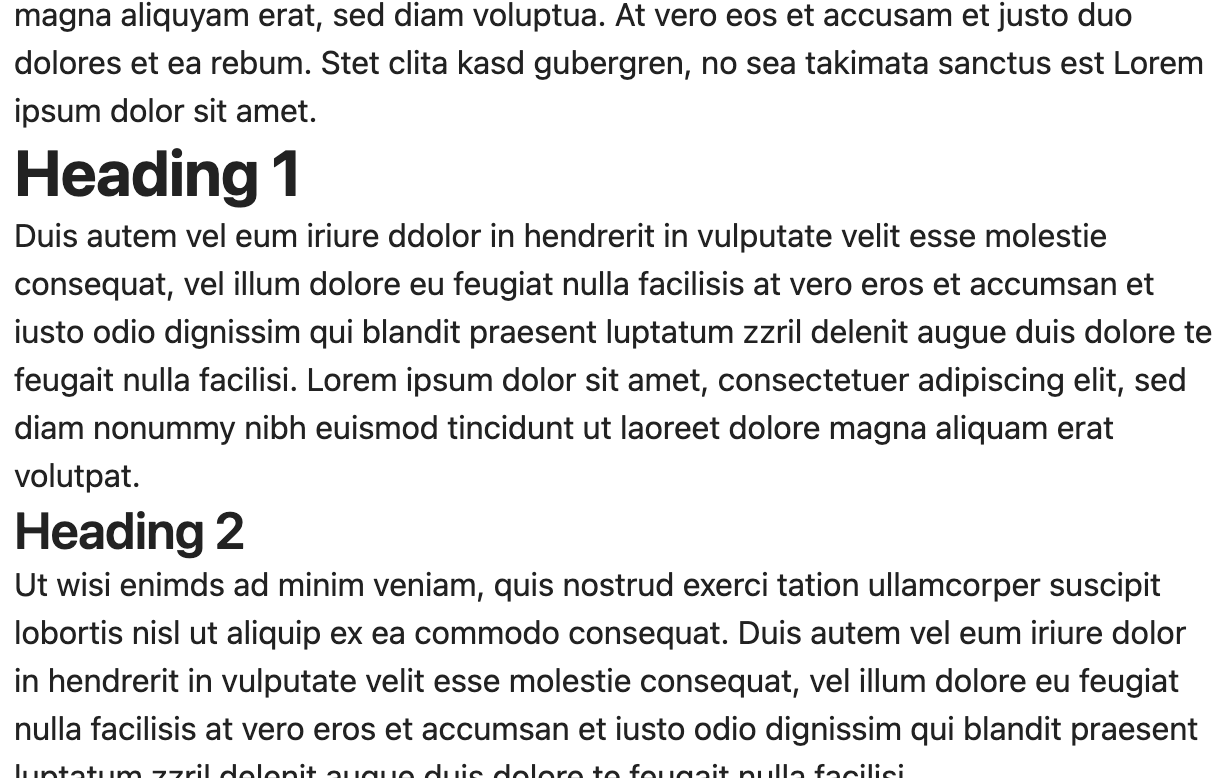
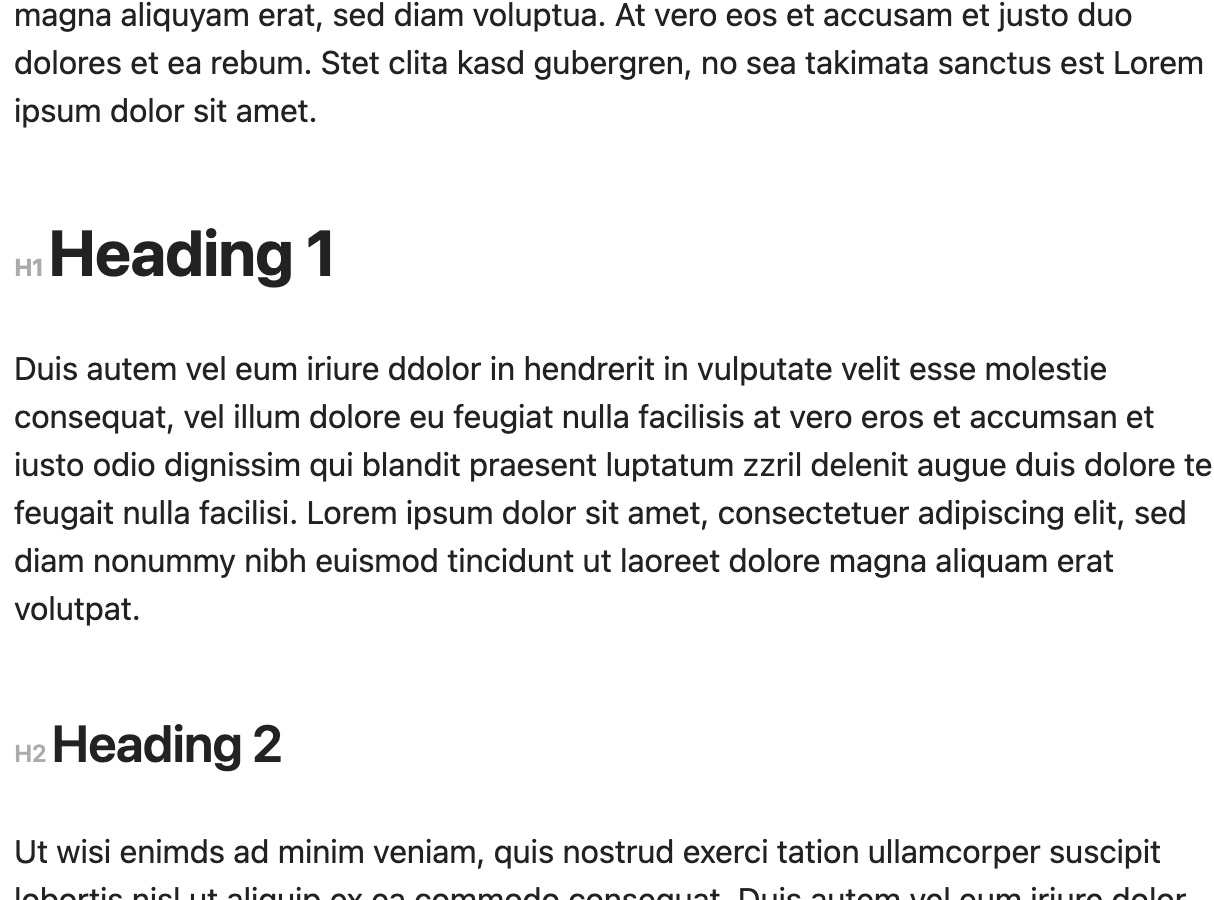
Header-Margins increases the spacing above and below headings to make them more distinguishable from the rest of the text.
Header-Indicators adds indicators so that the headings can be better distinguished from each other.
Color-Title sets the color of the notes title to the current accent color
Before:
After:
How to install:
Download the CSS-Files and copy them to the snippets directory inside your vault.
You can find this folder by opening Obsidian and navigating to
Settings -> Appearance -> CSS-snippets -> 📁 [Open snippets folder]
After that, your Vault should look like this
[YOUR VAULT]/.obsidian/snippets/
  header-indicators.css
  header-margins.css
After copying the files you should activate the snippets in the appearance settings.
Known Bugs
- The indicators are also displayed in front of formatting, so
# Heading with *Formatting*gets displayed as "H1Heading withH1Formatting"
Special thanks to ChatGPT
How to Install
- Download the repository ZIP below
- Unzip it and find the CSS snippet file
- Move the CSS file into your vault's
.obsidian/snippets/folder - Open Obsidian → Settings → Appearance → CSS Snippets → Enable it
Stats
Stars
1
Forks
0
Last updated 37mo ago
Categories