📣 Short callout CSS snippet for Obsidian
Short callouts are useful for brief lines of information that should appear close to the preceding paragraph.
Usage
Download the short-callout.css snippet and save it to .obsidian/snippets/ in your vault. Activate the snippet under Settings > Appearance > CSS Snippets.
Examples
Short callouts follow the normal syntax for callouts and are characterized by the fact that their type identifier ends with a colon (:). I like to use them for source references. ⤵️
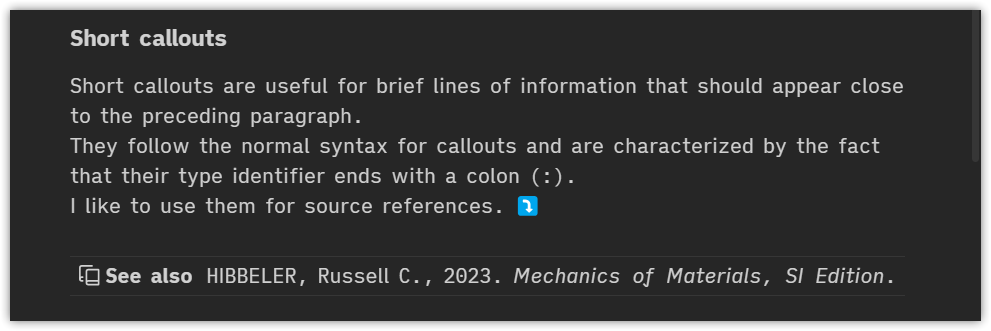
> [!book-copy:] See also
> HIBBELER, Russell C., 2023. _Mechanics of Materials, SI Edition_.
Also useful as simple headers for project notes.

> [!project:]
>  **id**: shortco | **category**: Obsidian | **status**: 🔥
Some useful default types are already predefined:
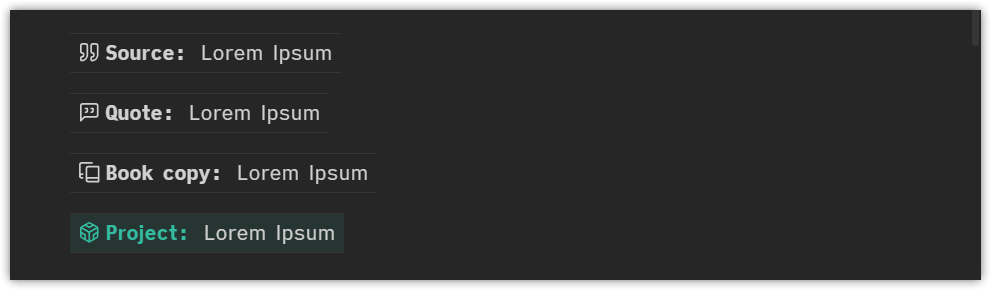
> [!source:]
> Lorem Ipsum

> [!quote:]
> Lorem Ipsum

> [!book-copy:]
> Lorem Ipsum

> [!project:]
> Lorem Ipsum
In order to customize icons, colors and type identifiers just edit the snippet or - even simpler - use the awesome Callout Manager plugin.
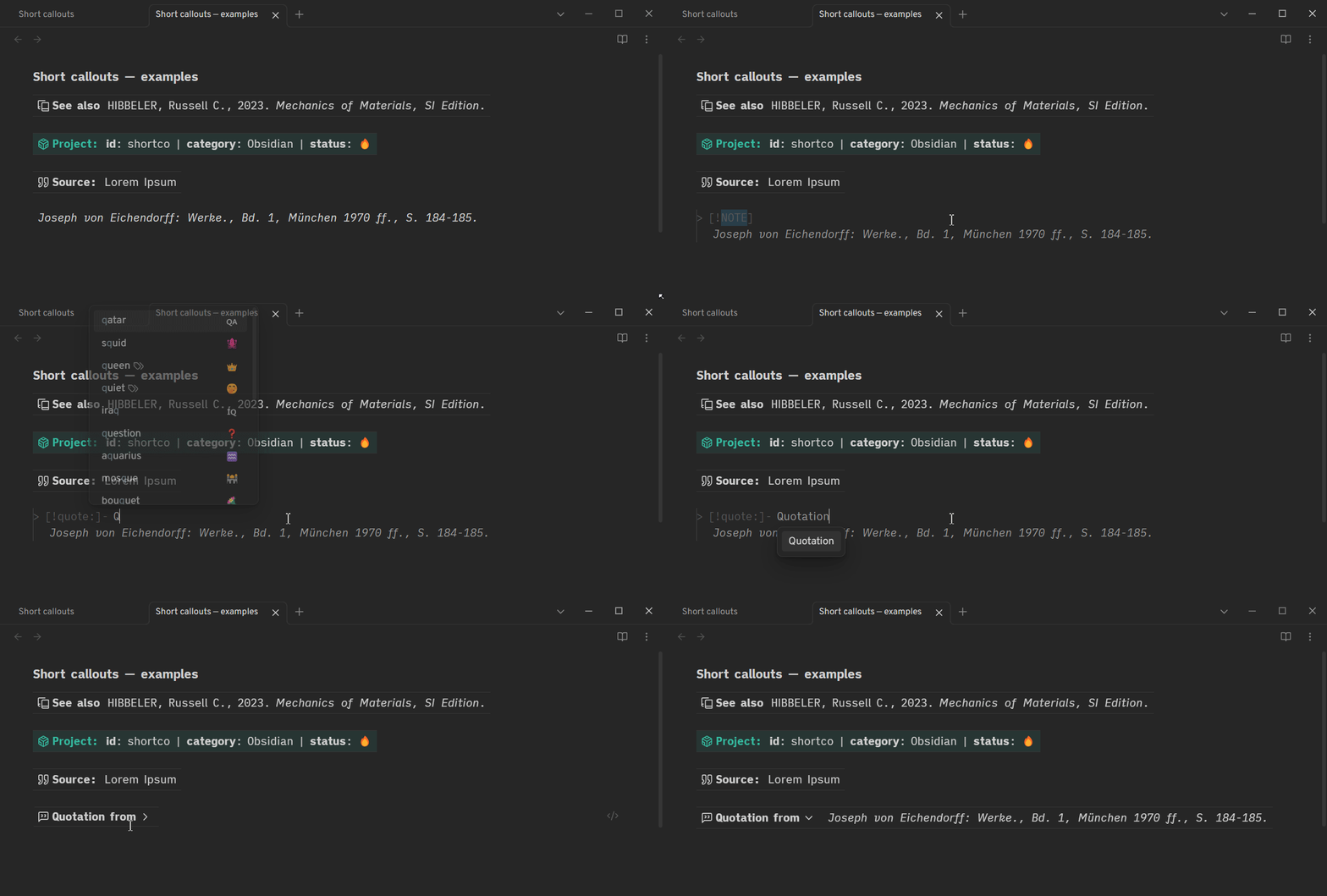
As they are normal callouts, they can also be folded using the + - syntax.

> [!quote:]- Quotation from
> *Joseph von Eichendorff: Werke., Bd. 1, München 1970 ff., S. 184-185.*

> [!quote:]+ Quotation from
> *Joseph von Eichendorff: Werke., Bd. 1, München 1970 ff., S. 184-185.*
How to Install
- Download the repository ZIP below
- Unzip it and find the CSS snippet file
- Move the CSS file into your vault's
.obsidian/snippets/folder - Open Obsidian → Settings → Appearance → CSS Snippets → Enable it
Stats
Stars
25
Forks
0
Last updated 21mo ago
Categories