Url-icons
The CSS snippet of Obsidian.
readme-version1.1.0
This CSS snippet(version1.1.0) rewritten with Obsidian1.1.16 by Lemonadio was based on the CSS snippet in Blue topaz theme written by Cuman. Click me to check the latest example url
Resources to help with icons: Search for icons; Convert the SVG code into CSS ready code
Preface:
This CSS snippet has light mode and dark mode, which will show the icons in reading mode.
For showing the icons correctly, HTMLs in markdown need to add https:// before url.
If you have any question, please email to: lemonadio0507@gmail.com, and write Icon plugin's bug feedback
If you want some new icons to add in, or you have any advice, please email to the above address, and write Icon plugin's advice feedback
p.s.
I don't know how to combine two modes into one CSS snippet, so I separated them.
I hope someone who understands CSS can give me some advice:p
(Personally, I think light mode looks better, hahaha)
Proview(A part of all):
Customizable browser icons:
/----Add your browser icons here:----/
- origin style browser icons
- 360style browser icons
- Chrome style browser icons
- Firefox style browser icons
- IE style browser icons
- Quark style browser icons
- Edge style browser icons
If you want to use some style browser icon, paste the css snippet to bottom of their CSSs.
(This origin style is Edge style browser icons)
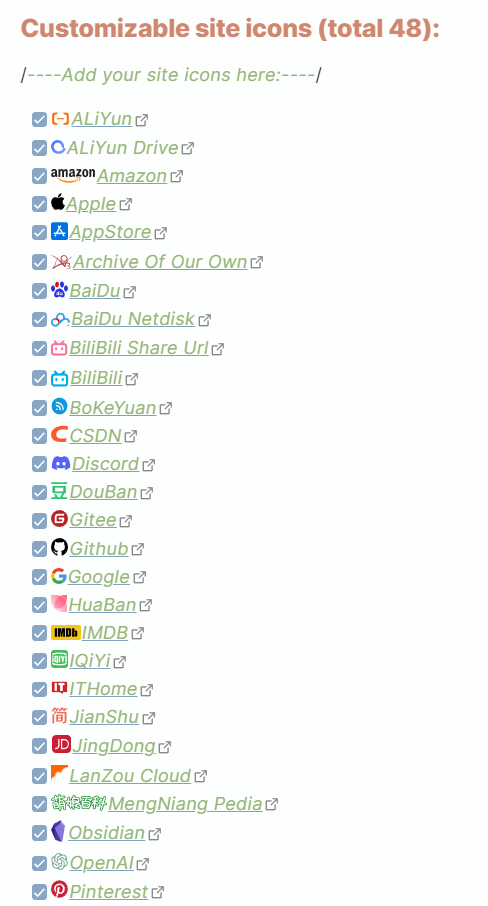
Customizable site icons (total 52):
/----Add your site icons here:----/
- ALiYun
- ALiYun Drive
- Amazon
- Apple
- AppStore
- Archive Of Our Own
- BaiDu
- BaiDu Netdisk
- BiliBili Share Url
- BiliBili
- BoKeYuan
- CSDN
- Discord
- DouBan
- Gitee
- Github
- HuaBan
- IMDB
- IQiYi
- ITHome
- JianShu
- JingDong
- LanZou Cloud
- MengNiang Pedia
- Obsidian
- OpenAI
- PronHub
- QQ Music
- ShaoShuPai
- Sina Share Url
- SouHu
- Spotify
- TaoBao
- Tmall
- Tumblr
- Unsplash
- Netease
- Neteast Cloud Music
- Weblio
- Weread
- Wikipedia
- XiMaLaYa
- YouTube
- ZhiHu
- 189Cloud
- 360doc
Template to Add More Icons:
(Refer to CSS documentation)
/*Template*/
.external-link[href*="{site.}"]::before {
    content: CSS ready code from the SVG converter;
}
Update History(The lastest CSS version 1.1.0):
2023/4/10 1.1.0
- New icons:
- weblio(Light mode)
- XiMaLaYa
- Huaban
- QQzone
- Revise Readme
- add Creator GitHub link ;)
2023/4/8 1.0.1
-
Translate Readme into English;
-
Sort the code in alphabet;
-
Fix the bug: Icon didn't show correctly;
-
Fix the bug: The urls in README can't open;
2023/4/7 1.0.0
- Create the css.
How to Install
- Download the repository ZIP below
- Unzip it and find the CSS snippet file
- Move the CSS file into your vault's
.obsidian/snippets/folder - Open Obsidian → Settings → Appearance → CSS Snippets → Enable it
Stats
Stars
4
Forks
0
Last updated 42mo ago