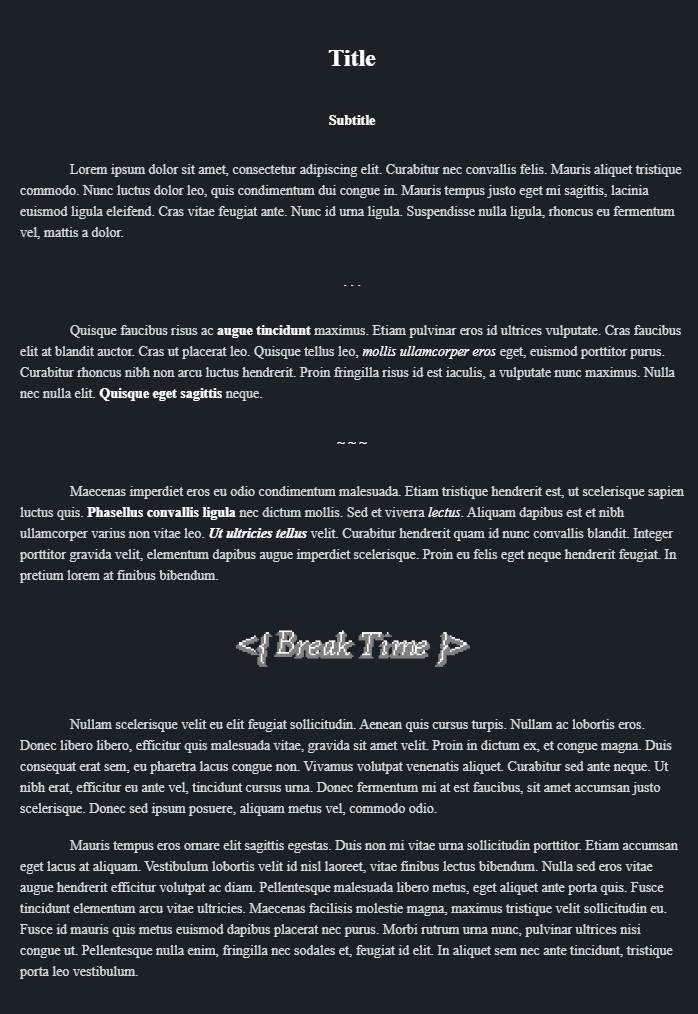
Manuscription Snippet
A small Obsidian.md CSS Snippet to allow for easy writing in manuscript-like format!
For more information on how to use it, check out this example!
Preview
Docs
To create a manuscript block, you simply need to make an obsidian callout.
> [!manuscript]
> Everything here will be formatted

Anything outside is unaffected
All the elements are specified like so:
> ![manuscript|type] Optional Title
> Optional Content
Titles and Subtitles
You can have as many titles as you want within a single manuscript block. All you need to do is to create a nested obsidian callout without our manuscript callout.
> ![manuscript]
> > ![manuscript|title] Your Title Here!
Subtitles are the exact same except you replace title with subtitle.
> ![manuscript]
> > ![manuscript|subtitle] Your Subtitle Here!
Breaks
Breaks can be specified with the type break. The title will be ignored, the content will be display and centered. Images or text can be used.
> ![manuscript]
> > ![manuscript|break] Ignored Title
> > . . .
Customization
Using the obsidian-style-settings plugin you can customize the styles of this snippet!
How to Install
- Download the repository ZIP below
- Unzip it and find the CSS snippet file
- Move the CSS file into your vault's
.obsidian/snippets/folder - Open Obsidian → Settings → Appearance → CSS Snippets → Enable it
Stats
Stars
1
Forks
0
Last updated 32mo ago