Evelf's obsidian solution log
2024-07-29 Pre-theme CSS file
Since 2022 I updated the snippets a few times, and made it into a theme which need some finishing touches before I can publish it. In the meantime, you can have a look to the current theme.css file.

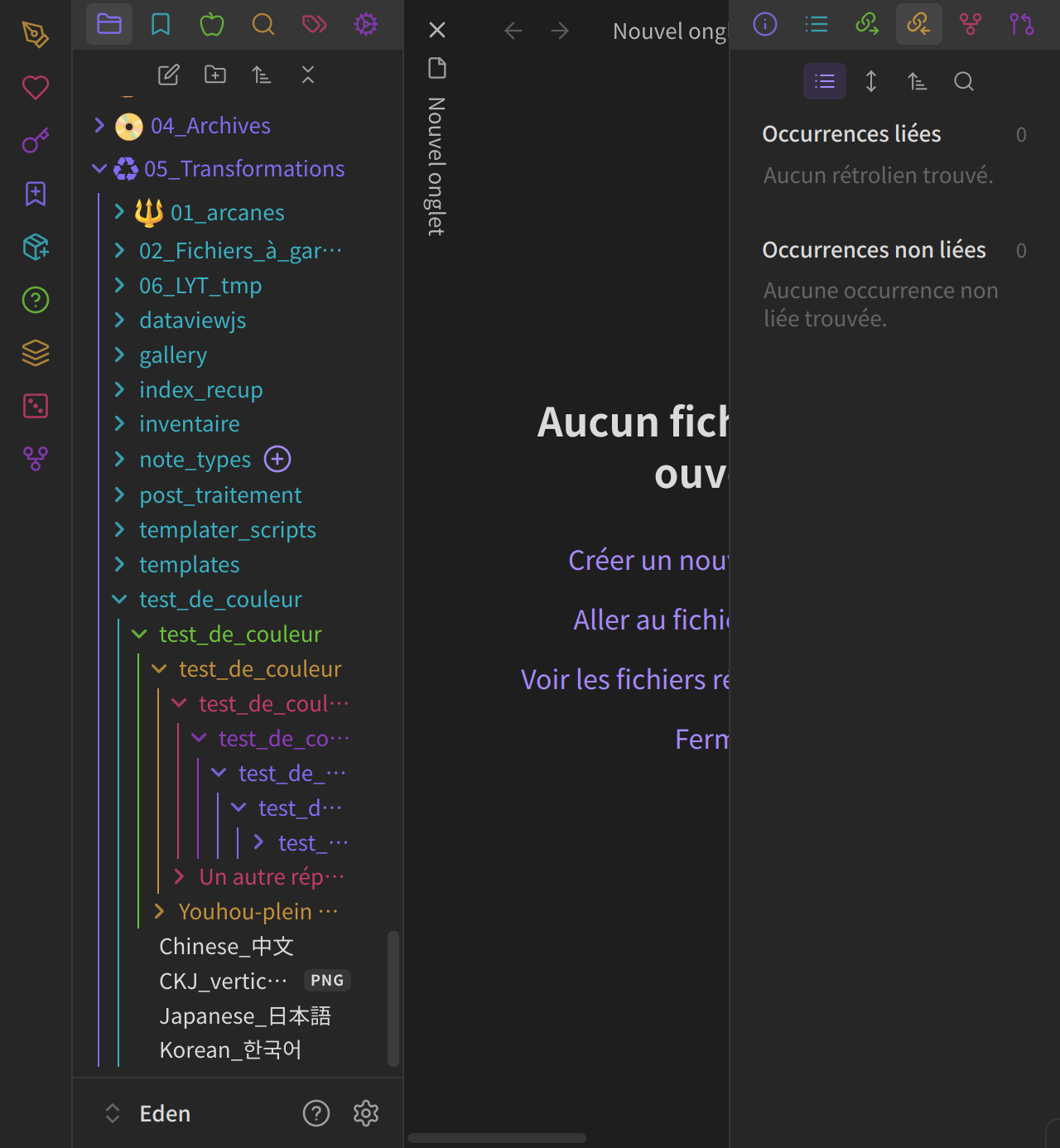
2022-08-28 Rainbow file explorer
Screenshot

Bases
- Theme: Obsidian's Base theme, dark mode
- Plugins with visual impact and their configuration:
- Obsidian Icon Folder (note: allows to add icons to files too)
- activate icons packs
- to add emojis: copy-paste from elsewhere (e.g. emojipedia)
- Obdidian Hider:
- hide vault name
- hide scrollbars
- Obsidian Icon Folder (note: allows to add icons to files too)
- Other useful plugins shown in screenshots:
- Core Plugin: Stared
- Obsidian Collapse All
CSS snippets
I've tried to add useful comments in the CSS themselves.
- The colors.css file defines colors for the folders's title and border, it shouldn't mess with any theme or CSS snippets, and you can customize colors at the beginning of the file.
- To achieve a decent look, you'll also need the layout.css file. The values in that files were defined by trial and error, and you may need to adjust them depending on your theme.
- The tricks.css are just bonus.

How to Install
- Download the ZIP or clone the repository
- Open the folder as a vault in Obsidian (File → Open Vault)
- Obsidian will prompt you to install required plugins
Stats
Stars
4
Forks
0
Last updated 20mo ago
Categories