
obsidian-knowledge-system
A Zettelkasten-inspired Obsidian vault template: six numbered folders, colour-coded graph view, and starter tags + templates. Even better automated with Claude Code.




A clean, ready-to-clone Obsidian vault template built on a Zettelkasten-inspired workflow. Six numbered folders take an idea from a messy first capture all the way to a permanent, linked note — and the graph view is colour-coded out of the box.
Clone it, open it in Obsidian, name the vault whatever you like, and start thinking.
🧠 The idea
The Zettelkasten ("slip-box") method, popularized by sociologist Niklas Luhmann, is simple: capture ideas as small atomic notes, write them in your own words, and link them densely so your knowledge connects and compounds over time.
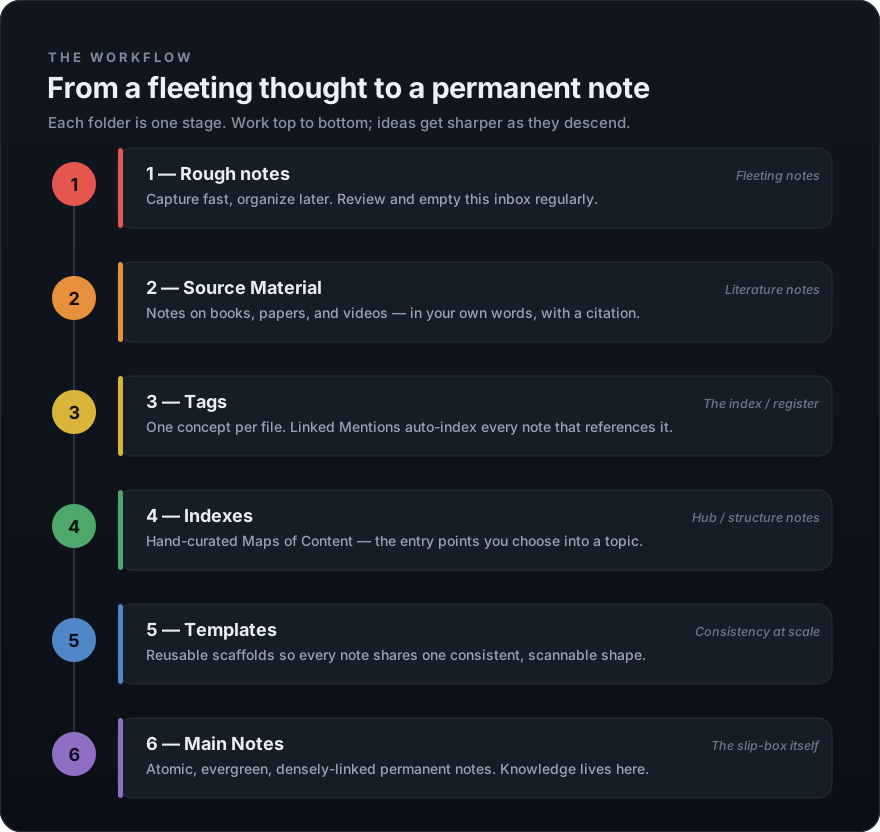
This template arranges that method into six numbered folders. The number is the pipeline — work top to bottom and every idea gets sharper as it descends.
📂 The six folders
| # | Folder | Role | Zettelkasten term |
|---|---|---|---|
| 1 | Rough notes | Capture fast, organize later. An inbox you empty often. | Fleeting notes |
| 2 | Source Material | Notes on what you read & watch, in your own words. | Literature notes |
| 3 | Tags | One concept per file; Linked Mentions auto-index them. | The index / register |
| 4 | Indexes | Hand-curated Maps of Content — your entry points. | Hub / structure notes |
| 5 | Templates | Reusable scaffolds for consistent notes. | — |
| 6 | Main Notes | Atomic, evergreen, linked permanent notes. | The slip-box itself |
Each folder contains a "What this folder is for" note explaining how to use it — so the vault teaches itself.
🎨 Colour-coded graph, out of the box
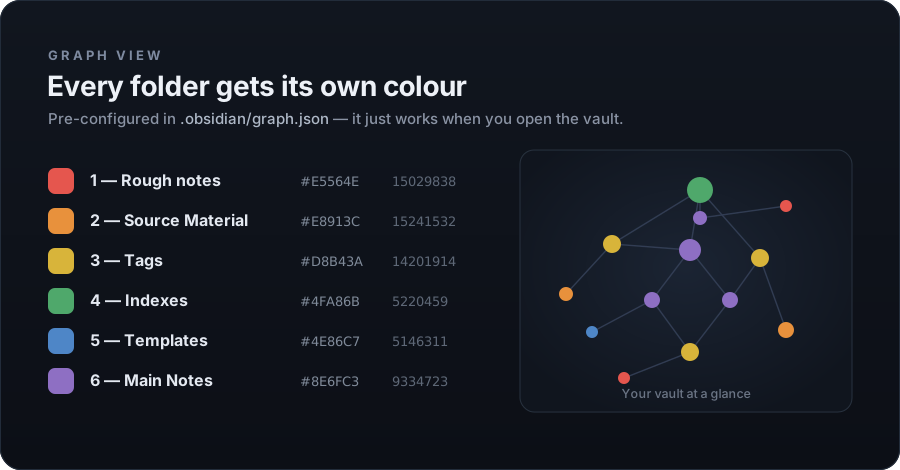
Open the graph view and every folder already has its own colour, following a warm → cool spectrum from raw input to finished notes. No manual colour-picking — it's pre-written into .obsidian/graph.json.
⚡ Even better in Claude Code
You can absolutely fill this vault in by hand. But the whole system — tag creation, deduplication, graph colours, diagrams, consistent structure — is the kind of busywork automation is made for.
With Claude Code and the obsidian-content-processor skill, you can drop in a YouTube video, article, PDF, or just a topic, and get back finished modules: tags generated and de-duplicated, the graph colours written for you, and SVG diagrams embedded directly into the notes — sorted and colour-coded instantly.
Tag sorting is automated too. When Claude Code creates a new tag, the .md file is generated and filed straight into 3 - Tags for you — no dragging notes around, no orphaned tags. Every concept lands in the one place the graph and Linked Mentions expect it.

The four illustrations above were themselves generated as SVGs by Claude Code — the same way it builds diagrams inside your notes.
🚀 Quick start
# 1. Clone the template
git clone https://github.com/zenobioscastillo1-source/obsidian-knowledge-system.git

# 2. (Optional) rename the folder to whatever your vault should be called
mv obsidian-knowledge-system "My Second Brain"
- In Obsidian: Open folder as vault → pick the folder.
- Open Graph view to see the colours.
- Start in
1 - Rough notesand let ideas flow down to6 - Main Notes.
Templates: enable the core Templates plugin (Settings → Core plugins). The template folder is already pointed at
5 - Templates.
📦 What's inside
obsidian-knowledge-system/
├── 1 - Rough notes/        # fleeting captures
├── 2 - Source Material/    # literature notes
├── 3 - Tags/               # 6 starter concept tags + how-to
├── 4 - Indexes/            # maps of content
├── 5 - Templates/          # Full Note + Literature Note scaffolds
├── 6 - Main Notes/         # your permanent notes live here
├── .obsidian/graph.json    # pre-configured graph colours
├── assets/                 # the SVG visual guides in this README
└── README.md
The six example tags in 3 - Tags (Zettelkasten, Knowledge Management, Fleeting Notes, Literature Notes, Permanent Notes, Workflow) are just demonstrations — delete them and grow your own.
📄 License
MIT — use it, fork it, make it yours. Attribution appreciated but not required.
Made for thinkers who'd rather connect ideas than file them. Built with Obsidian + Claude Code.
How to Install
- Download the ZIP or clone the repository
- Open the folder as a vault in Obsidian (File → Open Vault)
- Obsidian will prompt you to install required plugins
Stats
Stars
3
Forks
0
License
MIT
Last updated 4mo ago