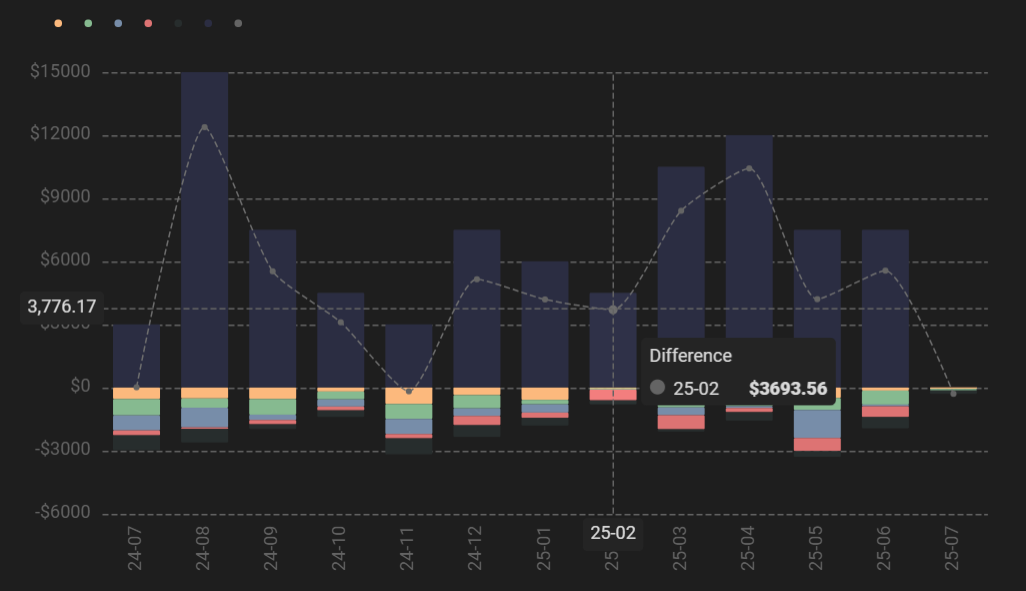
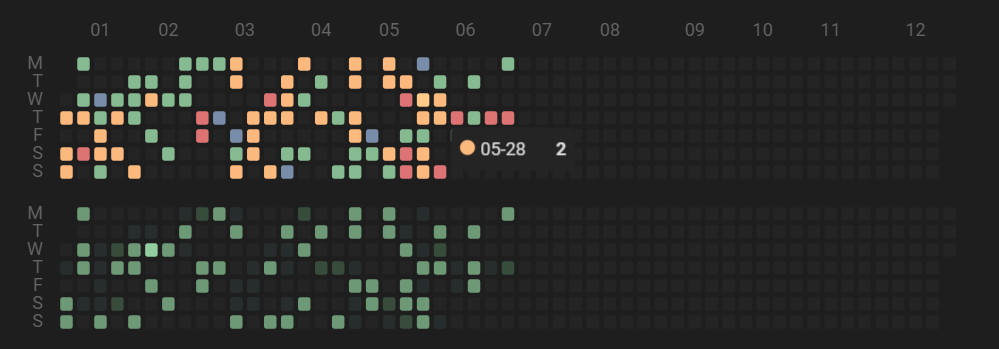
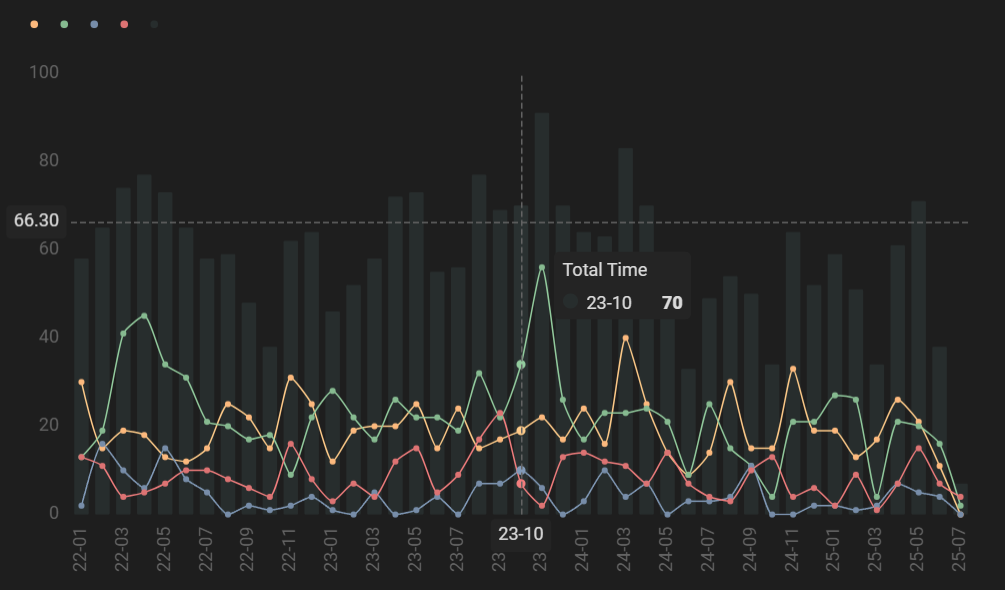
This Obsidian vault is an example vault showcasing my personal usage of the SQLSeal plugin, along with its companion plugin SQLSeal Charts (and ECharts, by association).
SQLSeal was very appealing to me, because it provided me with the means to query my .csv files spanning multiple years of productivity logs, financial data, and other tracked information and chart that data in a variety of ways - both for analysis, and for the pure joy of enjoying pretty data visualization.
This vault focuses on precisely that pipeline, and includes:
- A template for productivity tracking - [[Productivity.csv]]
- A template for financial tracking - [[Finances.csv]] + [[Budget.csv]]
- A template for health tracking - [[Health.csv]]
- 10 productivity charts - [[Productivity]]
- 5 finance charts - [[Finances]]
- 3 general-use charts - [[Life]]
- Example inline queries summarizing tracked data - [[Productivity]] + [[Finances]]
- An example of embedding charts into other files for improved organization - [[Embedding]]
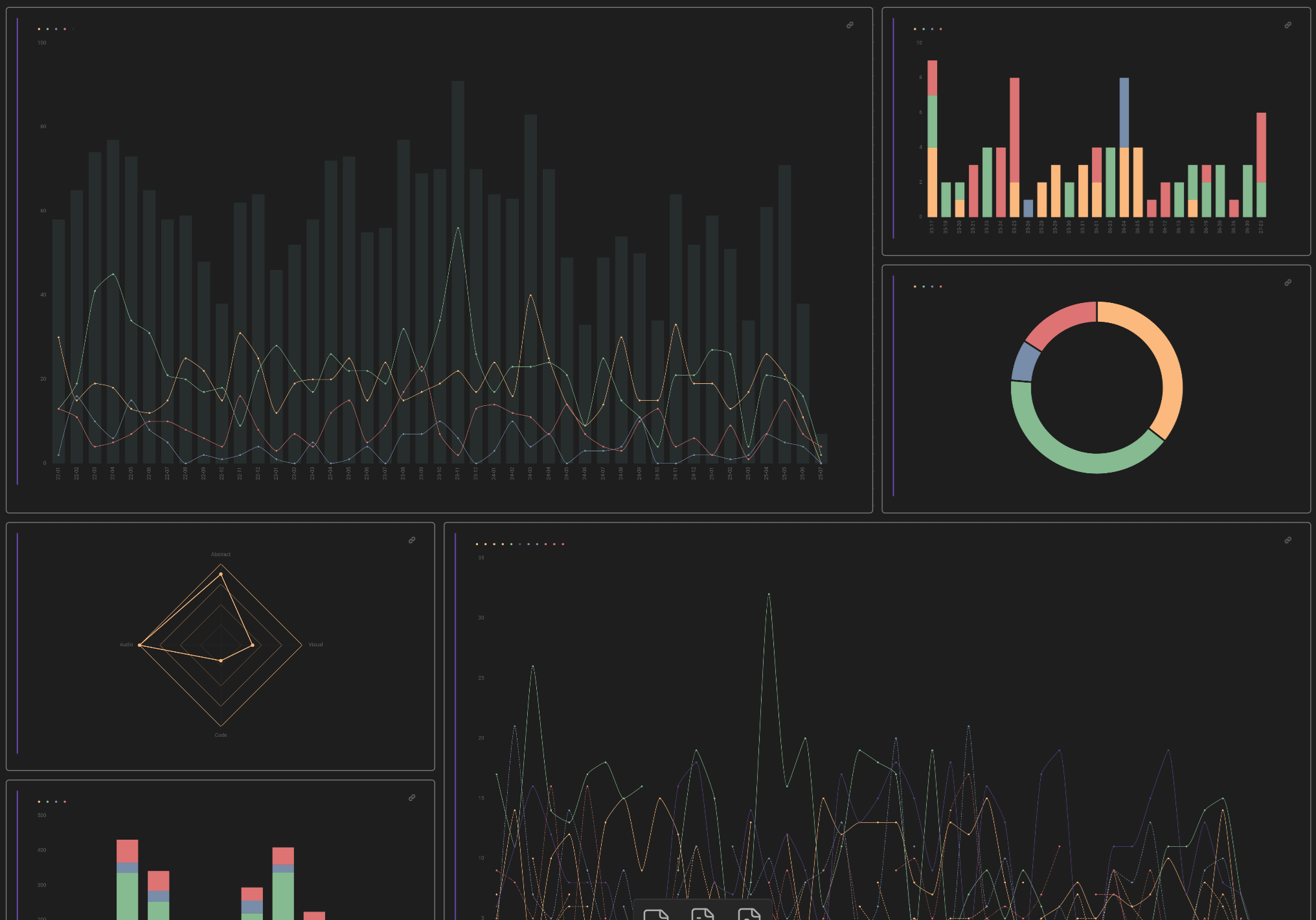
- An example of an Obsidian Canvas based dashboard featuring all charts - [[Dashboard.canvas|Dashboard]]
- Modular chart code using SQLSeal's global configurations for convenient color and style control over multiple charts -
Settings > Community Plugins > SQLSeal Charts
Some charts differ only slightly, and some use advanced mode to handle more unique data formatting requirements. They are all styled in a way that work for my needs specifically, please feel free to play around and make them suit your own tastes and requirements.
I hope you find this example vault helpful!
Notes
This vault has last been validated as working on: November 29th, 2025.
Updates past this date may affect its intended performance or functionality.
The values in the .csv files are random and for demonstration purposes only.
Global configuration variables for charts are always prefixed with _ for better readability.
The SQLite queries are not made to account for missing dates. For accurate rendering in cases of missing dates, include some sort of null entry in time-based charts.
You are free to copy, reproduce, and use any of the code provided in this project as your own, without any need for credits or attribution.
How to Install
- Download the ZIP or clone the repository
- Open the folder as a vault in Obsidian (File → Open Vault)
- Obsidian will prompt you to install required plugins
Stats
Stars
2
Forks
0
License
MIT
Last updated 9mo ago
Categories
Tags