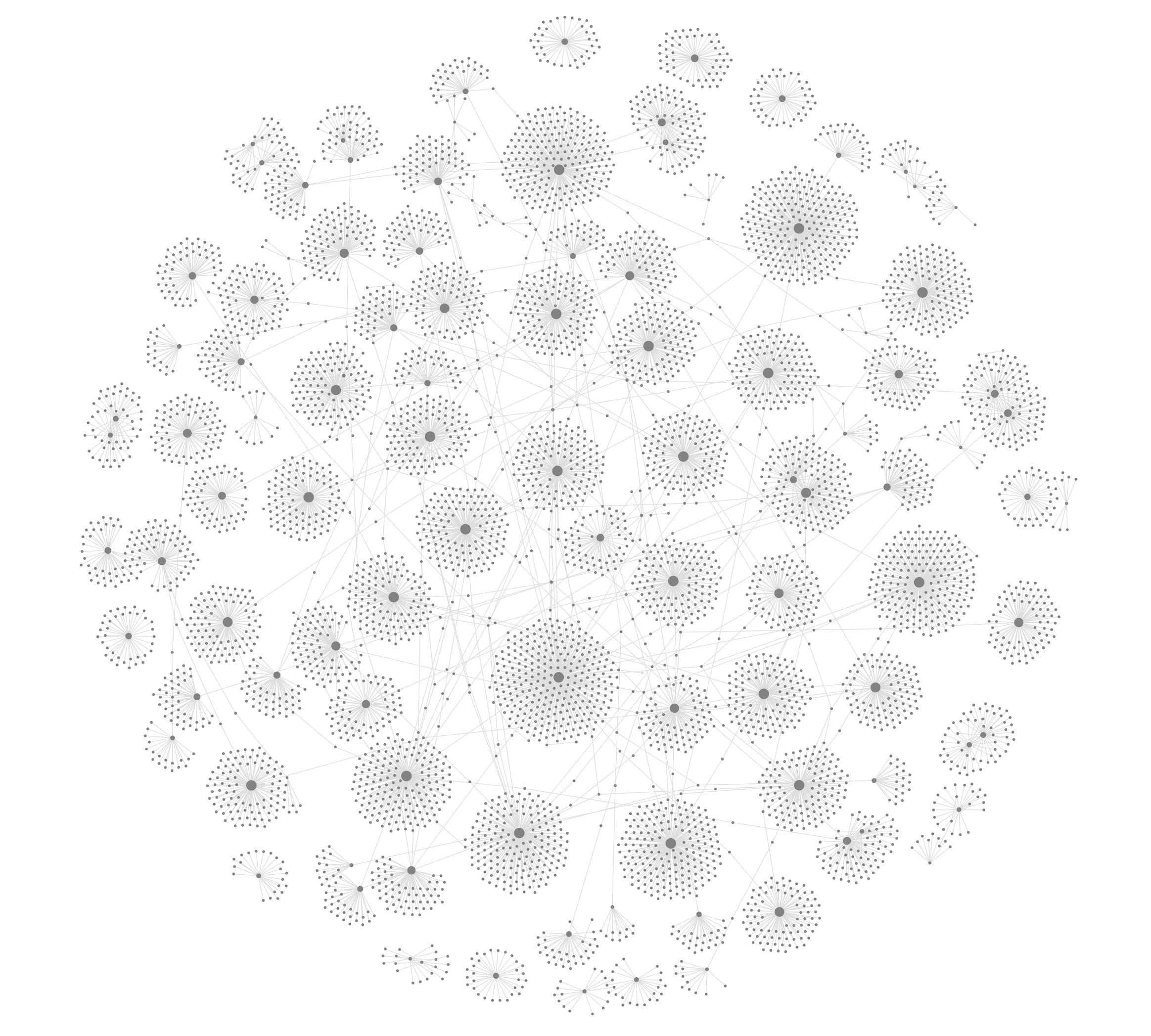
Quran To Obsidian
Generate separate markdown files for all surahs and ayat of the Qur'an. Perfect for linking and referencing.
Qur’an to Obsidian
Generate separate markdown files for all surahs and ayat of the Qur'an. Perfect for linking and referencing.
All Qur’an and translation data is sourced from the Quran.com API.
Intention
I’ve always found it a pain to copy and paste Arabic verses of the Qur’an and their translation when making notes about anything Islam related. This project aims to solve that issue.
The intention for files generated is to serve as reference files, i.e. you’re not meant to write in them, or use them directly. They’re designed so that you can easy link to them in the notes your taking already, with the aim being that you’ll slowly be able to see the graph-view connections between all ayat, surahs, and topics of your personally written notes.
The way the notes have been formatted (file names, prefixes, aliases, tags etc.) is highly opinionated. The aim is to optimise searchability, linking/backlinking, and filtering. If we stick to the same system, then sharing notes between friends and colleagues will be a delightful experience as their notes automatically link with your own and the Qur’an reference files from this project.
Insha’Allah this will be of benefit for you in your Islamic knowledge journey, and if you have any suggestions for improvement, please get in touch or open an issue.
Features
Specifically created to be optimised for the free note-taking app Obsidian.md.
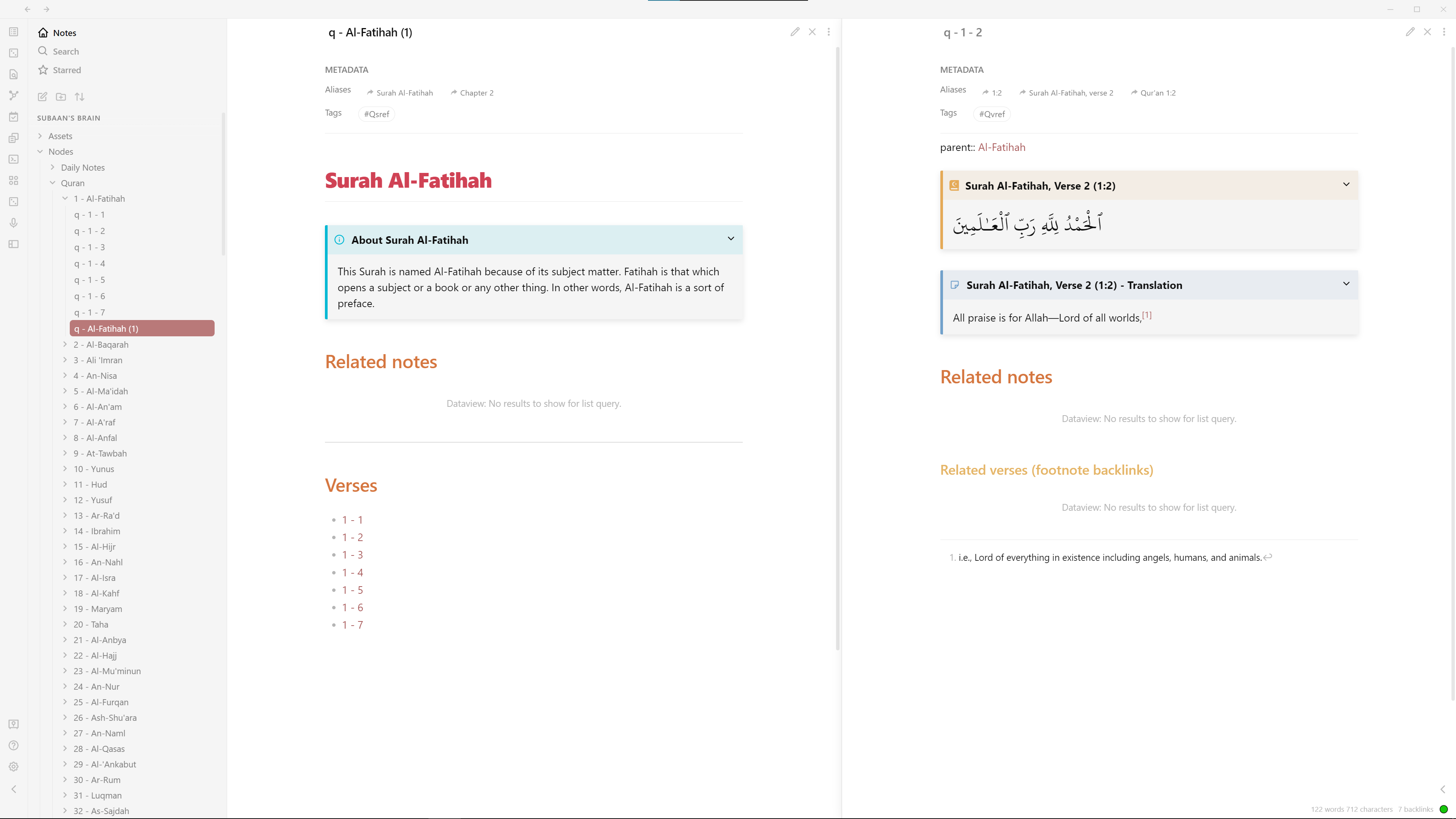
Optimised for searching
- Individual file for each ayah and surah
- Each ayah backlinked to its corresponding surah
- Prefixed file names and multiple alias formats
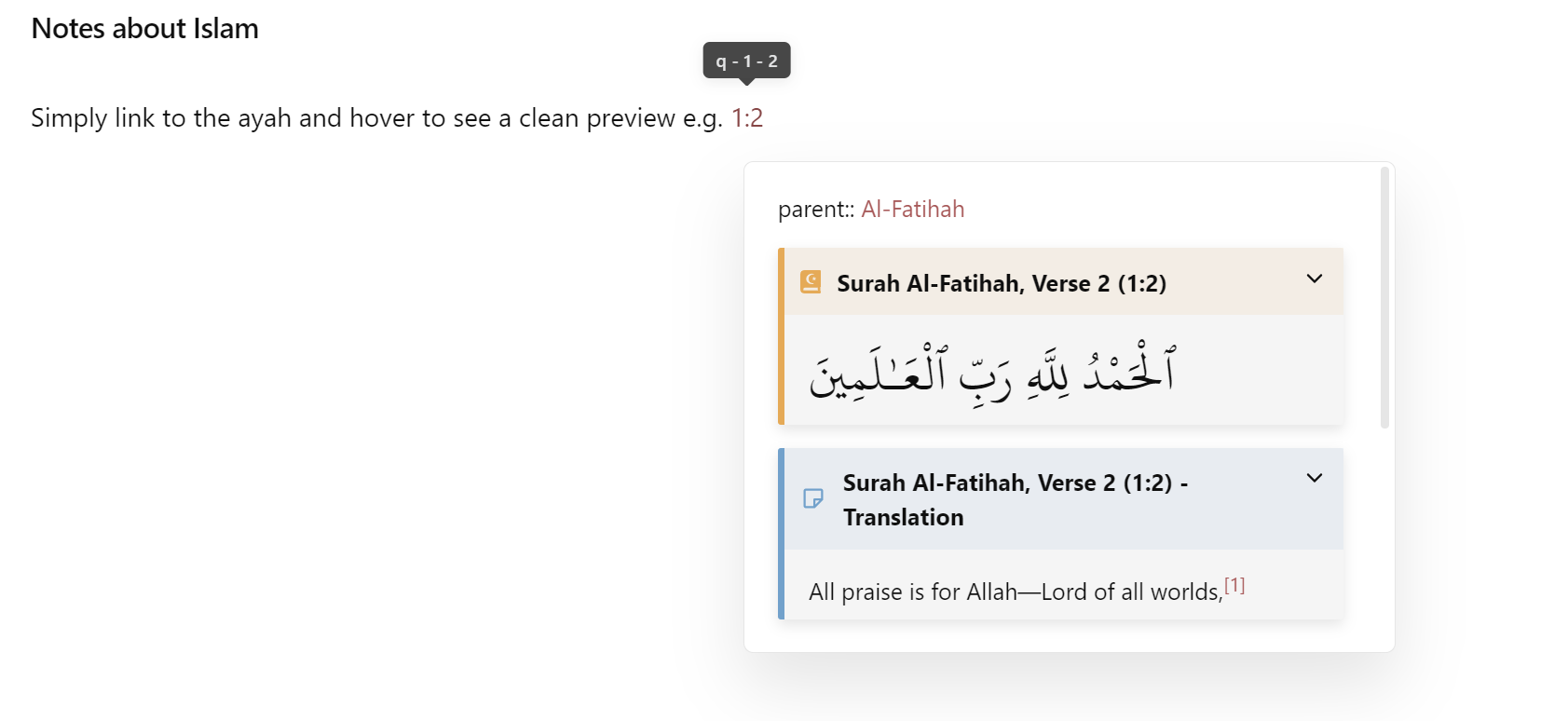
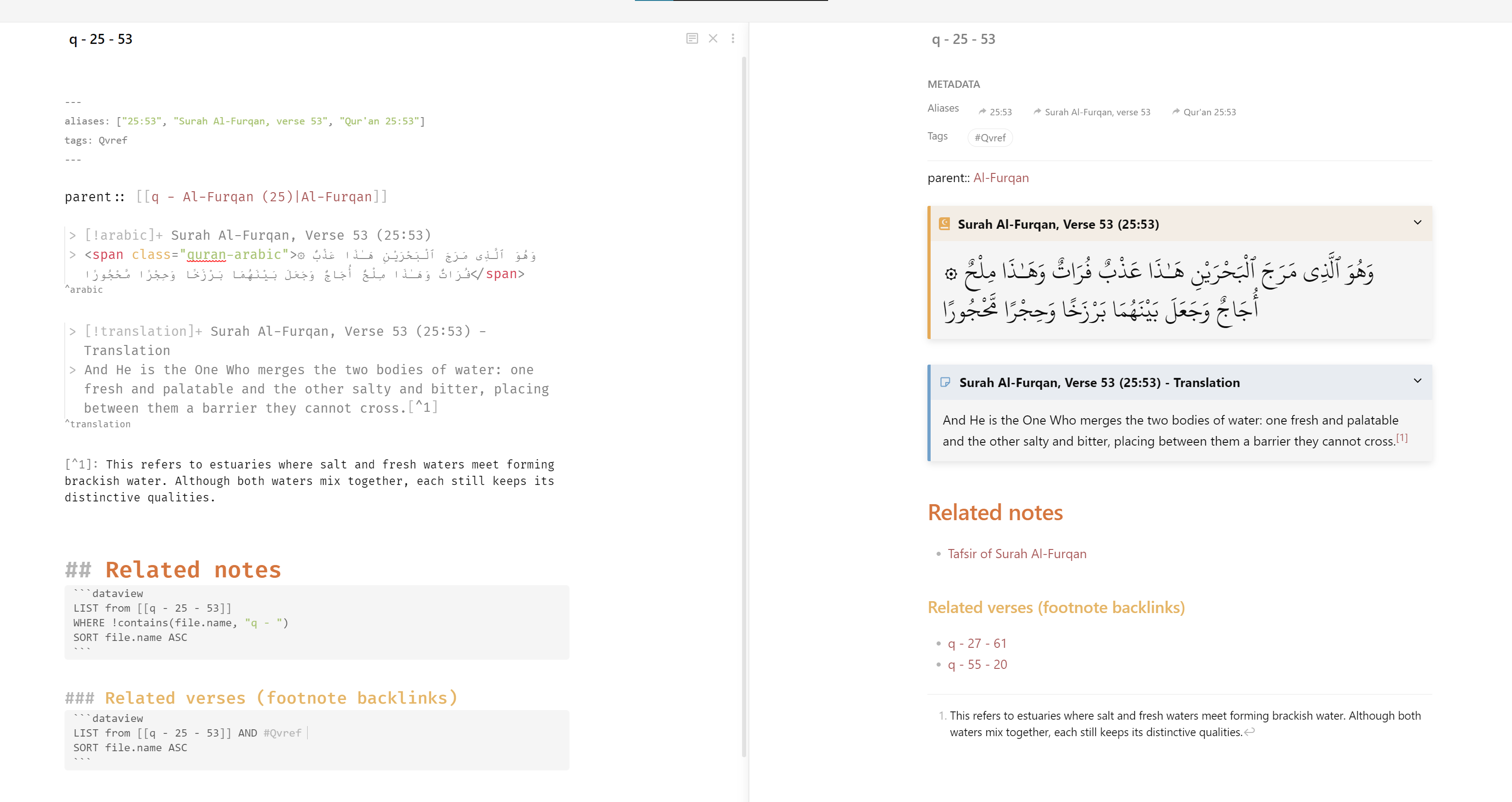
Super clean page previews
- No longer have to faff around copying and pasting translations and Arabic text and have it bloat your notes
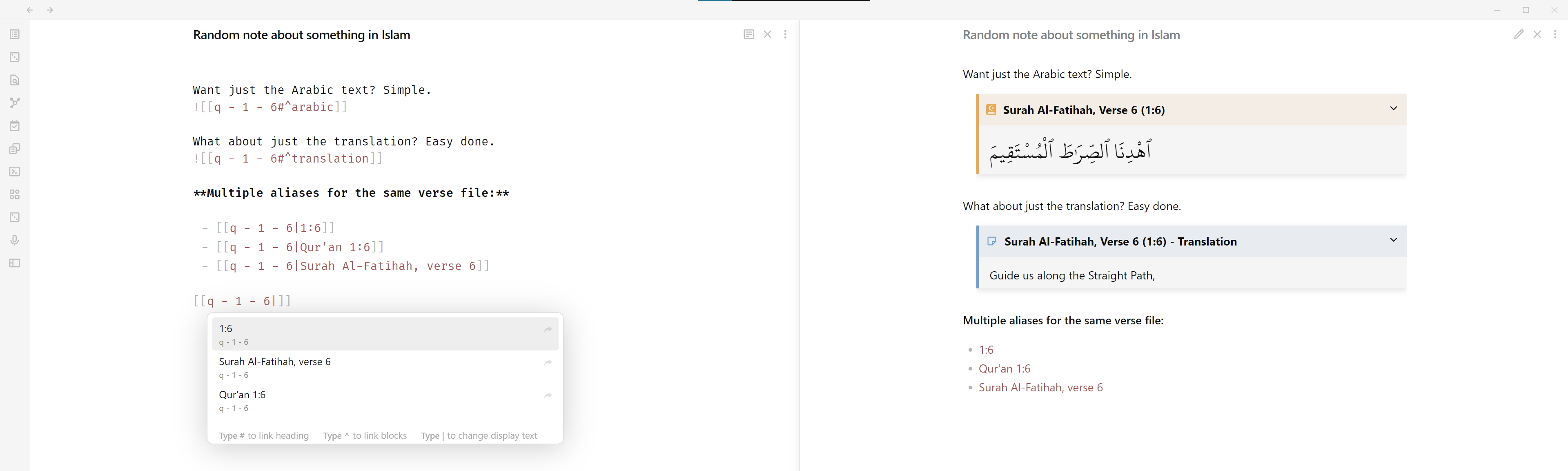
Perfect for embedding and linking
- Premade block links for just the Arabic text, or just the translation
- Prefixed file names and multiple alias formats makes it quick and easy to link notes that suits your preferences.
- Dataview queries for any notes that link to that ayah or surah, allowing each Qur'an note to act as a contents page for itself
And more…
- Currently uses The Clear Qur’an English translation by Dr. Mustafa Khattab.
- Footnotes included link to other relevant verses.
- Choose your own Arabic font
- Each file setup to work with the Dataview plugin so you can easily see which notes link to that particular ayah/surah.
- Custom callout blocks using the Admonition plugin
- Surahs and ayat files tagged to make graph view and Dataview filtering easy
Upcoming features
- Choose a translation of your choice
- Choose custom file prefix
- Create an interactive CLI tool for easy installation and setup
- Create JSON file for footnotes to prevent having to continuously call the Quran.com API, and drastically reduce file generation time.
Usage
You can simply download the Quran.zip file from the latest release, and unzip the contents to your vault - all done, nice and simple. You can now start referencing and linking the Qur’an and your brain together 🔥.
Restart Obsidian if it was already open, and allow it to index the files as you have just added 6350 new notes.
Follow the following steps if you’d like to customise and have more control:
You’ll need Node and npm installed. If you don’t, you can install them from the official Node.js website
Download the Source code zip from the latest release.
Unzip/extract the zip file into your Obsidian vault directory.
Open your terminal of choice and navigate to the quran-to-obsidian folder in your vault.
cd /<VAULT_DIRECTORY>/quran-to-obsidian
Next, run Quran to Obsidian in the terminal using the script:
npm run quran-to-obsidian
This will install the dependencies and subsequently run the scripts to generate the files.
Alternatively, you can install the dependencies and run the script separately:
npm install
npm run start
Now sit back and let the files generate 😁.
Make sure to delete the quran-to-obsidian folder from your vault after completion.
Restart Obsidian and allow it to index if needed, as 6350 files will have been added.
NOTE: THE GENERATION MAY TAKE UP TO 30 MINUTES! This is because I have had to put a rate-limiter for the API calls to get the footnote content. I hope to fix this soon by generating a JSON dump of the footnotes.
Recommended Obsidian.md plugins and setup
Dataview
Dataview is responsible for dynamically listing out the incoming links to the file. No configuration from the defaults are required to work the the Qur'an files.
It's probably one of the most powerful plugins for Obsidian. I'd highly recommend going through the docs/YouTube videos to see what it's capable of doing. You'll probably find a niche use-case for it.
Admonition
Admonition is a plugin that allows for styling of callout boxes in Obsidian.
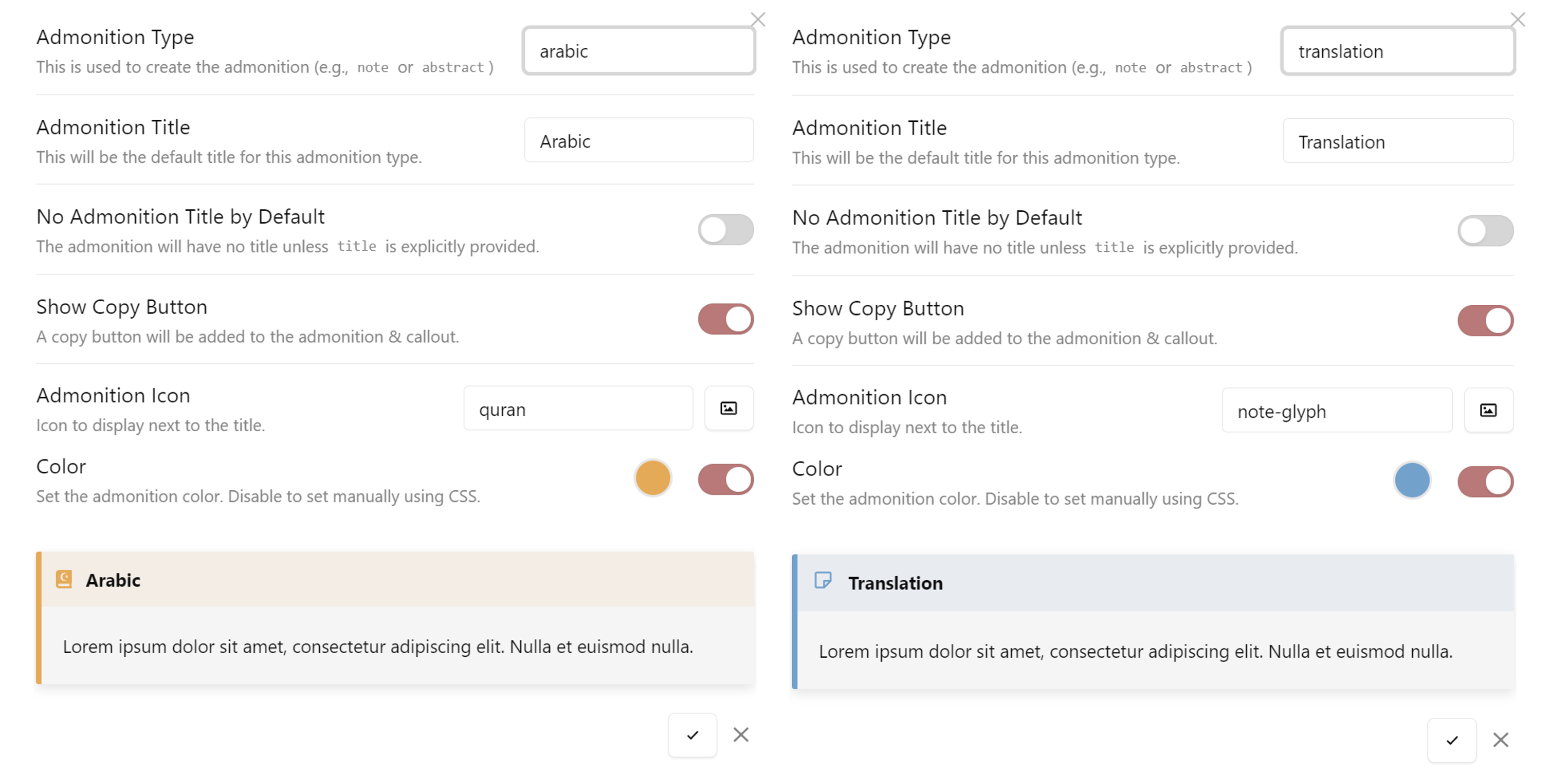
The Qur'an files can leverage custom styles and extra features from Admonition as the Arabic and translation text are inside callout boxes.
In your Admonition plugin settings, create 2 new Admonition types called arabic and translation, respectively. The actual settings for styling etc. are up to you. Below are my settings for reference:
Obsidian CSS snippets
You can use CSS snippets in Obsidian to customise styling to your needs. I added a custom css-class to the Arabic text in the verse files so that you can apply a custom Arabic font so it displays optimally.
To get started, ensure CSS snippets are enabled in Obsidian Settings > Appearance.
Then create an obsidian.css file at <VAULT_DIRECTORY>/.obsidian/snippets/ and add the following text to the file:
.quran-arabic {
  font-family: "ARABIC FONT OF YOUR CHOICE";
  font-size: 2rem;
}
For example, the Arabic font I use is KFGQPC Uthmanic Script HAFS as it is the same font of most mus'hafs use.
.quran-arabic {
  font-family: "KFGQPC Uthmanic Script HAFS";
  font-size: 2rem;
}
You can find other official Qur'an fonts here.
Contributing
If you have any suggestions, improvements or feature requests please check the currently open issues. If there aren’t any similar issues, please create one.
PRs welcome :)
How to Install
- Download the template file from GitHub
- Move it anywhere in your vault
- Open it in Obsidian — done!
Stats
Stars
20
Forks
2
License
GPL-3.0
Last updated 37mo ago
Categories