Obsidian-Homepage
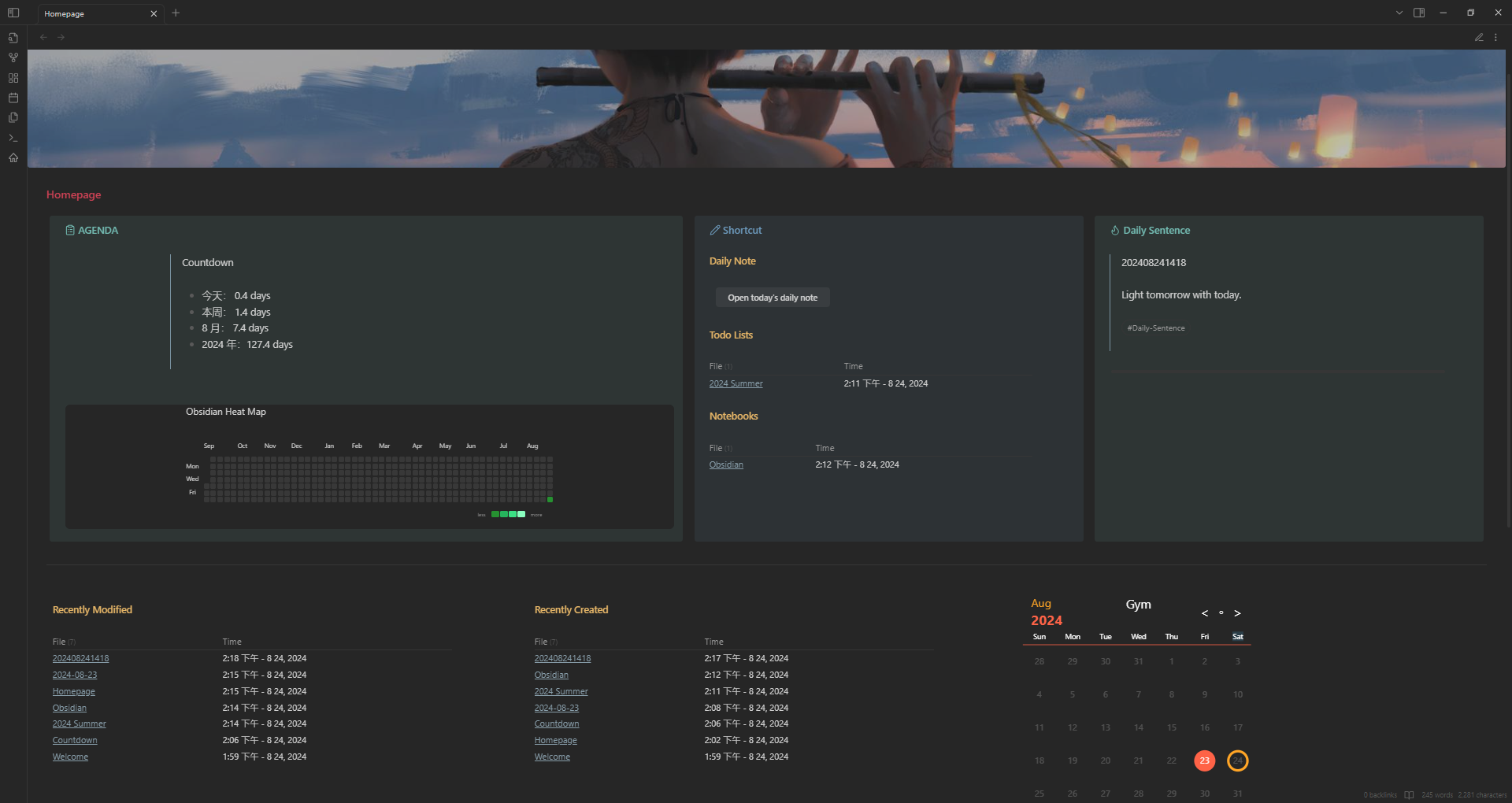
My customized Obsidian homepage. Feel free to download the template vault and play around.
[!Note] You may find my blog How to DIY Obsidian homeopage helpful.
Screenshots
Key Features
- Countdown
- Display and update the countdown automatically
- Obsidian Heat Map
- Similar to GitHub heat map, it displays how many files you create everyday (you can adjust it according to your need)
- Daily Sentence
- Randomly select one note (in a particular way) and display its content (my implementation is one sentence per note with some tags)
- Daily Note Button
- Open or create Today's Daily Note via a button
- Automatically roll over unchecked checkboxes from your last Daily Note
- Habit Tracker
- Track your habits and display in the calender
Prerequisite
Plugins
- Banners
- Buttons
- Contribution Graph
- Dataview
- Homepage
- Iconize
- Minimal Theme Settings
- Rollover Daily Todos
- Style Settings
- Tracker
CSS snippets
You can download from snippets and drag them into your vault/.obsidian/snippets (if the folder does not exist you can create one yourself).
How to Install
- Download the repository ZIP below
- Unzip it and find the CSS snippet file
- Move the CSS file into your vault's
.obsidian/snippets/folder - Open Obsidian → Settings → Appearance → CSS Snippets → Enable it
Stats
Stars
9
Forks
0
License
MIT
Last updated 6mo ago
Categories
Tags
obsidian