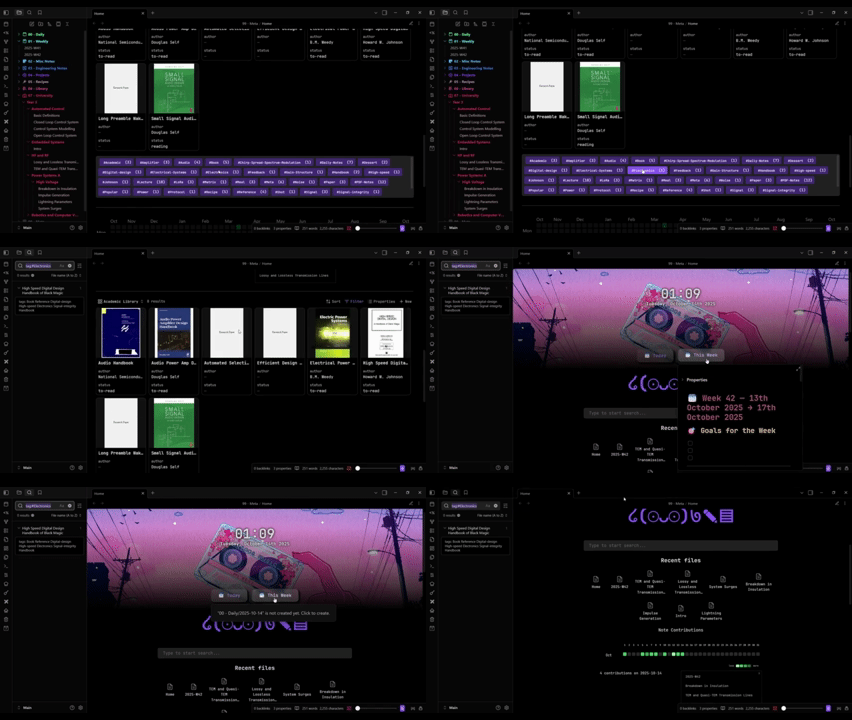
Obsidian Home Page Setup Guide
Easily set up a polished home dashboard in Obsidian using community plugins and custom CSS snippets.
Step-by-Step Setup
1. Add the Home Page Note
- Option 1: Download
Home.mdfrom this repository and move it to your vault. - Option 2: Copy the contents of
Home.mdand paste it into a new note inside your vault.
Make sure you know the path to this file (e.g. Dashboard/Home).
2. Add the CSS Snippets
- Download all three snippet files (
.css) from this repository. - Move them into your vault’s Snippets folder:
.obsidian/snippets
In Obsidian:
- Go to Settings → Appearance → CSS Snippets
- Click Reload snippets
- Enable all three snippets
Tip: You can toggle snippets on/off anytime to quickly test visual changes.
3. Install Required Plugins
Install the following community plugins from
Settings → Community Plugins → Browse:
| Plugin | Purpose |
|---|---|
| Dataview | Displays dynamic data from your notes |
| Hometab | Adds a searchbar to your notes |
| Homepage | Opens your home page automatically on startup |
| Simple Banner | Adds a banner with date/time and visuals |
| Contribution Graph | Displays a customisable activity graph |
| Editor Width Slider | Lets you adjust the editor width |
| New Tab Default Page | Makes new tabs open your home page |
Ensure all plugins are enabled once installed.
4. Configure Plugins
Homepage + New Tab Default Page
- In each plugin’s settings, set your
Home.mdfile as the default page.
Hometab
- Disable the option: "New Tabs as Hometab" This prevents new tabs from opening as hometabs instead of your homepage.
Simple Banner
- Enable Datetime
- Adjust banner style to your liking.
My settings:
- Height: 400
- Padding: 0
- Note Offset: -100
- Fade: ON
Dataview
- Enable Javascript Queries
Optional: Improve Hometab Styling
By default, Hometab’s style file includes some hardcoded colors and formatting that may not match your theme.
If it looks off:
- Download the modified
style.cssfrom this repository (.obsidian/plugins/home-tabfolder). - Replace the existing file in your vault’s plugin folder:
.obsidian/plugins/home-tab/style.css - Restart Obsidian (or disable/re-enable the plugin).
Not Fully Tested but should work for most themes
Troubleshooting
| Issue | Fix |
|---|---|
| Homepage doesn’t open on launch | Check the “Homepage” plugin path |
| Banner not showing | Make sure Simple Banner is enabled and the banner path is valid |
| CSS not applying | Verify snippets are toggled on in Appearance settings |
| Layout looks broken | Restart Obsidian after replacing style.css or changing snippets |
✅ Summary Checklist
-
Home.mdin your vault - All 3 CSS snippets enabled
- 7 community plugins installed
- Homepage + New Tab Default Page linked to
Home.md - Simple Banner configured
- Dataview Javascript Queries Enabled
- (Optional) Hometab style replaced
How to Install
- Download the repository ZIP below
- Unzip it and find the CSS snippet file
- Move the CSS file into your vault's
.obsidian/snippets/folder - Open Obsidian → Settings → Appearance → CSS Snippets → Enable it
Stats
Stars
97
Forks
3
Last updated 12mo ago
Categories