RatVault
A curated Obsidian vault with templates, cheat sheets, and workflows for security operations, incident response, threat hunting, and more
RatVault
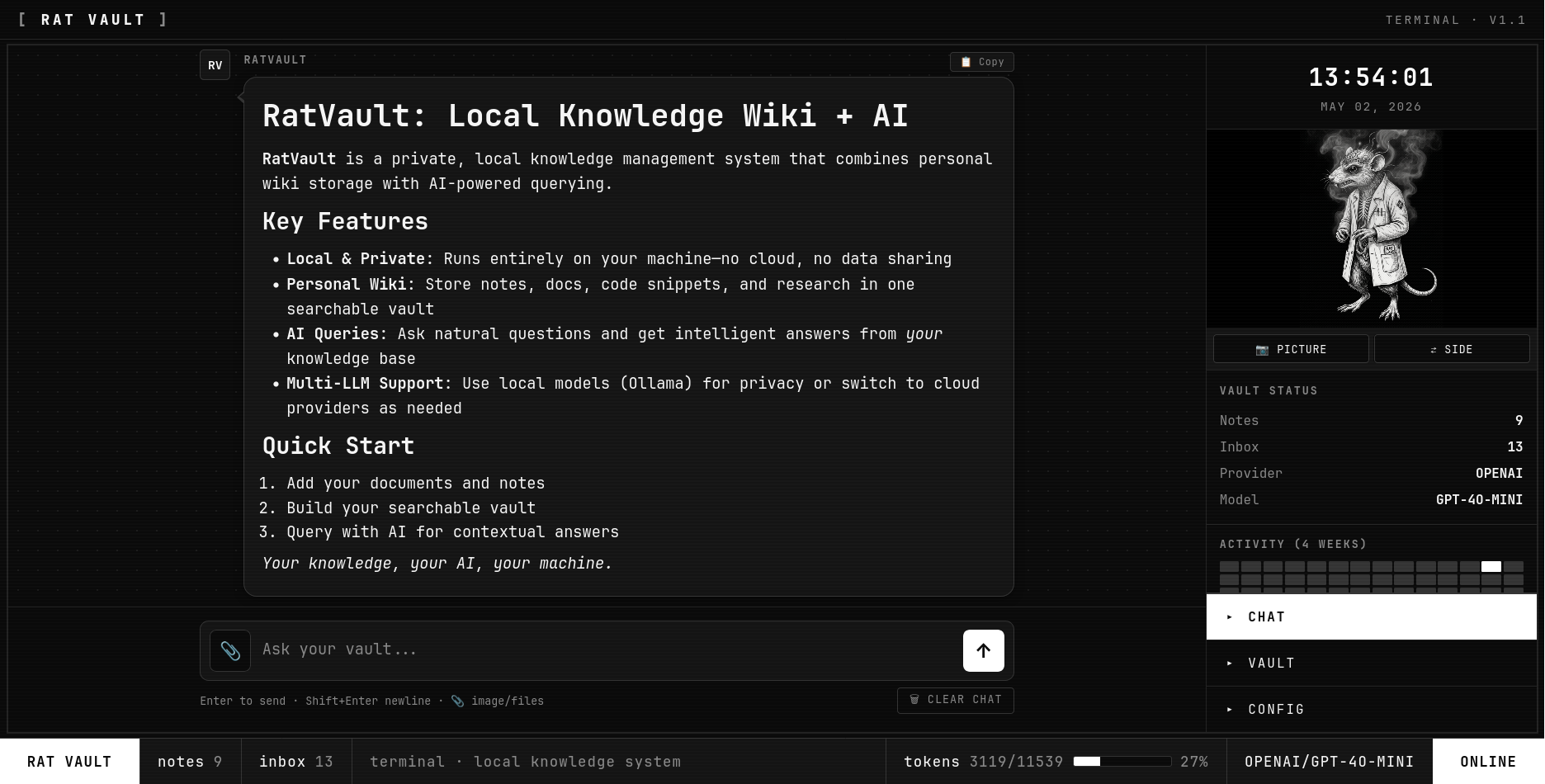
Your local, private, LLM-optional knowledge wiki.
Drop sources in. Get a structured, queryable, cross-referenced wiki out.





Why RatVault
- Indexing without a model. Python-only pipeline turns your inbox into a wiki. No API key, no Ollama, no internet. Add an LLM later if you want richer summaries — never required.
- Compounding, not fetching. Inspired by Karpathy's "persistent, compounding knowledge artifact" pattern. Your vault is computed once and kept current — not re-derived on every query.
- Plain markdown, plain folders.
Notes/is regular markdown with YAML frontmatter. Open it directly in Obsidian as a vault. No lock-in. - Local first. Runs on your machine. Your data never leaves it unless you point a cloud provider at it.
- Multi-provider chat. Ollama, OpenAI, Anthropic, OpenRouter — pick per session. Encrypted-at-rest API keys with master password.
- Mobile too. Full pipeline runs in Termux on Android.
How it works
| Layer | What | Purpose |
|---|---|---|
inbox/ | Raw sources you drop in | Markdown, text, PDFs, images, videos |
Notes/ | Wiki output | One markdown file per entity/concept, YAML frontmatter, cross-refs |
assets/ | Extracted media | images/<slug>/, pdfs/<slug>/, videos/<slug>/ |
config.yaml | Provider + model | Ollama / OpenAI / Anthropic / OpenRouter / none |
One pipeline, two paths:
inbox/foo.md  ─►  Python indexing (always)  ─►  Notes/foo.md
                  ▲
                  └── (optional) LLM enrichment overlays summary, tags, key concepts
If the LLM call fails or no provider is set, the deterministic baseline still writes. Files never get stuck in the inbox.
🖥 Desktop
Requirements
- Python 3.10+
pip- (optional) Ollama for local LLM enrichment + chat
1. Install
git clone https://github.com/labrat-0/RatVault.git
cd RatVault
pip install -r requirements.txt
2. Run
python serve.py
Open http://localhost:8055.
That's it. No config required for indexing — drop a .md, .pdf, image, or video into inbox/ from the dashboard, click ⚙ Reindex Inbox, and a wiki entry appears in Notes/.
3. (Optional) Plug in a local model
For richer auto-tagging, summaries, and chat, install Ollama and pull a model:
# Recommended for vault enrichment + chat (best balance of quality + speed)
ollama pull mistral:7b-instruct

# Faster but lighter — good for quick edits and small machines
ollama pull phi3:mini

# If your vault is mostly code/scrapers
ollama pull deepseek-coder:6.7b-instruct
Then in the dashboard:
- Open Config
- Provider → Ollama
- Model → click ↻ Fetch and pick
mistral:7b-instruct - Save & Apply
Indexing now overlays LLM-generated summaries and tags on top of the deterministic baseline. Chat hits your local model — no cloud, no key.
Recommendation: start with
mistral:7b-instruct. It produces clean prose summaries and accurate tags for general notes. Switch todeepseek-coder:6.7bif your vault is dominated by code.
4. (Optional) Add cloud providers
Encrypted at rest. Master password decrypts keys per session.
- Open Config
- Set a master password
- Paste your OpenAI / Anthropic / OpenRouter key in the API Keys panel
- Save & Apply
The footer shows 🔒 VAULT LOCKED (red) when keys are encrypted but not unlocked, 🔓 VAULT UNLOCKED (green) after Unlock. Local providers (Ollama, None) work regardless of lock state.
5. Use Obsidian alongside RatVault
Notes/ is a clean Obsidian vault. Open it directly:
- Open Obsidian → "Open folder as vault" → pick the
Notes/directory - Wikilinks (
[[other-slug]]) and frontmatter render natively - Edit in Obsidian or the RatVault dashboard — both work on the same files
📱 Mobile (Termux)
Run the full RatVault pipeline on Android. No root.
Chat — local or cloud LLM, vault-aware | 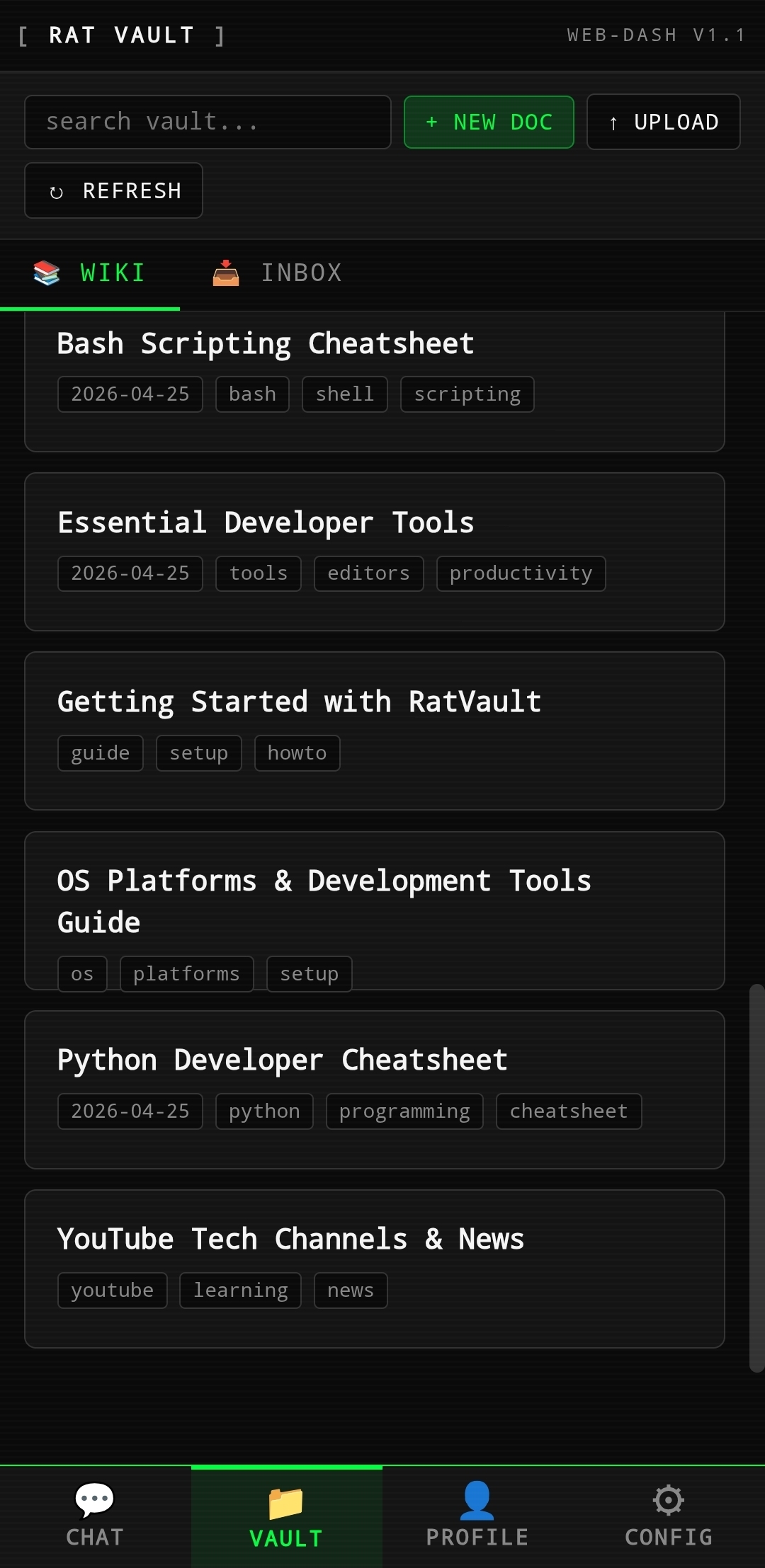 Vault — wiki + inbox, tagged notes | 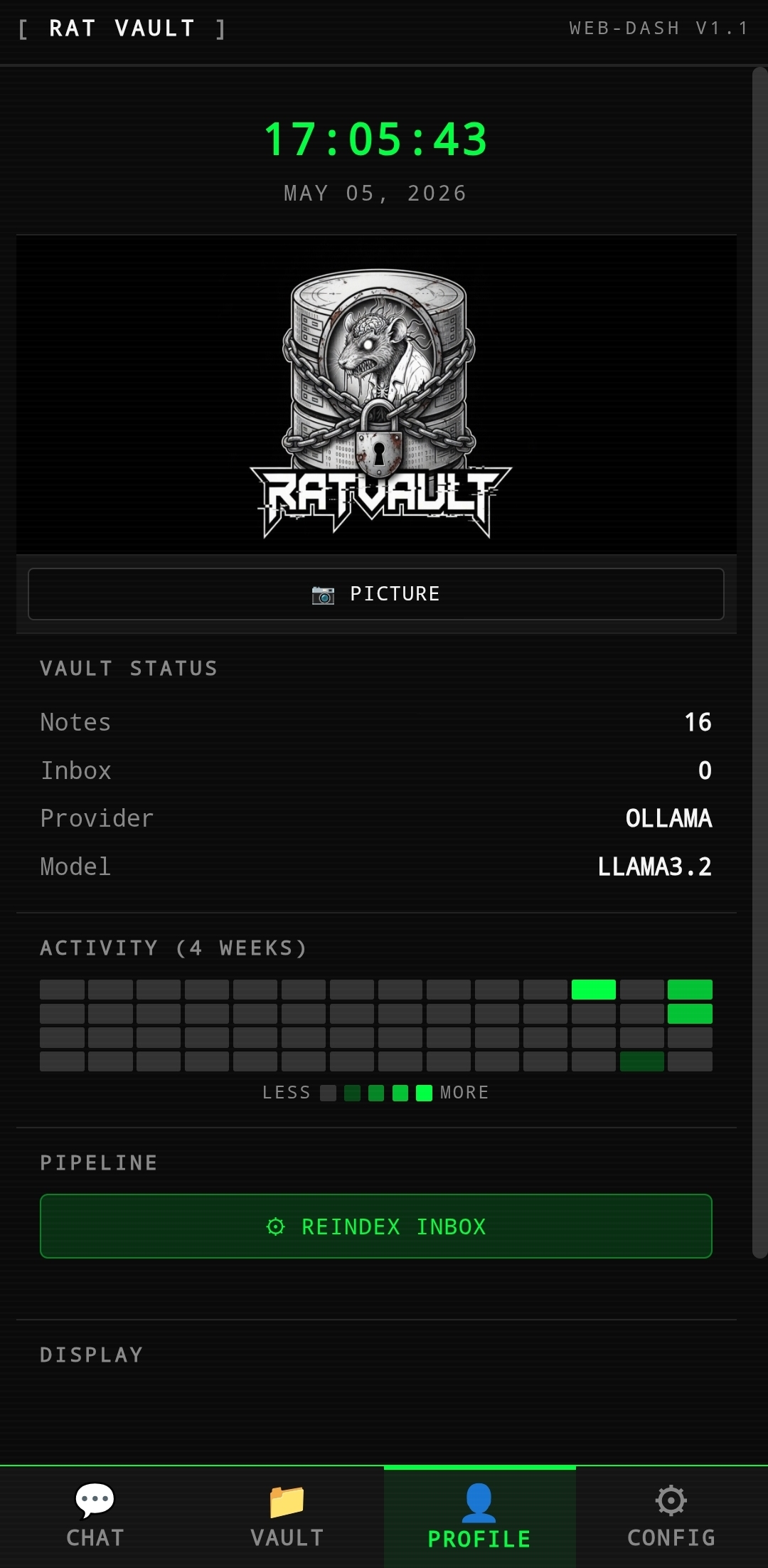 Profile — stats, activity, reindex |
Requirements
- Termux — install from F-Droid (the Play Store version is outdated)
- Android 7.0+
- ~500 MB free storage
1. Set up Termux
pkg update -y && pkg upgrade -y
pkg install -y python git

# Optional: storage access so you can drop files from your file manager
termux-setup-storage
2. Clone and install
cd ~
git clone https://github.com/labrat-0/RatVault.git
cd RatVault
pip install -r requirements.txt
If
pip installfails onpypdfor other native deps, run:pkg install -y rust binutils libjpeg-turbo pip install -r requirements.txt
3. Run
python serve.py
Open http://localhost:8055 in your phone's browser. The dashboard is fully responsive — bottom tab bar with Chat / Vault / Profile / Config.
4. Install as a PWA (recommended)
RatVault is a Progressive Web App. Install it to your home screen so it launches like a native app — full-screen, no browser chrome, with its own icon.
Chrome / Edge / Brave (Android):
- Open
http://localhost:8055 - Tap the ⋮ menu (top-right)
- Tap Install app (or Add to Home screen)
- Confirm — RatVault appears on your launcher
Safari (iOS) — for LAN use from iPhone/iPad:
- Open the dashboard URL
- Tap the Share button
- Tap Add to Home Screen
- Confirm — RatVault icon appears
After install, launch RatVault from the home-screen icon. Termux must be running with python serve.py for the app to load. Tip: keep the Termux session alive in the background using termux-wake-lock.
To add files from elsewhere on your phone, use Profile → Picture for media or just drag them into ~/RatVault/inbox/ via your file manager (after termux-setup-storage).
5. Indexing on mobile
No model needed. Provider stays at none (or ollama pointed at your home server) and the Python indexer handles everything.
# Force pure-Python indexing (no LLM enrichment)
python ingest.py --provider none
You get full deterministic frontmatter (title, slug, tags from your input file), media routed to assets/, and clean wiki entries — all on your phone, all offline.
6. Cloud chat from mobile
Want chat? Paste an OpenRouter or OpenAI key in Config the same way as desktop. The encryption flow is identical.
Local LLMs in Termux: Ollama doesn't run natively on Android. If you want local chat from your phone, run Ollama on a desktop on your LAN and point
ollama_base_urlinconfig.yamlto its IP (http://192.168.x.x:11434).
CLI
python ingest.py                       # process inbox/ → Notes/
python ingest.py --dry-run             # preview, no writes
python ingest.py --force               # reprocess everything
python ingest.py --provider none       # pure-Python (no LLM)
python ingest.py --provider ollama     # use local Ollama
python ingest.py --lint                # report orphaned/broken pages
python ingest.py --serve               # launch dashboard
python ingest.py --setup               # interactive config wizard
Document format
Every Note in Notes/ is plain markdown with YAML frontmatter:
---
title: "Entity Name"
slug: "entity-slug"
created: "2026-05-04"
ingested_at: "2026-05-04T..."
category: development
tags: [tag1, tag2]
summary: "First-paragraph or LLM-generated summary"
key_concepts: [concept-a, concept-b]
source_file: "input.md"
provider: ollama
model: mistral:7b-instruct
---
# Title
Body content with  and [[other-slug]] links.
Compatible with Obsidian, marked, pandoc, and any markdown renderer.
Provider reference
| Provider | Needs key | Local? | Best for |
|---|---|---|---|
none | no | n/a | Pure deterministic indexing — no model at all |
ollama | no | yes | Recommended local default; mistral:7b-instruct |
openai | yes | no | Highest-quality enrichment + vision chat |
anthropic | yes | no | Long-context summaries (claude-haiku-4-5) |
openrouter | yes | no | One key, many models (anthropic/claude-3-haiku, etc.) |
Security
config.yaml,.env,data/,inbox/, and uploadeddashboard/assets/profile-*are all gitignored.- A pre-commit hook (
scripts/pre-commit) blocks any staged file matching common API-key patterns (sk-proj-…,sk-or-v1-…,sk-ant-…, AWS keys, Google keys). Install on a fresh clone:cp scripts/pre-commit .git/hooks/pre-commit chmod +x .git/hooks/pre-commit - API keys are encrypted with AES-GCM in browser localStorage using your master password. They are never sent to the server until you explicitly use them.
- The footer's 🔒 VAULT LOCKED indicator means: any stored cloud-provider key is currently inaccessible. Local providers (Ollama, None) bypass entirely.
File layout
RatVault/
├── inbox/                  # drop sources here (gitignored, append-only)
│   └── .archive/           # auto-archived after successful indexing
├── Notes/                  # the wiki — plain markdown, Obsidian-compatible
├── assets/
│   ├── images/<slug>/      # extracted from inbox media
│   ├── pdfs/<slug>/
│   └── videos/<slug>/
├── dashboard/              # vanilla JS web UI
├── pipeline/               # parser, providers, media, prompts, writer, lint
├── data/                   # ingest_state.json (dedup cache)
├── config.yaml             # provider + model (gitignored)
├── ingest.py               # main pipeline entry
└── serve.py                # FastAPI dashboard server (port 8055)
Endpoints (FastAPI)
| Method | Path | Purpose |
|---|---|---|
| GET | /api/entries / /api/entries/{slug} | List / fetch wiki entries |
| GET | /api/search?q= | Full-text search |
| GET | /api/inbox | List inbox files |
| POST | /api/inbox/upload | Upload file to inbox |
| POST | /api/inbox/save-edit | Save wiki edit back to inbox for re-ingest |
| GET | /api/inbox/file/{name} | Inline serve (PDF/image/video preview) |
| DELETE | /api/inbox/{name} | Remove inbox file |
| POST | /api/reindex | Run ingest.py |
| GET/POST | /api/config | Read/write provider config |
| POST | /api/chat | RAG chat (vault context + optional images) |
| GET/POST | /api/profile | Sidebar profile media |
| GET | /assets/{path} | Serve repo assets/ |
Roadmap
- Python-first indexing with optional LLM overlay
- Mobile-responsive dashboard (bottom tabs, no slide drawer)
- Master-password-encrypted cloud keys
- Auto-archive indexed inbox sources
- Full lint pass (orphan refs, contradictions)
- Embedding index for semantic search
- One-tap Termux installer
License
MIT — © labrat. Built for fast, local, private knowledge work.
How to Install
- Download the ZIP or clone the repository
- Open the folder as a vault in Obsidian (File → Open Vault)
- Obsidian will prompt you to install required plugins
Stats
Stars
2
Forks
0
Last updated 4mo ago
Categories