CSSAny theme
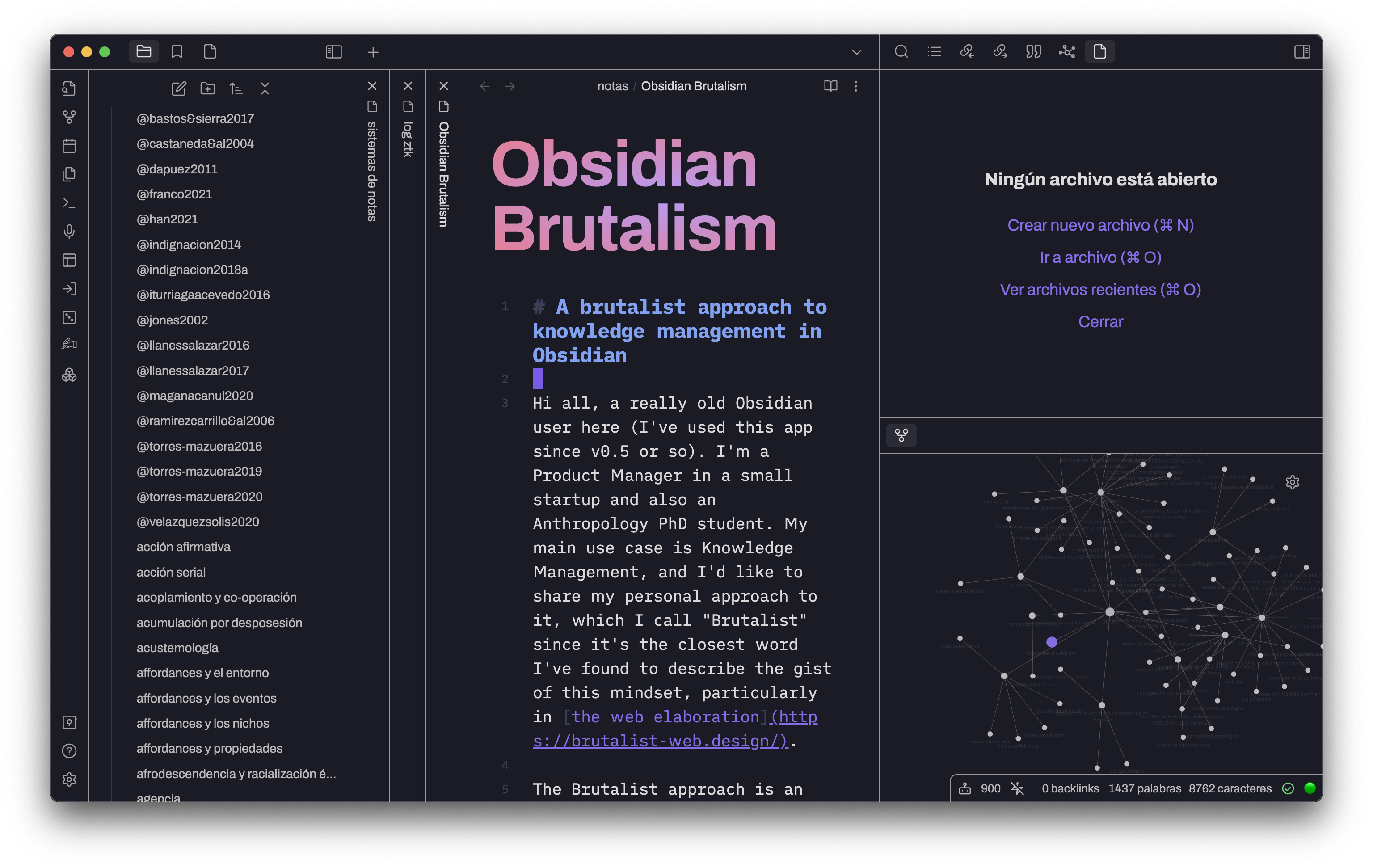
# Obsidian Brutalism


A theme based on the [web brutalist](https://brutalist-web.design/) approach. Mainly for my personal needs:
- Words are the *béton brut*, the raw material. Forget about fancy visual features, focus on writing
- Less css is always better
- If you like inline-title, there is a fun gradient and fluid typography styling
- Let space for native obsidian config, like accent color or font selection
- For more information about this approach, read the [forum post](https://forum.obsidian.md/t/a-brutalist-approach-to-knowledge-management-in-obsidian/60553)
## Recomendations
### Fonts
Use fonts like [Archivo font](https://fonts.google.com/specimen/Archivo) for user interface, [iA Writer Duo](https://github.com/iaolo/iA-Fonts/tree/master/iA%20Writer%20Duo) for the writing space, and some Nerd Font like [Hack Nerd Font](https://github.com/ryanoasis/nerd-fonts/tree/master/patched-fonts/Hack) for code.
'Archivo' is a good font to use as the only typography if you prefer a sans serif

Or if you prefer a sans serif as writing font and other for UI

### Brutalism Focus snippet
I've add a css snippet to hide the scrollbar, statusbar, sidebar and toggle-sidebar icons if you're like me: a keyboard-only nerd that has shortcuts to control everything. If you'd like to get a cleaner version of the theme, feel free to download and use.
- Download the snippet using [this link](https://github.com/abrahambahez/Brutalism/blob/main/brutalism-focus-snippet.css)
- Add the ccs file to your snippets folder in `.obsidian/snippets/` (create a folder with that name if doesn't exist)
- Activate the snippet in `Appearances`, selecting it in the option `CSS snippets`
- Feel free to remove or add more css to the snippet
### Other tips
- Set `source mode` as default editing mode (get used to see markup as an aesthetic value -raw material)
- Use keyboard and vim mode to focus on writing
## Installation
1. Open `Settings` in Obsidian
2. Go to `Appearances` tab
3. Select `Manage` option in `Themes`
4. Search for `Brutalism`
5. Click `Use`
How to Install
- Download the CSS file below
- Move it to your vault's
.obsidian/snippets/folder - Open Obsidian → Settings → Appearance → CSS Snippets → Enable it
Stats
Stars
18
Forks
1
License
MIT
Last updated 6mo ago