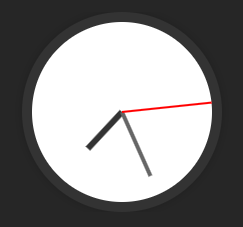
Clock Template
This Obsidian clock template repo features three Dataview-based clock templates: an Analog Clock, a Digital Clock - 12H, and a Digital Clock - 24H. Easily integrate them into your notes for dynamic time display, offering a clean solution with only dataview plugin.
This repository contains templates for displaying an active clock within your notes, which works seamlessly in both editing and reading modes. The only required plugin is the Obsidian Dataview Plugin.
Here are the outputs of each template:


Ensure that the necessary options are enabled, and check that the dataviewJS keyword is used. If not, you may need to modify the templates accordingly to ensure they function correctly.

These templates are inline dataviewJS queries, making them work perfectly with the Dashboard++ CSS snippet, as shown below:

How to Install
- Download the ZIP or clone the repository
- Open the folder as a vault in Obsidian (File → Open Vault)
- Obsidian will prompt you to install required plugins
Stats
Stars
21
Forks
2
License
MIT
Last updated 15mo ago
Categories
Tags