Obsidian-RAG-Starter
A naïve RAG built with NEXT.js and Supabase PostgreSQL (+ pgvector). Set up for Open-AI Compatible inference APIs. Ingest script designed for vaults with .md, .pdf, and .canvas files (only processes text for now). Comes with tokenizer specifically for llama-nemotron-embed-1b-v2.
Obsidian-RAG Starter (text only)
A RAG chat interface for querying your Obsidian vault — Next.js, Supabase/pgvector, NVIDIA NIM (NVIDIA/nemotron-3-ultra-550b-a55, NVIDIA/nemotron-3.5-lightning-30b-a3b, nvidia/llama-nemotron-embed-1b-v2).
Obsidian-RAG Starter turns a personal Obsidian vault — markdown notes, canvas boards, and PDFs — into a queryable knowledge base. It walks the vault and collects eligible file paths, parses and chunks vault content, embeds the chunks via a remote embedding model, and stores chunks and vectors in Supabase for semantic retrieval. During main inference, a background process automatically collects and updates user information, goals and topics, persists them in local storage, and injects them into the main system prompt as additional context.
This project was designed to operate at zero-cost using free-tier tools and models. However, model API's can be easily switched out for frontier or paid options.
Future versions of this project will continue to sophisticate the working memory, long-term memory, ingestion and retrieval strategies. They will also aim to implement multimedia document ingesting, web search, and add simple agentic capabilities for UI manipulation—hoping to create an agentic tool that supports apps that are functionally more than just a chat app.
Note: The RAG portions are commented out at this time. The embedding model being used is deprecated and I need to select the next one with the same dimensions and that has an available tokenizer. Aside from the model, the retrieval process silently fails in production so context never gets retrieved for a deployed app.
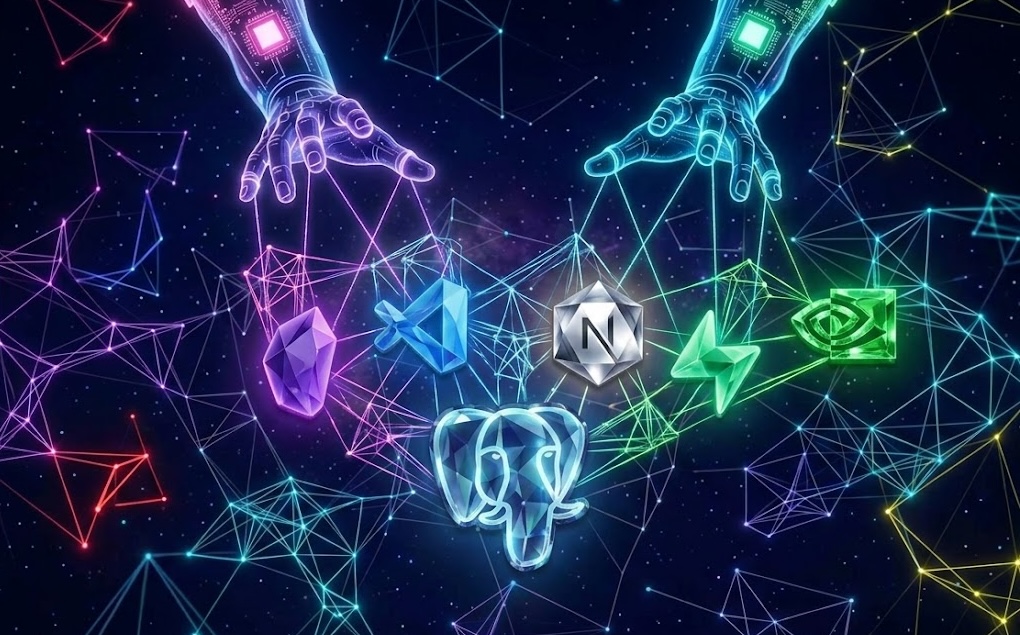
Stack/Technologies
- Next.js (interface/full-stack framework)
- Supabase PostgreSQL + pgvector (Relational DB with Vector Embeddings)
- NVIDIA/nemotron-3-ultra-550b-a55 (Open-AI compatable inference API; Main inference)
- NVIDIA/nemotron-3.5-lightning-30b-a3b (Working memory updating background inference)
- NVIDIA NIM/llama-nemotron-embed-1b-v2 (Embedding model) — deprecated, use something else 2048 dimensions; must re-ingest
- @Huggingface/transformers (tokenizer for the embedding model) — currently uses a tokenizer for the deprecated nemotron-embed-1b-v2 but may contain a tokenizer for the next chosen embedding model.
Models
Main Inference — NVIDIA/nemotron-3-ultra-550b-a55 (NVIDIA NIM)
Uses the OpenAI-compatible chat completions format, so swapping to any other OpenAI-compatible endpoint is a matter of changing the model string, base URL, some explicitly given features in the model card, and API key in route.ts — no other code changes needed. (Max: 1M input tokens | 16K output tokens)
Free API key: NVIDIA/nemotron-3-ultra-550b-a55
Background Inference — NVIDIA/nemotron-3.5-lightning-30b-a3b (NVIDIA NIM)
Uses the OpenAI-compatible chat completions format, so swapping to any other OpenAI-compatible endpoint is a matter of changing the model string, base URL, some explicitly given features in the model card, and API key in route.ts — no other code changes needed. (Max: 1M input tokens | 16K output tokens)
Free API key: NVIDIA/nemotron-3.5-lightning-30b-a3b
Embedding — nvidia/llama-nemotron-embed-1b-v2 (NVIDIA NIM)
Also OpenAI-compatible. Requires input_type: "passage" at ingest time and input_type: "query" at query time — this is model-specific behavior, not a general OpenAI-compatible requirement.
Free API key: llama-nemotron-embed-1b-v2
Note: There are zero rate limits beyond 40 requests per minute for NVIDIAs free NIM models which makes it a comfortable tool for prototyping. However, the free tier is limited to prototyping. Commercial use will require a commercial license from NVIDIA. The Open-AI compatible format of these APIs makes it easy to swap for most models/providers in the industry so this app is not limited to the NVIDIA NIM catalog.
Memory
This project models memory loosely after human cognitive architecture — working memory, episodic memory, semantic memory, and procedural memory — rather than treating "memory" as a single undifferentiated feature. Future work in this area will draw on both frontier-model memory strategies and neurocognitive literature on how humans track conversational state.
Working Memory
Current working memory approach:
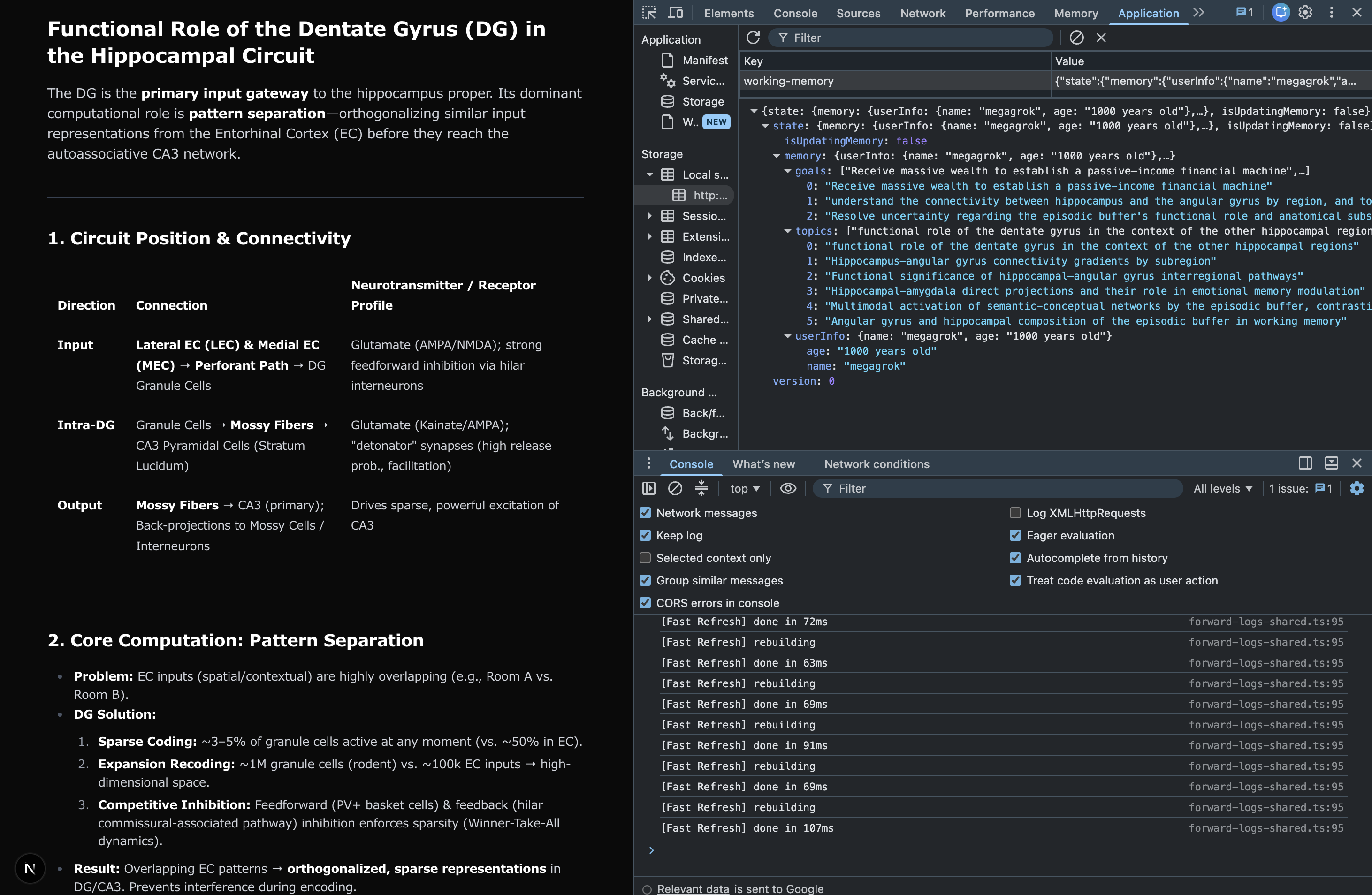
App now contains a persistent, self-updating object that extracts user info, topics, and goals accross sessions. A WorkingMemory class (/lib/workingMemory.ts) owns the data shape and merge/domain logic. A Zustand store (/lib/stores/workingMemoryStore.ts) instantiates the class once on module load, orchestrates fetch/update, and persists to local storage via Zustand middleware.
Technically, this working memory system is like a bridge between the transient short-term/working memory and the persistent long-term memory.
How updating works:
After main inference response, a separate background route (/api/wm/route.ts) passes the messages history and working memory object to a low-param, structured-output specialized LLM to extract deltas (∆) for updating and reranking, and returns a JSON object. A zustand hook awaits this JSON object and applies methods to update working memory. Reranking methods splice goals and topics from their current index and moves them to index[0] to organize these lists by recent relevance.
How it's used: The main inference receives a the working memory object and a prompt describing how to use each value. The goals/topics are to establish users theory of mind, personalize the conversation, keep responses inline with the users goals, and to seek connectivity between all topics.
In addition, the entire session history is passed to the model on every request, alongside the full retrieved RAG context block, and working memory store, all injected into the system prompt. There's no summarization or compression — every prior turn and every retrieval accumulates in the context window for the life of the conversation. NVIDIA models have a 1M inbound token limit so it's not a problem in the short-term. The solution might just be to allow separate conversation threads.
Future direction: Considering adding more properties to the working memory abstraction such as short term and long term goals, preferences, inferred affective style, neural signatures etc... Also considering how much of the conversation needs to be passed, or if more sophisticated retrieval techniques can be integrated/layered without compromising performance.
In addition, the current object and store configuration (bg returning a JSON object which includes properties that get automatically passed to object methods) sets the stage for simple agentic tasks such as UI manipulation. The operation is a little slow for tasks like "change system theme", but might be great for "generate this 3D model using prebuilt components".
I managed to accidentally create a similar memory system as lead frontier models, leaning a little more towards modeling real working memory processes (unsure if that makes the app better atm–but I'm glad I'm on the right track). I plan to continue in this direction, including reverse-engineering how humans track conversations and the states of their conversational partners.
Known limitations
- Fire-and-forget means race conditions are possible — acceptable tradeoff for single-user local use, called out explicitly rather than hidden.
- Sometimes the api call fails and I'm unsure if it's an issue on NVIDIA's end or if my system-prompts create edge cases that break the LLM. Similar failures occur with the main inference so it's likely sometimes a network issue.
- No guarantee that the model will return a JSON object or reasonable information within it. There were cases where I was sure a query would prompt the model to add or rerank topics/goals and it didnt.
Kind of funny: While tweaking the bg inference model, I console.log'd its reasoning process. Logging the reasoning process streamed a human-like inner monologue which often revealed signs of immense stress. Sometimes it produced thousands of random characters before erroring out. Maybe it's not a model after all, and instead it's just one over-extended guy...
Long-Term Memory
Declarative/ Episodic Memory: No instance of long-term episodic memory exists yet. Conversations don't get saved nor used as context in other conversations. The major problem to solve here is managing the temporal/sequential dynamics involved in learning and memory. How do you get a model to automatically know the temporal order of diverse events maintaned in memory?
Declarative/ Semantic Memory: PostgreSQL with the pgvector extension allows the Obsidian vault files to become the apps semantic memory. Aside from raw vector embeddings and content, structured metadata (type, tags, title) exists at the chunk level but isn't yet used for anything beyond storage — no tag-based retrieval, no type filtering. Working memory object in local storage offers long term persistence of user information, topics, and goals collected accross conversations.
Non-declarative/ Procedural: Current version lacks structured reasoning beyond what the inference models initiate as their own feature. The current version also lacks skills, or agentic-task completion capabilities.
Future Directions: Persisting conversation history, with session summaries populating a cross-session memory store. Exploring hybrid/custom approaches to semantic retrieval.
Getting Started
1. Clone and install
git clone <repo-url>
cd obsidian-rag-starter
pnpm install
2. Set up Supabase
- Create a free Supabase project at supabase.com
- Open the SQL editor and run the contents of
supabase/schema.sql(creates thevault_chunkstable and thematch_chunksRPC function which depends on the table). - Add a read-only RLS policy allowing
selectonvault_chunksfor theanonrole — the Supabase dashboard's default "Enable read access for all users" policy template covers this. Without it,match_chunkswill silently return no results at query time even though the data exists. - For convenience, I added the RLS policy to the schema at
supabase/schema.sql. If you ran the contents in the SQL editor then you should already have it. - Note: switching embedding models might require regenerating the table and RPC function with correct vector dimensions. Current is 2048.
3. Get free API keys (NVIDIA NIM)
- Create an account at build.nvidia.com (no credit card required, but needs phone number for verification)
- You'll need to generate a separate API key for each:
NVIDIA/nemotron-3-ultra-550b-a55(inference) NVIDIA/nemotron-3-ultra-550b-a55NVIDIA/nemotron-3.5-lightning-30b-a3bNVIDIA/nemotron-3.5-lightning-30b-a3bnvidia/llama-nemotron-embed-1b-v2(embedding) llama-nemotron-embed-1b-v2 [DEPRECATED, NEED NEW MODEL AND TOKENIZER]
4. Configure environment variables
Create .env.local in the project root:
NEXT_PUBLIC_SUPABASE_URL=your-supabase-project-url
SUPABASE_SECRET_KEY=your-supabase-service-role-key
NEXT_PUBLIC_SUPABASE_ANON_KEY=your-supabase-anon-key
NVIDIA_NEMOTRON_LIGHTNING_3-5_API_KEY=your-inference-key
NVIDIA_NEMOTRON_ULTRA_API_KEY=your-inference-key
NVIDIA_EMBED_API_KEY=your-embedding-key
SUPABASE_SECRET_KEYbypasses RLS — used only byscripts/ingest.tson the host machine, never exposed to the clientNEXT_PUBLIC_SUPABASE_ANON_KEYis safe to expose because it adheres to RLS policies — used by the running app at query time
5. Add your vault content
In scripts/ingest.ts, set VAULT_DIR to your Obsidian vault's path on
disk (or place vault files directly in the vault/ directory and point
it there).
6. Run ingestion
pnpm tsx scripts/ingest.ts
This parses, chunks, embeds, and writes your vault content to Supabase. Re-run any time vault content changes — existing chunks for a changed file are deleted and replaced automatically.
7. Start the app
pnpm dev
Visit http://localhost:3000 to start chatting with your vault.
Project Structure
obsidian-rag-starter/
├─ src/
│  ├─ app/
│  │  ├─ api/
│  │  │   └─ epfc/route.ts   # receives chat request → calls contextv1a → calls NVIDIA NIM
│  │  └─ page.tsx            # chat UI
│  │
│  └─ lib/
│     ├─ supabase.ts         # Supabase client initialization
│     ├─ contextv1a.ts       # embed query → match_chunks RPC → return context
│     └─ tokenizer.ts        # token counting for chunk sizing
│
├─ scripts/
│  └─ ingest.ts              # parse → chunk → embed → write to Supabase
│
├─ supabase/
│  └─ schema.sql             # tables and match_chunks function; run in SQL editor
│
├─ vault/                    # optional, can live outside the project
│
└─ .env.local                # Supabase + NVIDIA NIM credentials (.gitignored)
How it works
@/app — request lifecycle: UI → API route → LLM
page.tsx— chat UI. Sends the user's query and full conversation history to the API route on each message.api/epfc/route.ts— receives the POST request:- calls
contextv1ato embed the query and retrieve matching chunks from Supabase - assembles the message body (system prompt + retrieved context + conversation history)
- sends the assembled request to the inference LLM
- returns the LLM's response back to
page.tsx, which renders it in the chat window
- calls
scripts/ingest.ts — vault → Supabase pipeline
Run with:
pnpm tsx scripts/ingest.ts
Walks the vault directory, parses each eligible file (.md, .pdf, .canvas), chunks the text content, embeds the chunks, and writes them to Supabase. For each file, existing chunks are deleted and replaced with freshly embedded ones — safe to re-run any time vault content changes. The script is also idempotent –– running it twice will result in the same outcome as running it once if the contents of the vault haven't changed since last ingest.
This script uses the Supabase secret key, which bypasses RLS and should never be exposed to the client. It runs standalone, outside the Next.js server, so it loads .env.local and configures its own Supabase client rather than using the shared one in lib/supabase.ts.
See docs/architecture.md for chunking strategy, tokenizer details, and known limitations.
@/lib/contextv1a.ts — context retrieval
Called from route.ts with the user's query.
- Embeds the query via NVIDIA NIM (
input_type: "query") - Passes the embedding to Supabase's
match_chunksRPC function, which ranks all stored chunks by cosine similarity and returns the top matches - Returns the matched chunks to
route.tsfor assembly into the LLM request
Current scope: match_chunks retrieves the top 3 chunks by similarity, with no
threshold and no metadata filtering — a single-pass, similarity-only
retrieval. See docs/architecture.md for planned improvements
(two-pass retrieval, tag-anchored filtering).
If the embedding call fails, retrieval fails gracefully — an empty chunk list is returned rather than blocking the response.
/vault
The Obsidian vault is a plain directory of files — .md, .pdf, and .canvas. The vault is used only by scripts/ingest.ts. Not read at runtime by the chat app.
Can live inside the project or point to a path elsewhere on host machine (see Getting Started, step 5). If kept inside the project and project gets deployed, add it to an ignore file (i.e .vercelignore) — vault contents can take up a lot of storage which would otherwise bloat the repo unnecessarily. Deployment platforms also impose limits on build size with free tiers so deployment would likely fail if vault is allowed into the build.
Note: if your vault contains content you don't want public, keep it outside the project directory or in .gitignore — this template doesn't assume anything about vault privacy on your behalf.
@lib/supabase.ts — Supabase client
Instantiated once and used at runtime by the chat app (as opposed to ingest.ts, which configures its own separate client — see that section above).
Uses two env vars:
NEXT_PUBLIC_SUPABASE_URL— the project URL, safe to exposeNEXT_PUBLIC_SUPABASE_ANON_KEY— safe-ish to expose; this is the recommended key for client-facing code, since it respects RLS policies rather than bypassing them like the secret key does
Important: with the anon key, match_chunks will silently return no results until a read-access RLS policy exists on vault_chunks. The RLS policy is included in the supabase/schema.sql. Supabase's default "Enable read access for all users" policy template also covers this. Confirmed working on localhost — not yet verified against a production deployment (e.g. Vercel).
supabase/schema.sql — database schema
Defines the vault_chunks table, its RLS read policy, and the
match_chunks RPC function. Run the full file, top to bottom, in the
Supabase SQL editor.
Destructive on rerun: the table is created with DROP TABLE ... CASCADE, so re-running this script wipes all existing rows — this isn't
a no-op rerun, it's a full reset. Re-ingest your vault after running it.
See docs/architecture.md for the
planned staging-table schema (table2), part of a future, more efficient
ingest design.
License
Licensed under CC BY-NC 4.0 — free to use and modify for non-commercial purposes, with attribution. Commercial use requires permission.
METAPLASTICITY by PSYCHOBIOMACHINE
This project started as an attempt to build a chatbot using free APIs. When that turned out to be easy, I tried to add my Obsidian vault of papers and notes to the app and quickly learned that you can't just toss it into the project files. I turned my learning experience into a Substack series in which I build out each step and explain the concepts I learn along the way such as retrieval augmented generation, vector embedding, chunking, etc. I also briefly discuss parallels between RAG and human memory retrieval, as well as my goals to build a chat app that effectively mirrors the human neurocognitive system.
You can check it out here if interested: METAPLASTICITY by PSYCHOBIOMACHINE
💎🌌🐉
How to Install
- Download the ZIP or clone the repository
- Open the folder as a vault in Obsidian (File → Open Vault)
- Obsidian will prompt you to install required plugins
Stats
Stars
1
Forks
0
Last updated 1mo ago
Categories
Tags