Rust Mcp
High-performance MCP server that gives AI agents structured, read/write access to an Obsidian vault via fast Rust tooling.
Obsidian Rust MCP
A high-performance MCP (Model Context Protocol) server for Obsidian knowledge base management, built with Rust.
Features
- 📂 File Tree Indexing - Get complete vault structure and tag overview
- 🔍 Smart Search - Query notes by tags, exact name, or fuzzy keyword matching
- 📝 Note Management - Read, write, and delete notes with automatic frontmatter generation
- 🔄 Append or Overwrite - Choose between append mode (default) or overwrite mode for existing files
- 📁 Subdirectory Support - Organize notes in nested directories (e.g.,
projects/easytier,journal/2026-03) - 🛡️ Input Validation - Directory whitelist, filename sanitization, path traversal protection
- 🏷️ Tag System - Organize notes with tags and aliases
- ⚡ High Performance - Built with Rust for speed and reliability
Installation
cargo build --release
Migration (v0.3 breaking change)
The MCP surface exposes only help and executeCommand. Legacy flat tools are removed:
| Legacy tool | v0.3 replacement |
|---|---|
write_note_tips | executeCommand → obsidian.guide |
query_note | executeCommand → obsidian.search |
write_note | executeCommand → obsidian.write |
read_note | executeCommand → obsidian.read |
note_index_tree | executeCommand → obsidian.index |
delete_note | executeCommand → obsidian.delete |
Usage (CLI model — v0.3)
The MCP server exposes only two tools to save client tokens:
| Tool | Purpose |
|---|---|
help | Command manual (short catalog or detailed usage) |
executeCommand | Run a registered obsidian.* command |
Typical flow: help → obsidian.guide → obsidian.search → obsidian.write
help
{}
{ "topic": "obsidian.write", "detail": true }
executeCommand
{
  "command": "obsidian.search",
  "args": { "tags": ["docker"], "keyword": "nginx" }
}
{
  "command": "obsidian.write",
  "args": {
    "directory": "tech",
    "filename": "nginx-guide",
    "tags": ["nginx"],
    "aliases": ["Nginx Guide"],
    "status": "active",
    "content": "markdown body",
    "append": true
  }
}
Registered commands (obsidian.*)
| Command | Description |
|---|---|
obsidian.guide | Vault writing guidelines (call before first write) |
obsidian.search | Search by tags / keyword / exact name (include_index optional) |
obsidian.write | Create or append note (append default true) |
obsidian.read | Read note by path (advanced) |
obsidian.index | Full file tree + tag stats (advanced) |
obsidian.delete | Delete note (see help with detail) |
See docs/arch.md for architecture and docs/todo.md for roadmap.
Configuration
Option 1: Environment Variable (Recommended)
Set the OBSIDIAN_VAULT_ROOT environment variable to point to your Obsidian vault:
# Linux/macOS
export OBSIDIAN_VAULT_ROOT="/path/to/your/vault"

# Windows (cmd)
set OBSIDIAN_VAULT_ROOT=D:\notes\Fromsko

# Windows (PowerShell)
$env:OBSIDIAN_VAULT_ROOT="D:\notes\Fromsko"
Option 2: Hardcoded Path
Edit the VAULT_ROOT constant in src/config.rs:
pub const VAULT_ROOT: &str = r"D:\notes\Fromsko";
Option 3: MCP Client Configuration (Recommended for MCP clients)
Configure the vault path directly in your MCP client configuration:
{
  "fromsko-note": {
    "command": "/path/to/obsidian-mcp",
    "disabled": false,
    "env": {
      "OBSIDIAN_VAULT_ROOT": "/path/to/your/vault"
    }
  }
}
Replace /path/to/obsidian-mcp with the actual path to your compiled binary, and /path/to/your/vault with your Obsidian vault path.
Note: This is the recommended approach when using this MCP server with clients like Claude Desktop, Cursor, or other MCP-compatible tools.
Configuration
| Variable | Description |
|---|---|
OBSIDIAN_VAULT_ROOT | Vault root directory (default .) |
OBSIDIAN_CONFIG | Path to JSON config file |
OBSIDIAN_VALID_DIRS | Comma-separated top-level directory whitelist |
OBSIDIAN_VAULT_BACKEND | local or cloud |
OBSIDIAN_CLOUD_URL | Cloud API base URL (sync on write/delete) |
See docs/obsidian-mcp.example.json and docs/STRUCTURE.md.
Valid Directories
Default top-level directories (override via config):
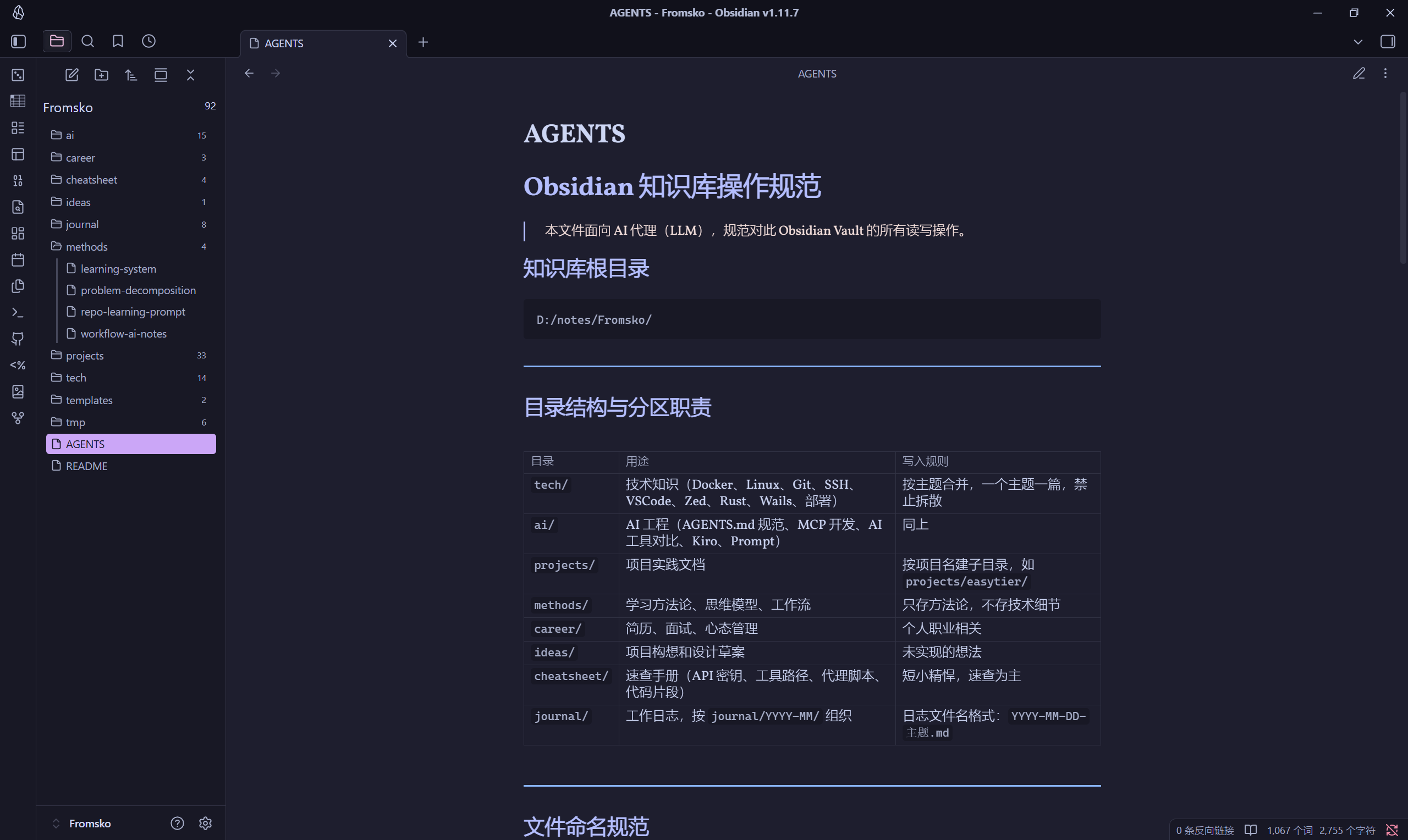
Notes can be organized in the following top-level directories (nested subdirectories supported at any depth):
tech- Technical notesai- AI/ML related notesprojects- Project documentationmethods- Methodologies and processescareer- Career developmentideas- Ideas and brainstormingcheatsheet- Quick reference guidesjournal- Daily journals
Project Structure
See docs/STRUCTURE.md for the full layout. Summary:
src/
  config/       # AppConfig (env + JSON)
  validation/   # Path/directory rules
  vault/        # LocalVault + CloudVault
  note/         # frontmatter, index, semantic search
  service/      # ObsidianService
  command/      # registry, help, dispatch
  mcp/          # MCP: help + executeCommand
docs/
  arch.md, STRUCTURE.md, write-note-tips.md
tests/
  service_integration.rs, mcp_stdio.rs, registry.rs
Testing
cargo test # unit + integration + MCP stdio
Screenshots
Agent Integration
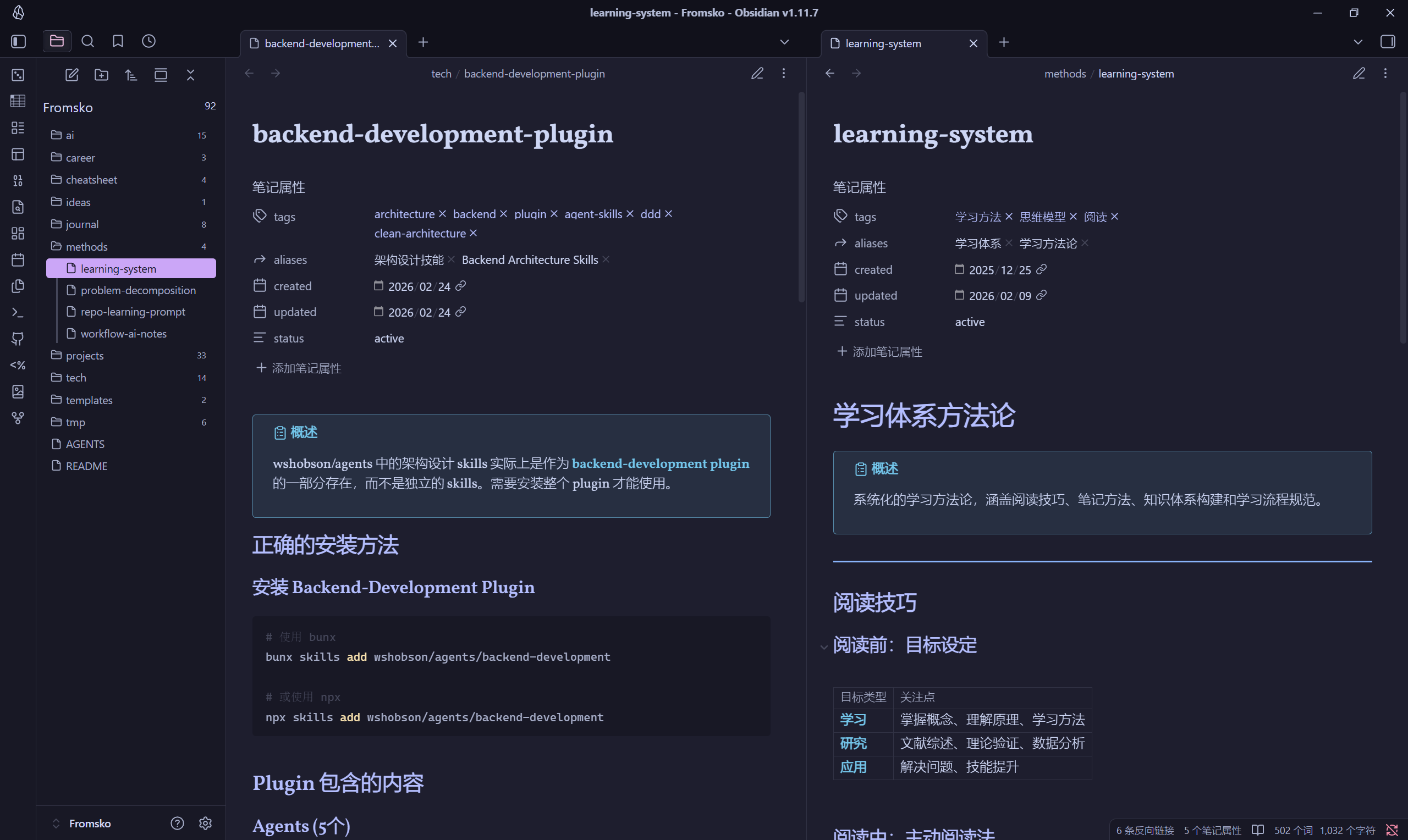
Note Example
License
MIT - see LICENSE file for details.
How to Install
- Download the ZIP or clone the repository
- Open the folder as a vault in Obsidian (File → Open Vault)
- Obsidian will prompt you to install required plugins
Stats
Stars
2
Forks
0
License
MIT
Last updated 4mo ago
Categories
Tags