SNIPPETAustinSuun
AAAA
CSSAny theme
# AAAA - Obsidian Theme
> An Obsidian theme optimized for Chinese reading experience, based on Minimal Theme.
[🇨🇳 **中文说明**](./README_CN.md)
---
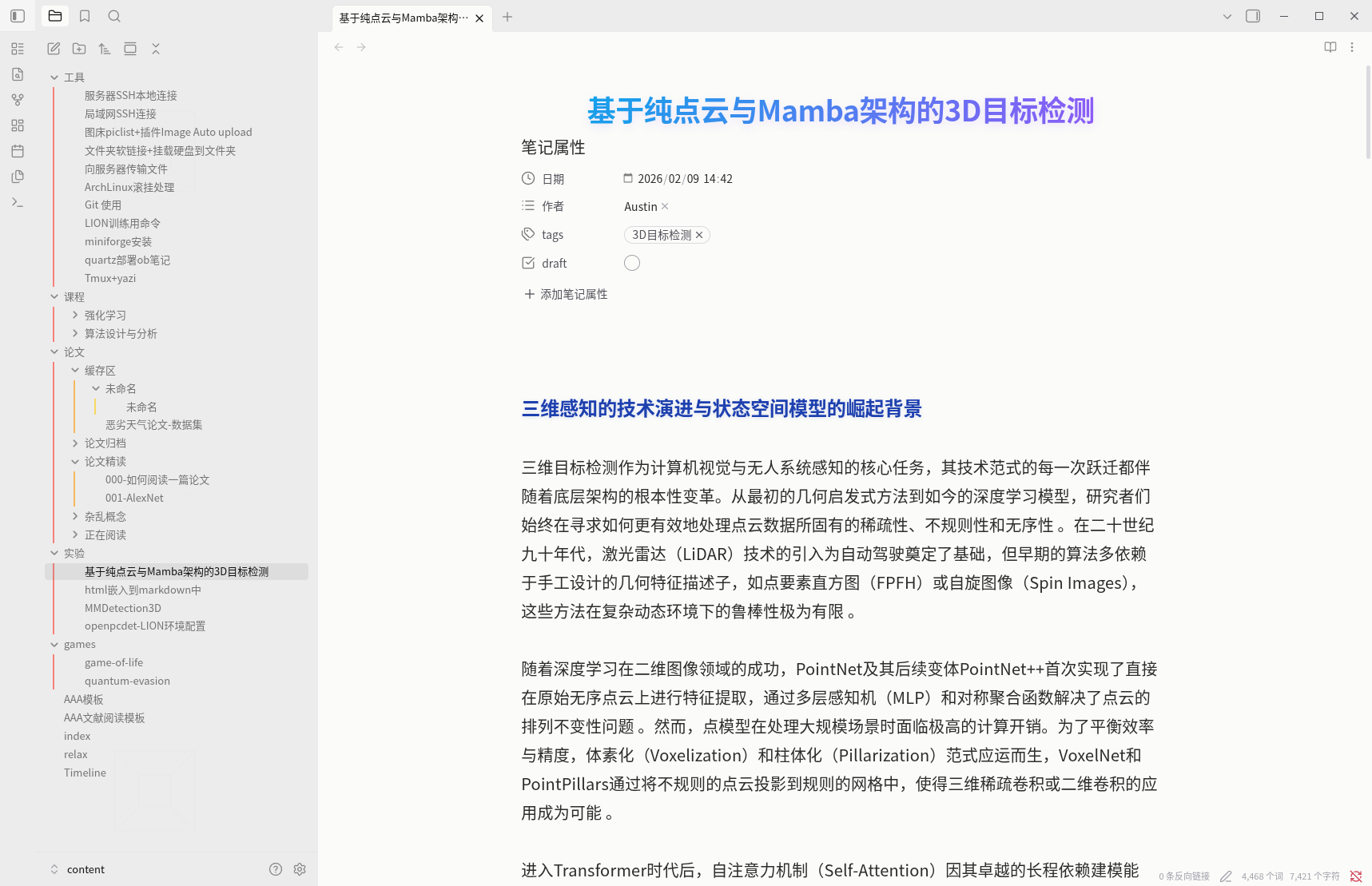
## 📸 Screenshots
### Light Mode

### Dark Mode

### Style Details

---
## ✨ Features
### 🎨 Visual Design
- **Gradient Titles** - H1 headings with elegant blue-purple gradient
- **Rainbow Outline** - Different outline levels use rainbow colors for better structure visibility
- **Unified Colors** - Carefully tuned dark/light mode color schemes
### 📖 Reading Experience
- **Chinese Font Optimization** - Uses Source Han Sans CN (思源黑体)
- **Comfortable Line Width** - Optimized article width to prevent eye strain
- **Line Height & Spacing** - Adjusted for comfortable long-form reading
### 💻 Code & Tables
- **Beautiful Code Blocks** - FiraCode monospace font with Chinese fallback
- **Clean Tables** - LaTeX booktabs style, no vertical borders
---
## 📦 Font Requirements
For the best experience, install these fonts:
- **Source Han Sans CN** (思源黑体) - [Download](https://github.com/adobe-fonts/source-han-sans/releases)
- **FiraCode Nerd Font** (optional, for code) - [Download](https://www.nerdfonts.com/font-downloads)
---
## 🛠️ Installation
1. Copy folder to `.obsidian/themes/AAAA/`
2. **Settings** > **Appearance** > **Themes** > Select **AAAA**
---
<div align="center">
Made by Austin Suun
</div>
How to Install
- Download the CSS file below
- Move it to your vault's
.obsidian/snippets/folder - Open Obsidian → Settings → Appearance → CSS Snippets → Enable it
Stats
Stars
0
Forks
0
License
MIT
Last updated 2mo ago
Categories