Azgaarfmg To Obsidianmd
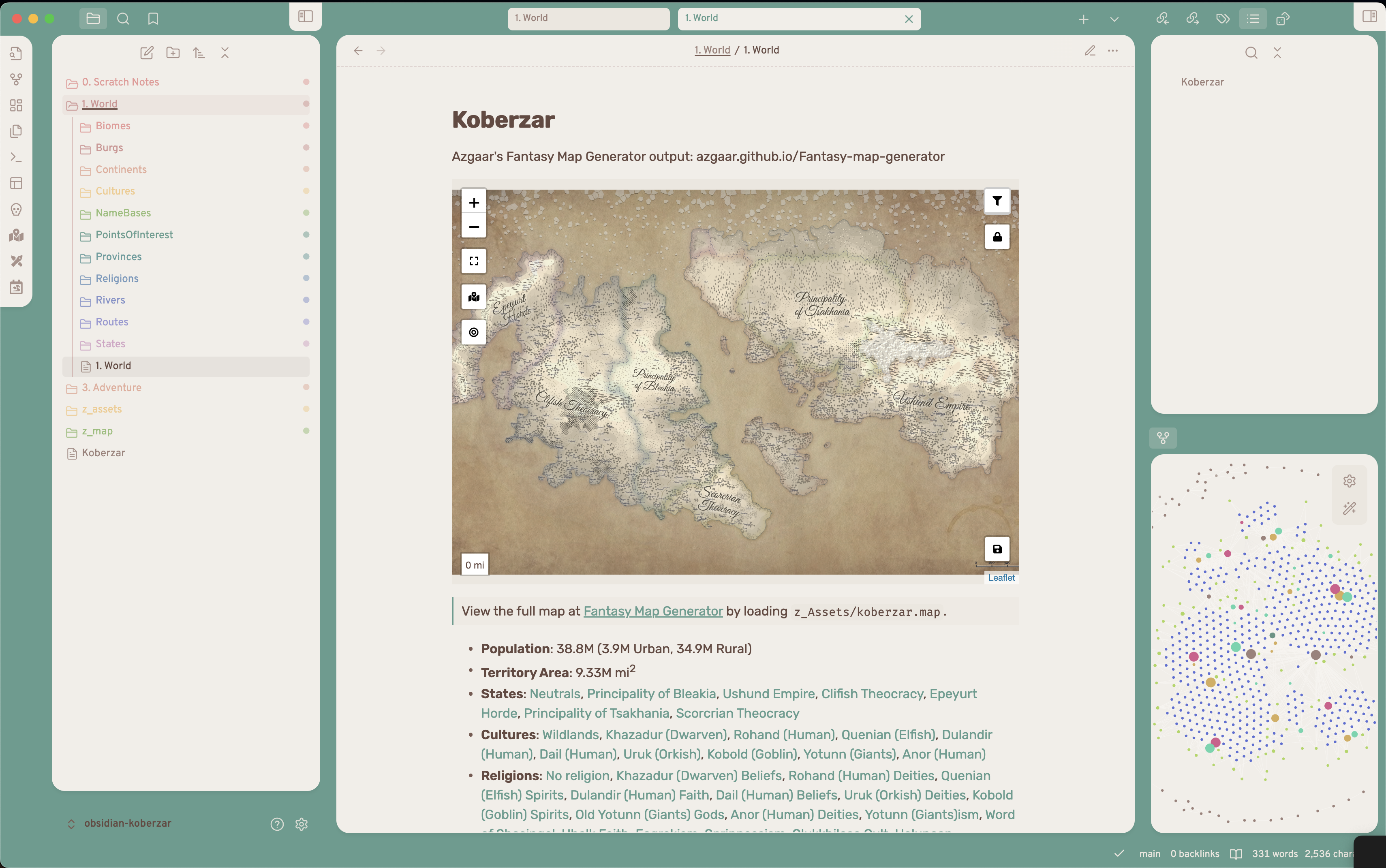
Convert a .map file from Azgaar's Fantasy Map Generator to an Obsidian Vault based on Josh Plunkett's Obsidian for TTRPGs
Azgaar's Fantasy Map Generator to Obsidian Markdown
Convert a .json file from Azgaar's Fantasy Map Generator to an Obsidian.md Vault based on Josh Plunkett's Obsidian for TTRPGs.
Getting Started
- Install Node.js via NVM
- Clone this project:
git clone https://github.com/znewton/azgaarmfg-to-obsidianmd.git - Install dependencies:
npm install - Build the script:
npm run build
Obsidian Vault Setup
The output of this script will go into a 1. World directory based on Josh Plunkett's Obsidian for TTRPGs - Vault Structure. If anything with the same file name is already included in this directory, it will be overwritten.
WIP: You can add customizations that won't be overwritten when re-running this script by wrapping the customizations in a "CUSTOM" comment like so:
%% CUSTOM-START %%
My custom additions here blah blah blah
%% CUSTOM-END %%
Files that accept this will already contain these comments
Obsidian Plugins
This project's output makes use of the following obsidian plugins. These are technically optional, because the output is all valid Markdown, but the viewing experience will be better if you include these.
- Dataview
- Enables searchable, filterable tables in the Folder Note for each section.
- Leaflet
- Enables viewing the map within obsidian, including linked points of interest, villages, cities, and geographical features.
- Folder notes
- Enables attaching notes to folders, so that a top level description of a folder's contents can be viewed by clicking on the folder.
Style Snippet
Skip this if the directory you output the vault to is actually an Obsidian vault (e.g. you created the vault then ran this, not the other way around). In that case, this will happen automatically.
- Create a folder within
[vault]/.obsidiancalledsnippets - Create a file within
[vault]/.obsidian/snippetscalledafmg-to-omd.css - Copy the contents of
[this-project]/src/style/snippet.cssinto that file. - Open your vault's settings
- Navigate to Appearance > CSS Snippets (scroll all the way down)
- Toggle
afmg-to-omdto "on/enabled"
Why? This enables some minor style changes like causing burg/province/state emblems to float to the right of the text.
Usage
- Generate a fantasy map using Azgaar's Fantasy Map Generator
- Really familiarize yourself with this incredibly powerful tool (Quick Start Guide)
- Tip: If you have a specific genre or ✨vibe✨ you're going for, once you are happy with the baseline of the world (e.g. continents) explore regeneration options of things like states and cultures. This will let you adjust the world's peoples to match your mental image.
- Important! Go to the "Tools" tab in the top left, then open each of the following "Edit" windows to prompt calculation of values like area and population:
- Burgs
- Cultures
- Diplomacy
- NameBases
- Provinces (select State = All)
- States
- Religions
- Routes
- "Export"
fullJSON (saves a .json file to your Downloads folder) - "Save"
machine(saves a .map file to your Downloads folder) - Configure a "stylistic" image of the map for visual reference (to be used within "homepage" leaflet map).
- Tip: Rivers & Routes are redundant. They are included in the output of the script as interactive leaflet map features.
- Personally, I like the look of the following layers: Texture, Heightmap, Relief, States, Zones, Borders, Ice, Labels, Scale Bar, and Vignette. Also, set "Options > Rendering" to Best Quality.
- "Export"
.svgimage (size doesn't matter) with "Show all labels" checked. - Run
npm run convert -- --map ~/path/to/exported-map.map --json ~/path/to/exported-map.map --img ~/path/to/exported-map.svg --out ~/path/to/obsidian-vault
# Example (this actually works if you create an Obsidian vault at ~/Documents/obsidian-koberzar first)
npm run convert -- -j ./src/test/example/koberzar.json -m ./src/test/example/koberzar.map -i ./src/test/example/koberzar.svg -o ~/Documents/obsidian-koberzar
How to Install
- Download the template file from GitHub
- Move it anywhere in your vault (or your sidebar notes)
- Open it in Obsidian — done!
Stats
Stars
3
Forks
0
License
GPL-3.0
Last updated 25mo ago
Categories