52 Stars
GitHubCSSAny theme
[中文](README_zh.md) | English
## Brief
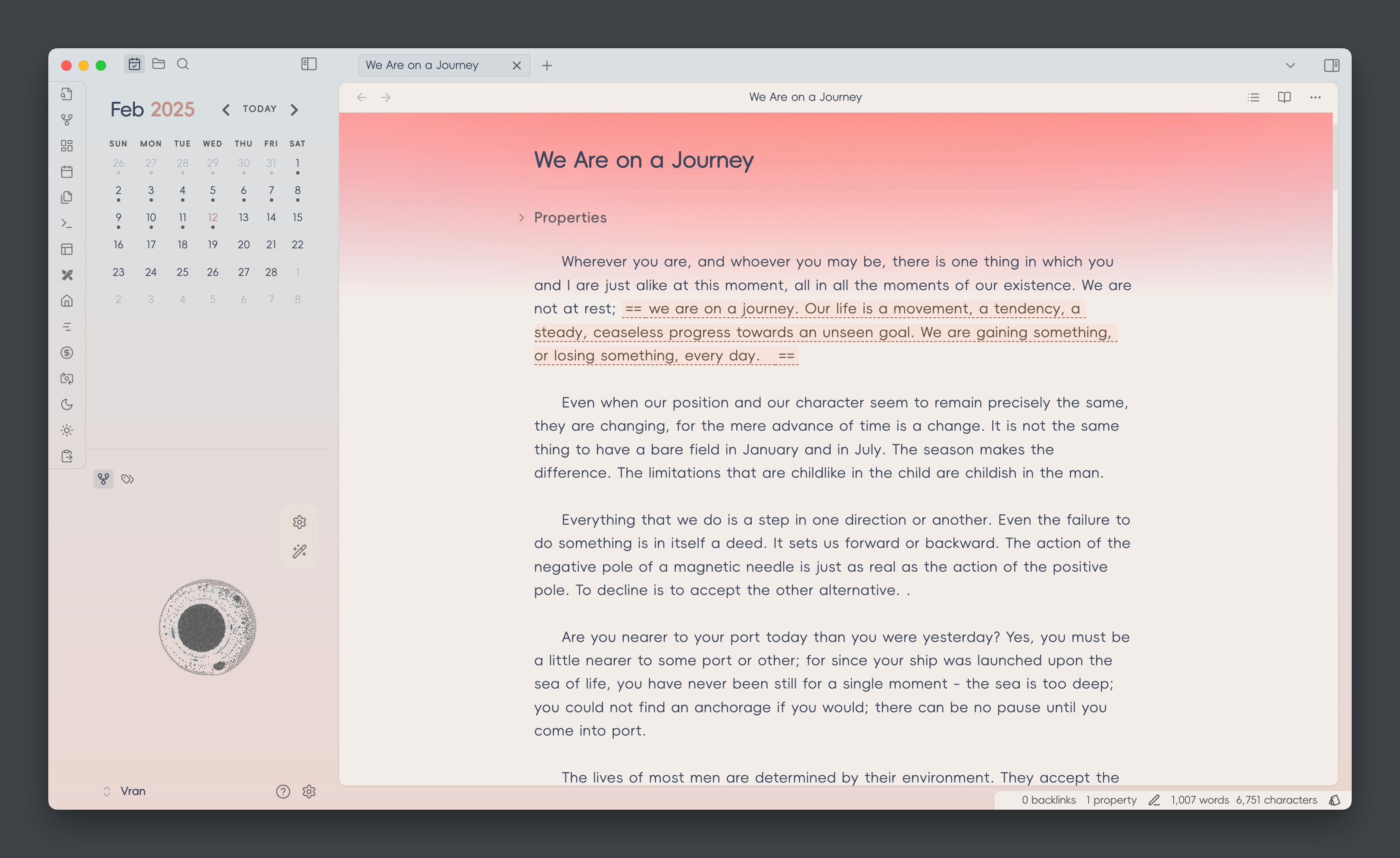
an out-of-box theme for Obsidian, which is designed for reading and writing comfortably.
<img src="screenshot-original.png" />
## Screenshots
You can install `style settings` plugin and change the theme color in the plugin setting.
### Color Scheme
> [!NOTE]
> color scheme change needs to install `style settings` plugin
- Xiá 霞


- Sù 素


- Qīng 青


### Text Formatting

### Table Style

### Callout Style

## Thanks
- Task checkbox is referenced from [Minimal Theme](https://github.com/kepano/obsidian-minimal) which is a great theme for Obsidian build by @Kepano
## Development Workflow (settings.yml + composer.css Split)
This theme now separates the Style Settings YAML header from the CSS for better editor support.
Files:
- `settings.yml` – Pure YAML (no wrapping comment). Edit Style Settings options here.
- `composer.css` – Pure CSS body (without the initial `/* @settings ... */` block).
- `build.mjs` – Build script that merges the two into `theme.css`.
Usage:
1. Edit style settings in `settings.yml`.
2. Edit styles in `composer.css`.
3. Run `npm run build` to generate `theme.css`.
4. Load or distribute `theme.css` as the final theme file.
Release Flow:
`npm version patch|minor|major` will automatically:
1. Run `preversion` (which triggers `npm run build`).
2. Bump version and stage `manifest.json`, `versions.json`, and `theme.css`.
Notes:
- Do NOT manually edit the YAML inside `theme.css`; it will be regenerated.
- Only add/change settings in `settings.yml`.
- The build script strips an optional leading comment block from `composer.css` before concatenation.
Future Enhancements (Optional):
- YAML schema validation (e.g. with `js-yaml`) to catch structural errors.
- Skip rewriting `theme.css` when no changes occur (quieter diffs).
- Support multiple YAML fragments under a `settings/` directory auto-merged at build time.
Rollback to single file (if desired):
1. Run `npm run build`.
2. Keep resulting `theme.css`.
3. Remove `settings.yml`, `composer.css`, and `build.mjs`.
Feel free to open an issue if you’d like these enhancements implemented.
How to Install
- Download the CSS file below
- Move it to your vault's
.obsidian/snippets/folder - Open Obsidian → Settings → Appearance → CSS Snippets → Enable it
Stats
Stars
52
Forks
5
License
MIT
Last updated 1mo ago