Apawthecaria
Snippets and templates for setting up and playing the solo journalling RPG Apawethecaria in Obsidian.md.
Obsidian-Apawthecaria
Snippets and templates for setting up and playing the solo journalling RPG Apawethecaria in Obsidian.md.
Playing Cards
I made an animal-themed AI-based playing deck for my Apawthecaria games and I figured I'd share it here for anyone who wants to play digitally (I use the Solo RPG Toolkit for Obsidian) or print them off to play analogue. There are three sub-decks, as below, and a deck of Companions you can use separately.
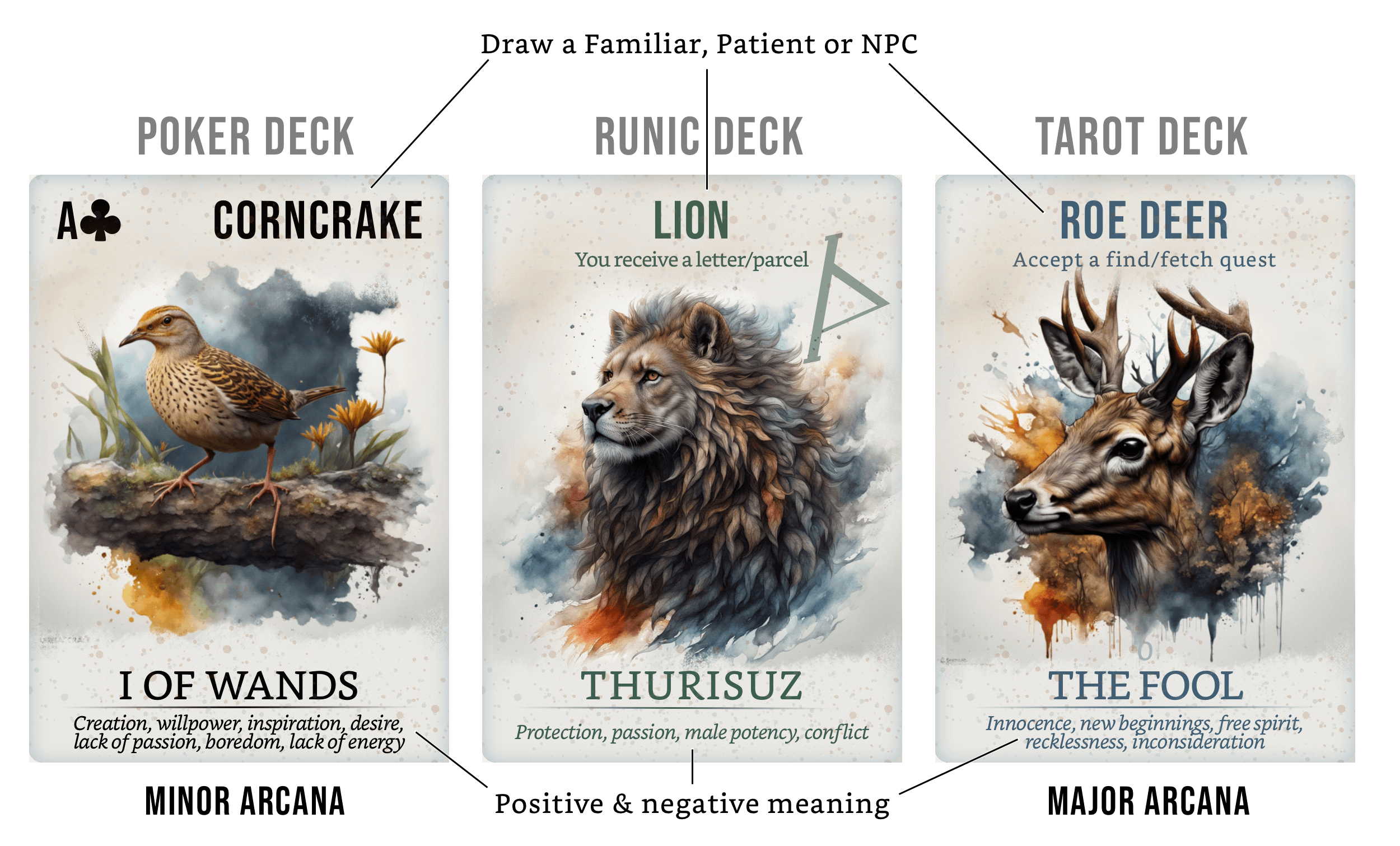
You can combine the Poker, Tarot and Runic sub-decks into one mega deck, combine just the Poker and Tarot decks to for the minor and major Arcana, or keep them all separate and just use the Poker deck as the game intends. The Runic and Tarot sub-decks include extra prompts from various randomisers, and all three include the Tarot/Futhark meanings - all of which you can ignore. The image on each card also means you can use them to draw a Familiar at the beginning of your Journey, or a Patient and NPCs for your next Move.
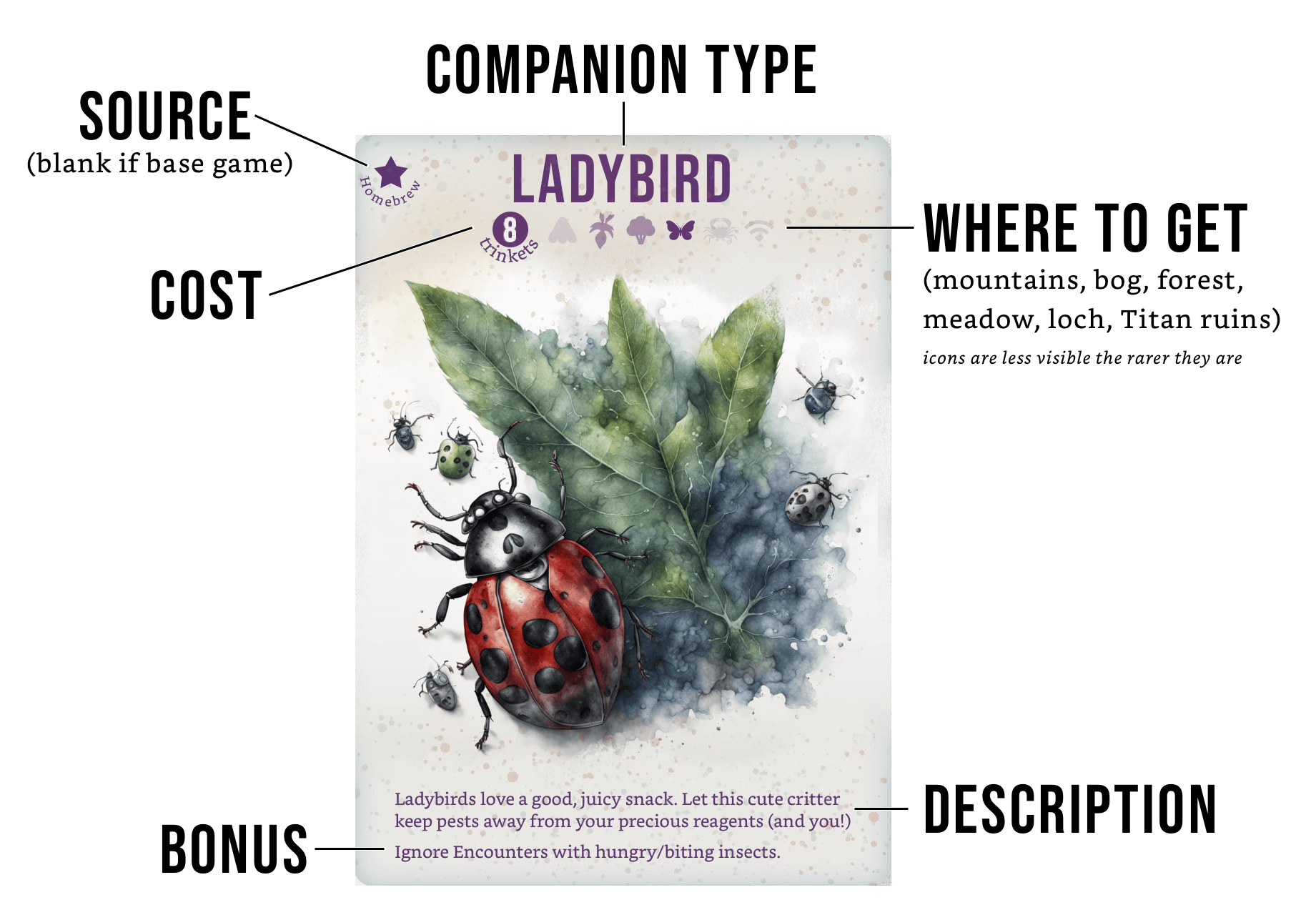
The Companions deck is a bit different and is designed to stick in your journal, be it digital or analogue. You get an AI image of the Companion type, its cost, where you can acquire it, its description, and bonus. Not pictured in the preview above is an icon in the top right showing the limits on certain Companions (such as being only available for use once per Journey, or only producing a Reagent every 10 moves/paths).
I've also included extra Companions from the Festival of Elsewhere (by HospitalCowboy on the BlackwellGames Discord), and my own homebrew Companions (the bumblebee and wood ant merely reflavour the butterfly and beetle respectively, while the ladybird lets you ignore encounters involving biting/hungry insects). These extras have a star in the top left corner of the card telling you where they come from.
Boheme Theme
Boheme is an untested brown and gold theme made for my Apawthecaria playthrough. It makes heavy use of javalent's Fantasy Statblocks plugin.
Flowcharts 1.0
Apawthecaria can be a bit confusing and involve a lot of back and forth between encounters and foraging and so on. I've made several attempts to chart out the play loop, updating as I come to understand the game better. The following is from v1.0 but there is a more up-to-date version here.
Note: The screenshots show the flowcharts in my dark custom theme. If you copy them into your vault as .canvas files, they'll be the same colour as your theme. I plan to create light-mode versions at some point.
Making a Move
I made a flowchart to take you through all the different forks and decisions you need to make every time you make a move.

Click image to see bigger version
It's available as an Obsidian canvas to save directly into your vault, and as a (huge) PNG for those of you who'd prefer to be able to view it elsewhere. (Now includes Soaring.)
Character Creation Flowchart
This part's not nearly as confusing, but I thought it still might come in handy to have a flowchart for it.


Click image to see bigger version
It's also available as an Obsidian canvas and a PNG in both light and dark modes.
Statblocks
I was using statblocks from the Fantasy Statblocks plugin for things like character sheets and encounter cards.
You need a few things for these templates to work:
- Fantasy Statblocks installed and enabled
- The JSON file for whichever statblock you want to use
- The matching template (.md file) for whichever statblock you want to use.
The CSS snippet for the statblocks is optional. Mine make my statblocks match the main colours from the Apawthecaria map, but you can stick with the plugin's default or style your own. I wrote this snippet before I learned how to use theme variables, so you'll need to go through the Set up Variables section at the top and change all the colour hexes (e.g. --statblock-background-color: #C0AD9B;) to suit your theme.
Non-player Character Sheet
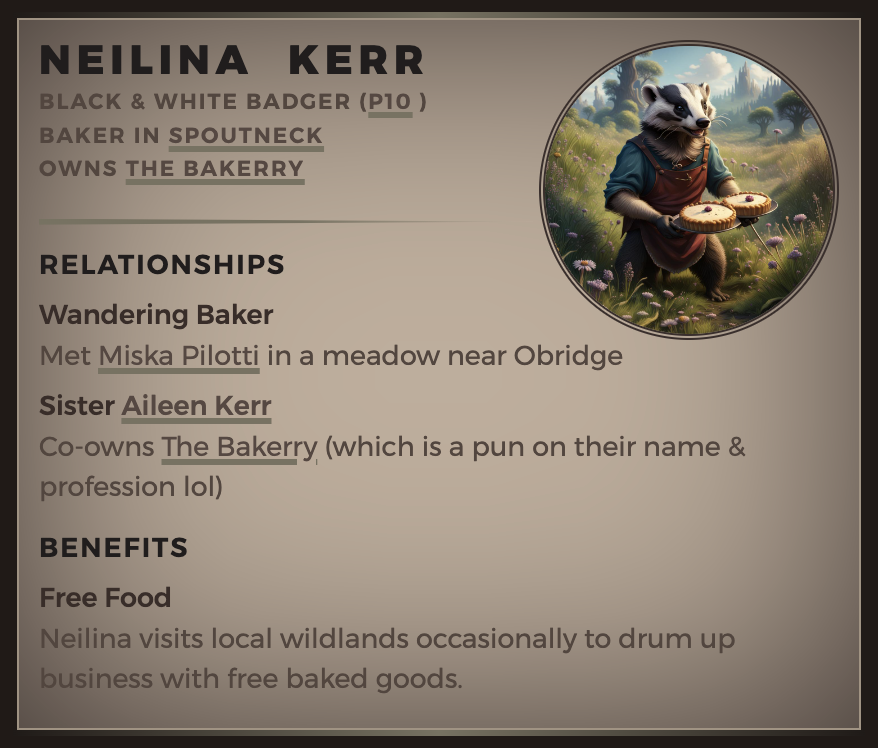
With extra line for "notes"
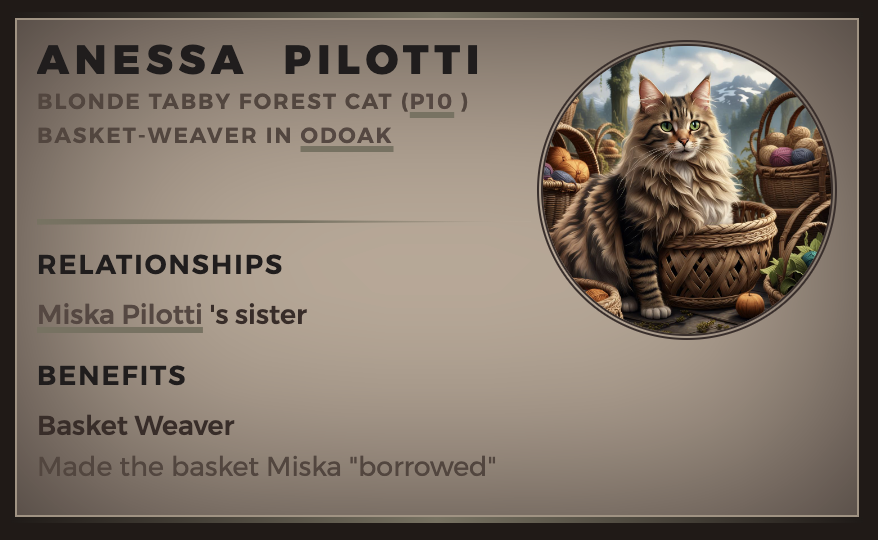
Without line for notes
The NPC statblock is short and designed for quick notes about characters you meet on the road. You can get the JSON for the statblock here (to import through the Fantasy Statblock plugin) and the markdown template here (to save in your templates folder).
Note: I also use the NPC statblock for location cards (like for Odoak) to save on layouts. Just have the name, image, location, and description fields, and you'll get something like this:
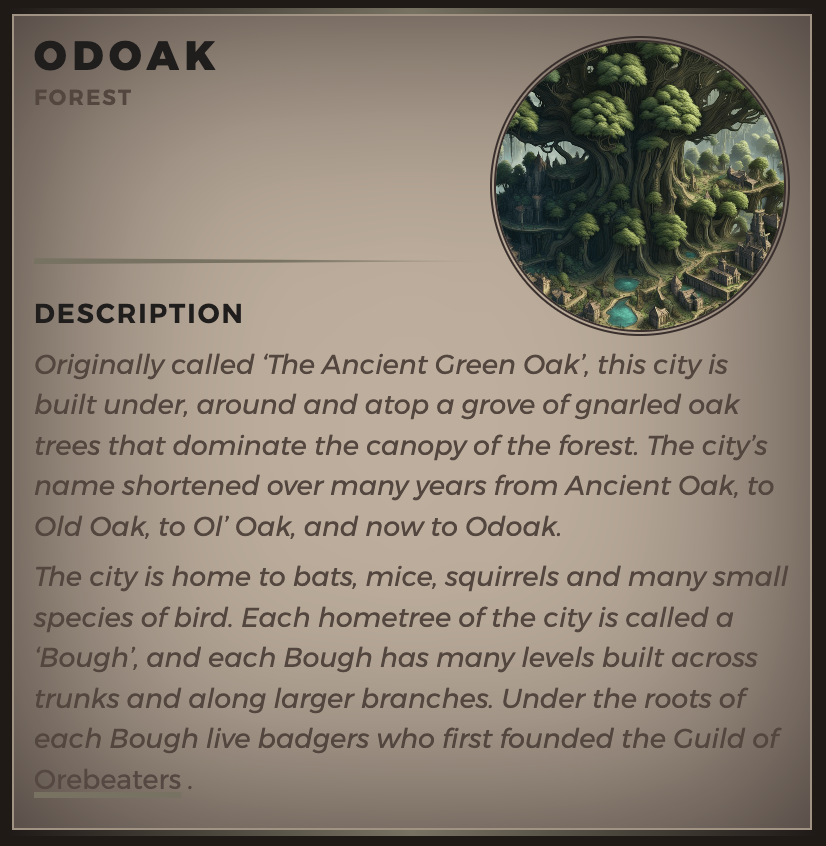
Image created with NightCafe AI
Ailment Cards
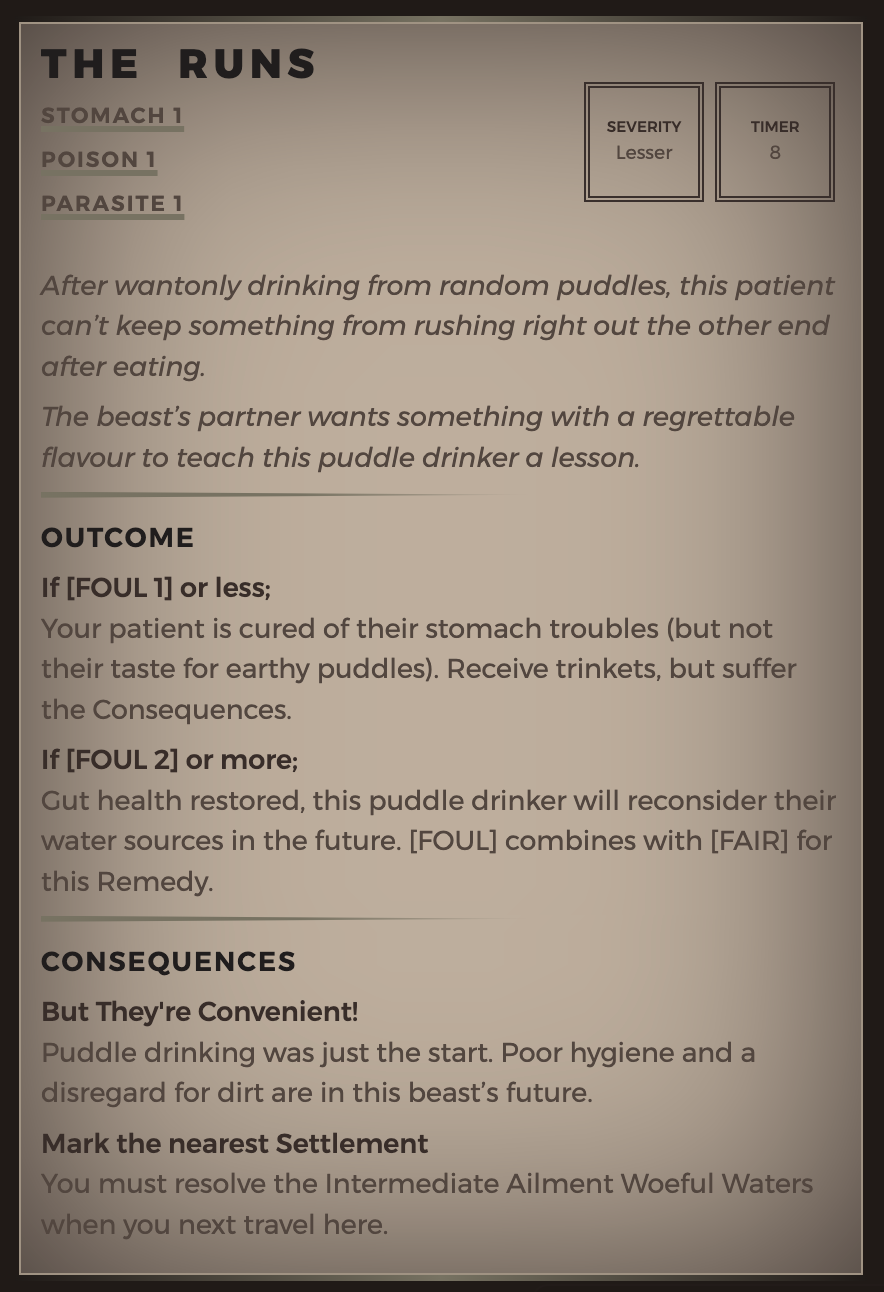
This is a great way to copy the ailments from the PDF into Obsidian. You can link to tables that list [TAGs] for easier research for reagents. And you could have a rollable table that links to all the ailment cards in your vault so you can go right to the ailment when you come across a patient who's suffering from it.
The JSON for the statblock is here (to import through the Fantasy Statblock plugin) and the markdown template is here (to save in your templates folder).
Dataview Templates
I use Dataview for my Sourcebook content now; they're much more pliable and useful than statblocks.
These templates use the YAML frontmatter functionality built-in to Obsidian to set the information, along with a Dataview template to use it. You can then use another Dataview template to index and filter all ailments in your vault.
You'll need the Dataview plugin to make them work as intended. You'll also need my snippets.css file if you want your templates to look like mine.
Templates Explained
I use three different custom callouts for all the templates in my vault: [!ailment] [!reagent] and [!recipe]. [!ailment] is really just a standard callout with no icon so you could use any of the default callouts instead, whereas [!reagent] adds a border and [!recipe] has two columns for ingredients and instructions.
Note: Not all fields are used in all templates.
| Field | Description |
|---|---|
| Game | Useful if you have home-brewed content or content you've "borrowed" from other games that you might need to filter out. |
| Level | "1 - Novice" to "4 - Dire" helps you filter out ailments you can't handle yet. I also use "1" to "4" to sort my equipment. |
| Card | A to K lets you sort your indices or filter content according to the card you drew. |
| Timer | The time you have to treat an ailment. |
| Attributes | Used for ailment [TAGs], skills like APPLY/COOK, Familiar bonuses, etc. |
| Season | Lets you filter content by the season it's available. I also use this field to indicate rarity modifiers (e.g. Spring BR+3). |
| Description | The description provided in the Sourcebook. |
| Consequences | A list of potential outcomes and consequences. |
| Campaign | Name/date stamp (e.g. "Miska03") which journey you're on so you can review your journal and remember what happened when. I also use this field to mark when I got equipment. |
| Treatment | Link to the recipe(s) you used to treat this ailment. |
| Payment | A quick overview of how much RP and how many trinkets you gained. I use this to summarise and make sure I haven't added too much to my inventory at the end of a journey. |
| Location | Where content is available. I use this to filter reagents and make sure I'm not buying equipment I don't have access to yet. Also used for rarity modifiers (e.g. Forest BR+3). |
| Ailment | Used in recipes to link to the ailment it's for. |
| Type | Very versatile. I use it to indicate if equipment is a basic/advanced tool, if a location is a city/settlement, if a reagent is plant/earth/insect, if an encounter is social/travel/foraging, etc. |
| image | If you want an image in your note, put it here (e.g. "Dunleith.jpg") and the template will insert it. This way, you can also use images in indices. |
| Patient | Name of patient you treated. I only create NPC notes for recurring characters now so I don't link them here, but I do like to add what kind of animal they are in brackets after their name. |
| Guild | Kind of redundant because you could add this to Attributes and I may be merging them, but I currently use it to show which Guild an NPC belongs to. |
| Cost | How many trinkets/hours something costs. I just use the number so I can use the same field for trinkets (equipment and reagents) and hours (knitting projects). |
| Weight | I have vague thoughts about converting the Sourcebook's way of indicating weight (I use ⬡ ◔ ◕ ⬢ because they're available in the emoji finder on MacOS). |
| BaseRarity | The base rarity of a reagent. |
| Potency | The potency rating of a reagent. |
Custom Callouts
This is the CSS snippet for my custom callouts (some of which are listed above). It includes cute callouts for my characters, Miska (cat), Frank (gecko) and Aulay (crow). You'll need the Admonition plugin and SlRvb's Callout Adjustments snippet to use them.
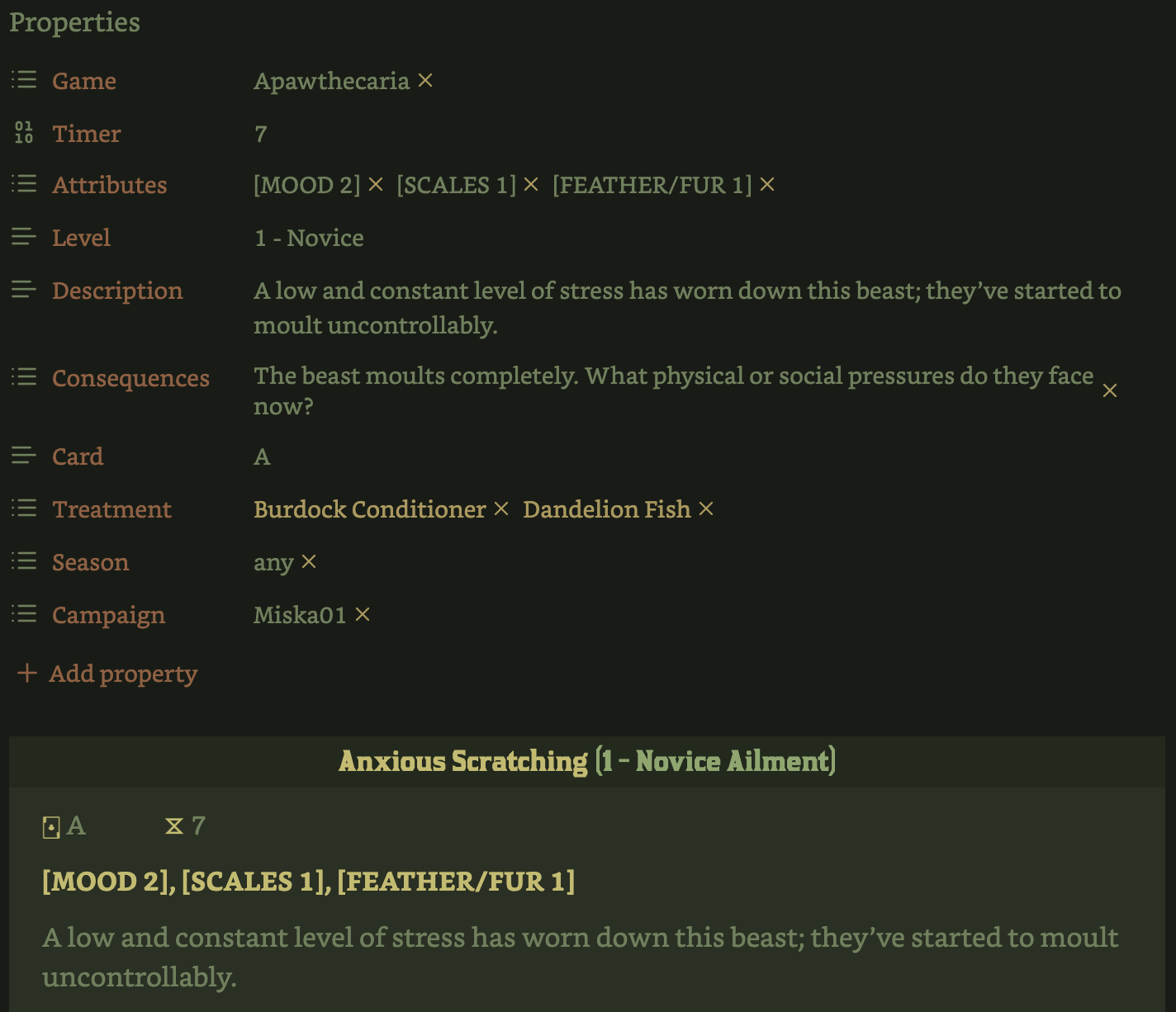
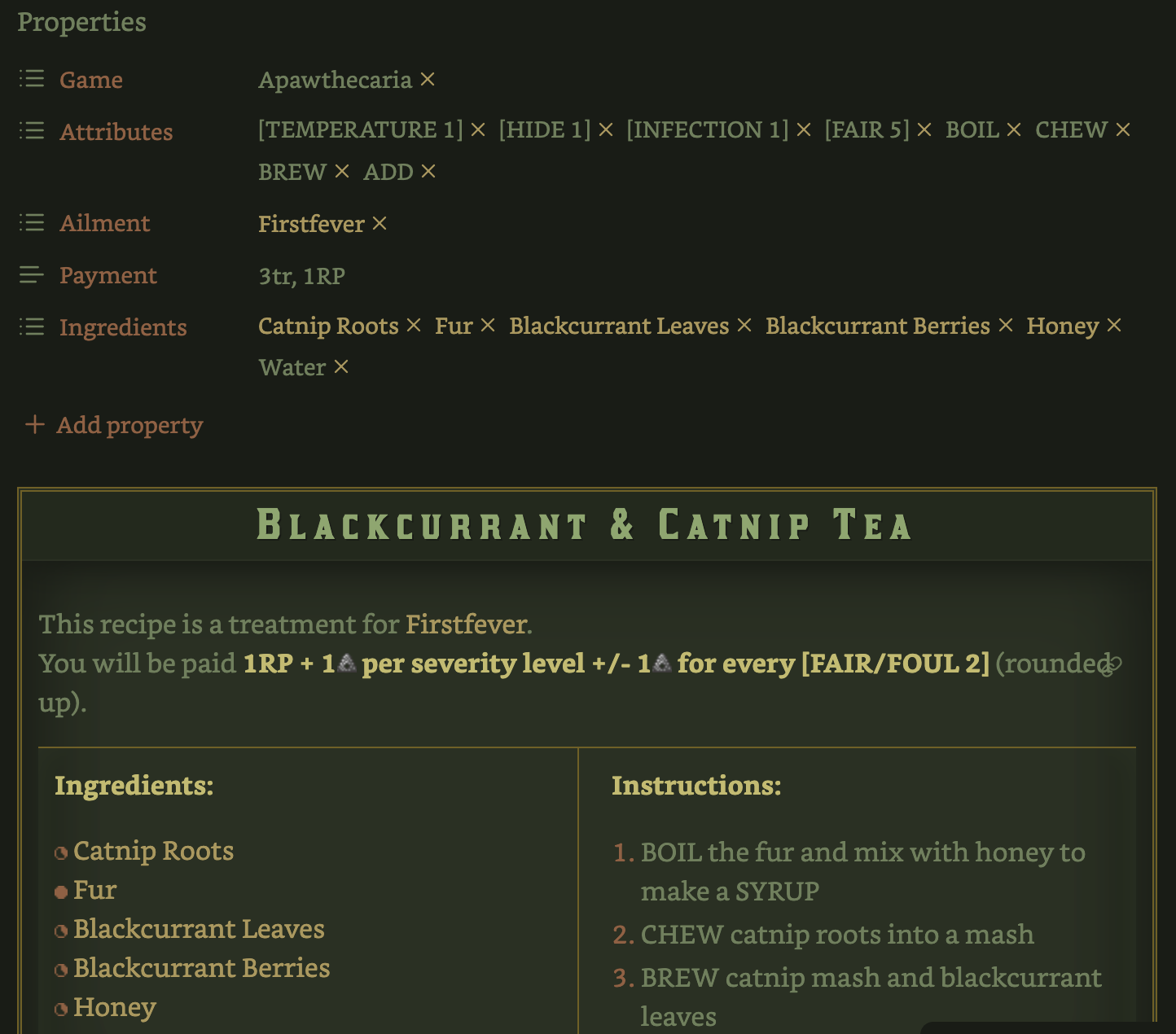
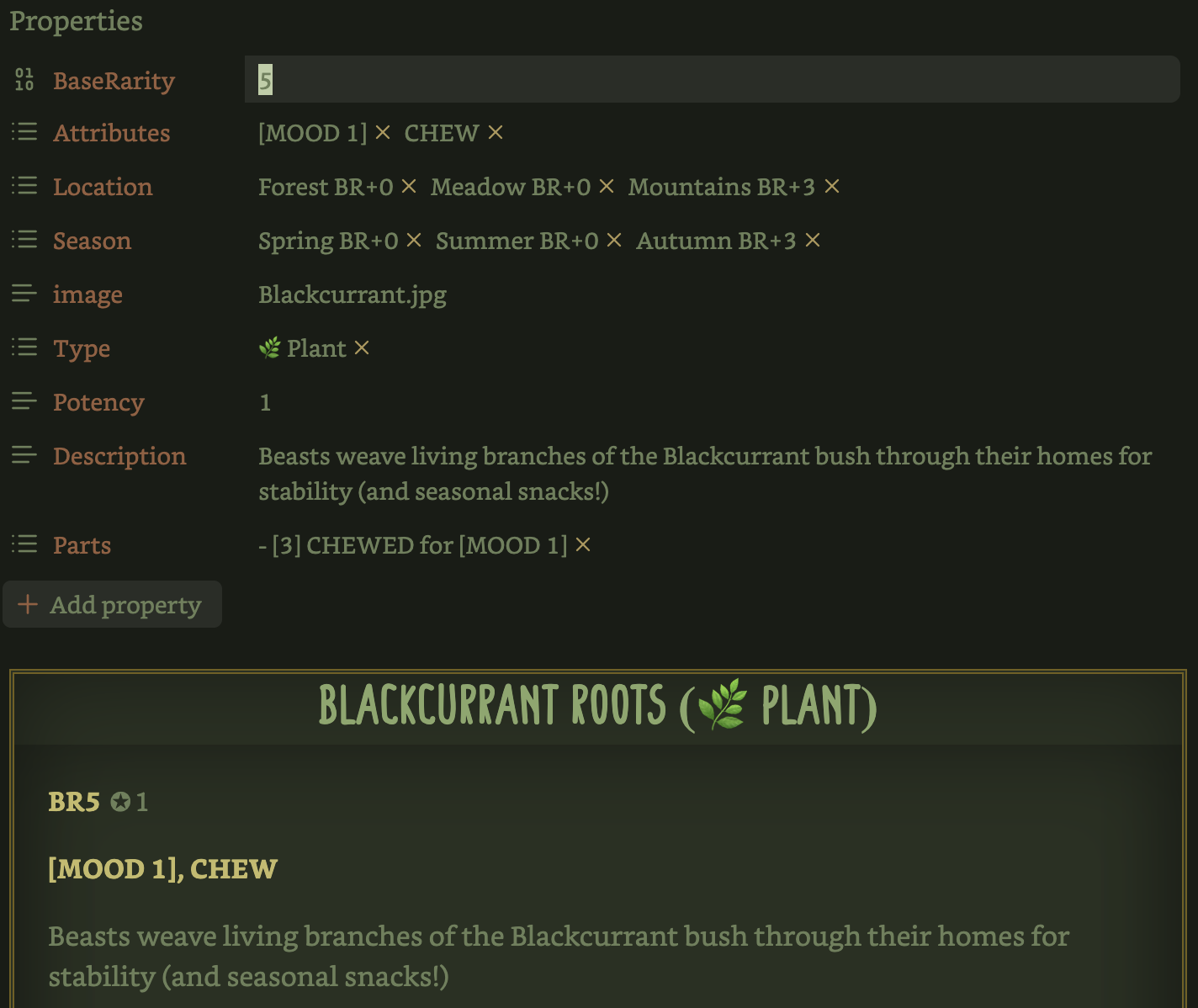
The images above show the Properties required for the callouts to work using Dataview (although you could fill the templates in manually instead; this wouldn't allow you to use Dataview on them in indices or elsewhere) and the templatees in action.
- Install the Admonition plugin from Obsidian's plugin browser.
- Save my ApawthecariaCallouts.css and SlRvb's Callout Adjustments to your snippets folder.
- Enable both snippets via Appearances.
- Enable the Admonition plugin and go to Options.
- Click the + button to add a new custom callout.
- Title it "cat".
- Choose
lucide-catfor the icon. - Repeat Steps 4-5 but use "lizard", "crow",
geckoandbird-maskrespectively.
Miska and Frank's callouts (the cat and lizard) will be green; Aulay's (the crow) will be purple. You can change these colours in the CSS snippet (using a text editor) by altering the rgb numbers.
Coming Soon
Dataview templates for indices.
How to Install
- Download the ZIP or clone the repository
- Open the folder as a vault in Obsidian (File → Open Vault)
- Obsidian will prompt you to install required plugins
Stats
Stars
7
Forks
0
License
GPL-3.0
Last updated 4mo ago
Categories
Tags