Media Starter Vault
Obsidian vault template for tracking films, series, books, games & more.
🎬 obsidian-media-starter-vault
A focused Obsidian starter vault for tracking your personal media history — films, series, books and more.



Why this vault?
I've tried tracking my media consumption in different ways — OneNote, Letterboxd, Goodreads. They all work, but none of them gave me the flexibility I wanted. I couldn't add my own notes or structure things my way. Since I already live in Obsidian, building a media tracker there was the natural next step. When I went looking for a ready-made starter vault I only found tutorials — so after building my own, I decided to share it. This vault gives you full control over how you track, review and reflect on the media you consume.
Features
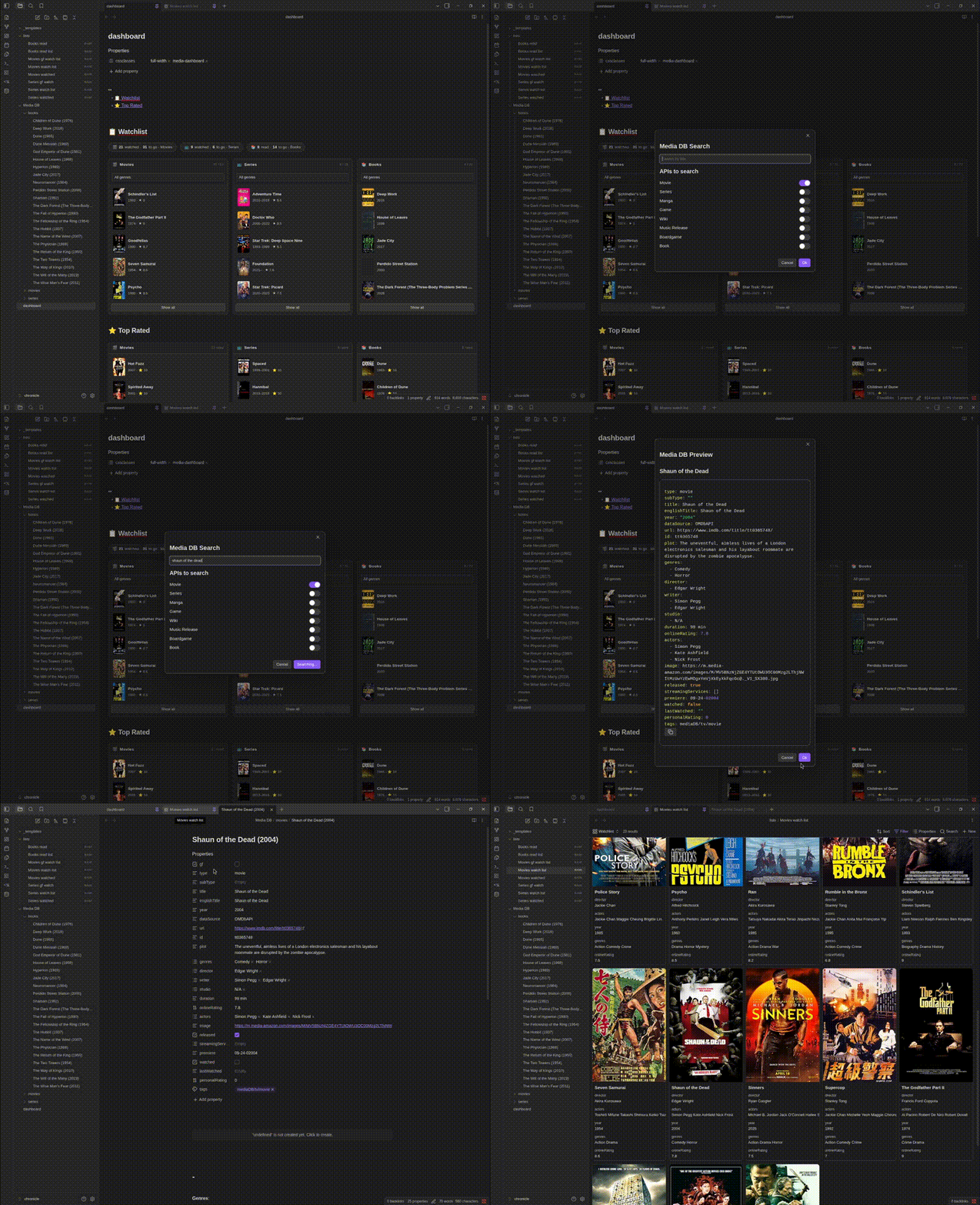
- 📥 One-click media import via the Media DB plugin — search for a title and it lands in your vault automatically with metadata, poster image and more
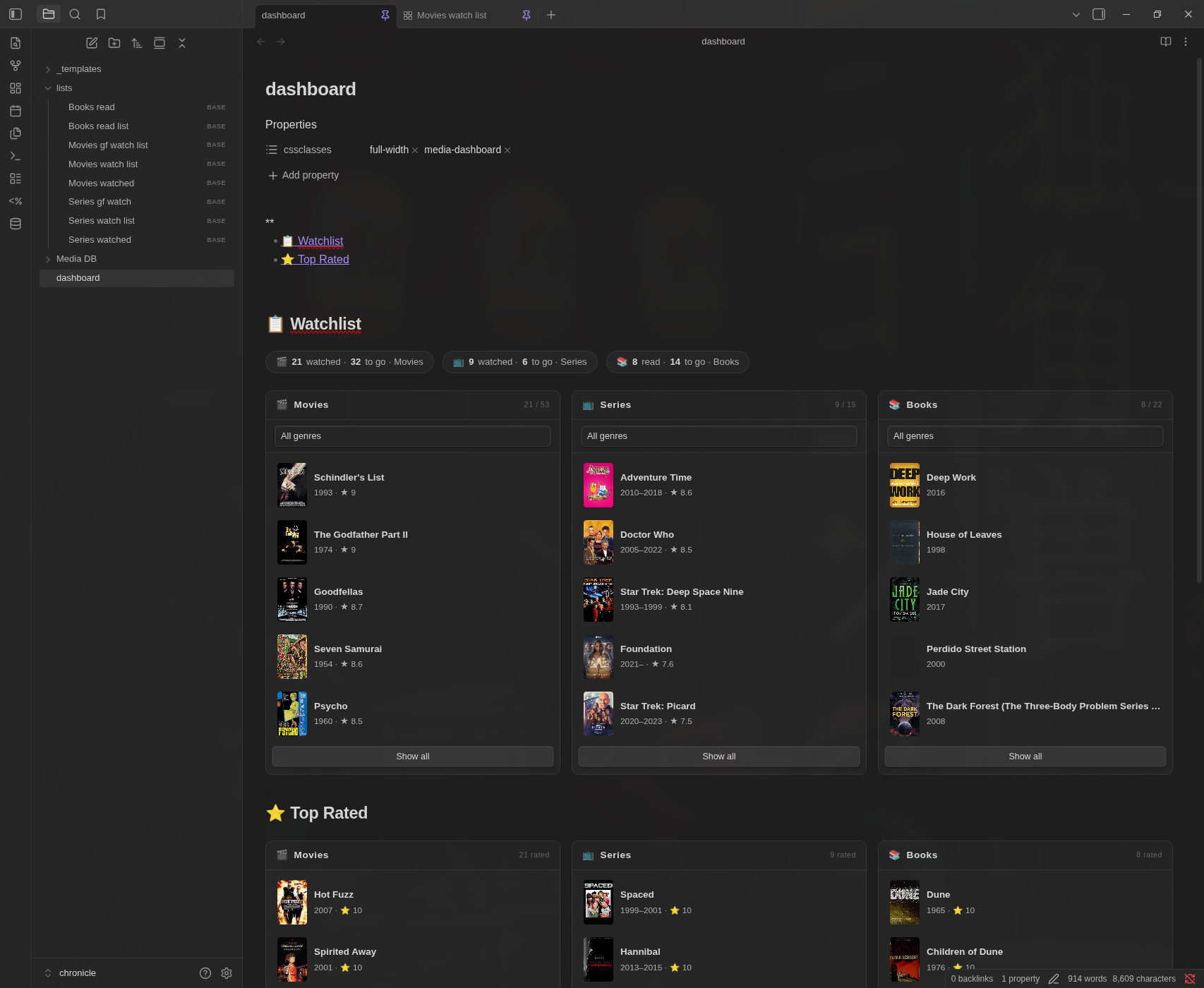
- 📋 Watchlist & read list — watch, read and history lists displayed via Obsidian Bases
- 📺 Movies, series and books supported out of the box
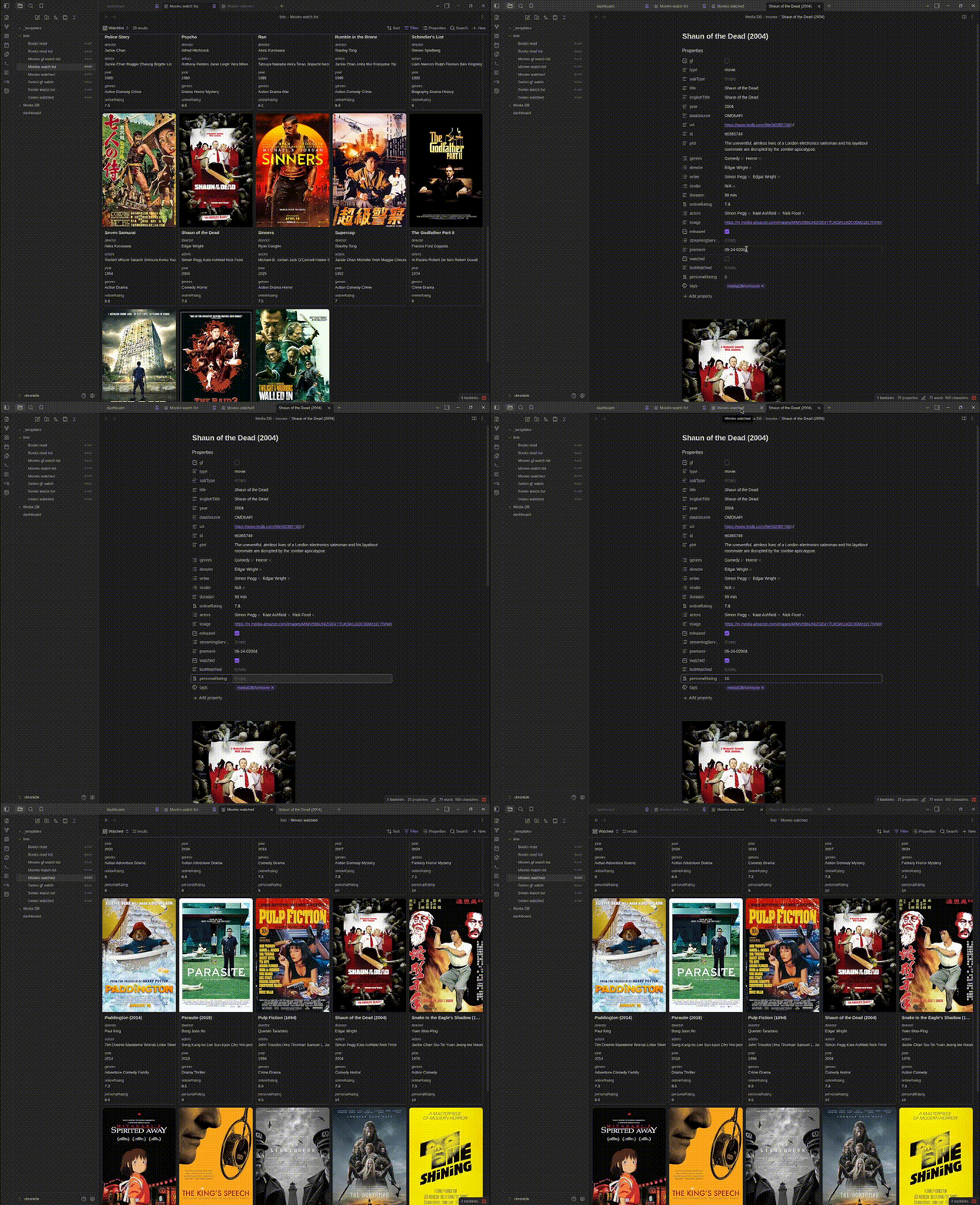
- ✅ Automatic watched tracking — mark an item as watched or add a personal rating and it moves to your history automatically
- 🎨 Custom dashboard — built with DataviewJS and CSS snippets, showing your watchlist and top rated media at a glance
- ⭐ Top Rated section — overview of your highest rated media by personal rating and unwatched media by online rating
Used Plugins
| Plugin | Purpose |
|---|---|
| Media DB | Fetch media metadata from external APIs |
| Dataview | Power the dashboard queries |
| Templater | Auto-apply templates on file creation |
Setup
1. Clone this repo
Create a new empty repo on GitHub (e.g. my-media-vault), then:
git clone https://github.com/resMagi/obsidian-media-starter-vault.git my-media-vault
cd my-media-vault
git remote rename origin upstream
git remote add origin https://github.com/YOUR_USERNAME/my-media-vault.git
git push -u origin main
This gives you your own repo to push to, while keeping the starter as upstream for future updates.
To pull in future improvements:
git pull upstream main
⚠️ If you plan to make your repo public or fork it, make sure to add
vault/.obsidian/plugins/obsidian-media-db-plugin/data.jsonto your.gitignoreto avoid pushing your API key. For reference check out my personal media vault.
💡 Optional: If you want to protect your personal files from being overwritten when pulling upstream updates, add a
.gitattributesfile to your repo root:README.md merge=ours LICENSE merge=ours vault/ merge=ours
2. Open as vault in Obsidian
Open Obsidian → Open folder as vault → select the vault folder inside the repo (you can rename it).
3. Enable Community plugins
Go to Settings → Community plugins → Enable Community plugins.
The required plugins are already included in the repo — no need to install them manually.
4. Enable CSS snippets
Go to Settings → Appearance → CSS snippets and enable:
full-widthmedia-dashboard
5. Add your OMDb API key
Go to Settings → Media DB and add your OMDb API key for movies and series. Get a free key at omdbapi.com. Other APIs are optional.
6. Start tracking
Use the Media DB plugin — click the ribbon icon or press Cmd/Ctrl + P → Add new Media DB entry — to search for a title. It will be added to the correct folder automatically with full metadata.
How Watched Tracking Works
When you open a media entry you will find two key properties in the frontmatter:
watched— check this checkbox to mark the item as watchedpersonalRating— add a rating (e.g.8.5) once you've watched it
Either action will automatically move the entry from your watchlist into your watched history via Obsidian Bases. No manual sorting needed.
Vault Structure
obsidian-media-starter-vault/   ← repo root
├── vault/                      ← open this as your Obsidian vault
│   ├── .obsidian/
│   │   ├── plugins/            # Community plugins (pre-configured)
│   │   └── snippets/           # CSS snippets (full-width, media-dashboard)
│   ├── Media DB/
│   │   ├── movies/             # One note per movie
│   │   ├── series/             # One note per series
│   │   └── books/              # One note per book
│   ├── _templates/
│   │   ├── movie.md
│   │   ├── series.md
│   │   └── book.md
│   ├── lists/                  # Obsidian Bases views
│   └── dashboard.md            # DataviewJS dashboard
├── .gitignore
├── LICENSE
└── README.md
Example Vault
Want to see what a filled vault looks like? Check out chronicle — my personal media vault built on this starter.
Roadmap
- Manga support
- Games support
License
MIT — do whatever you want with it.
How to Install
- Download the ZIP or clone the repository
- Open the folder as a vault in Obsidian (File → Open Vault)
- Obsidian will prompt you to install required plugins
Stats
Stars
7
Forks
0
License
MIT
Last updated 7mo ago