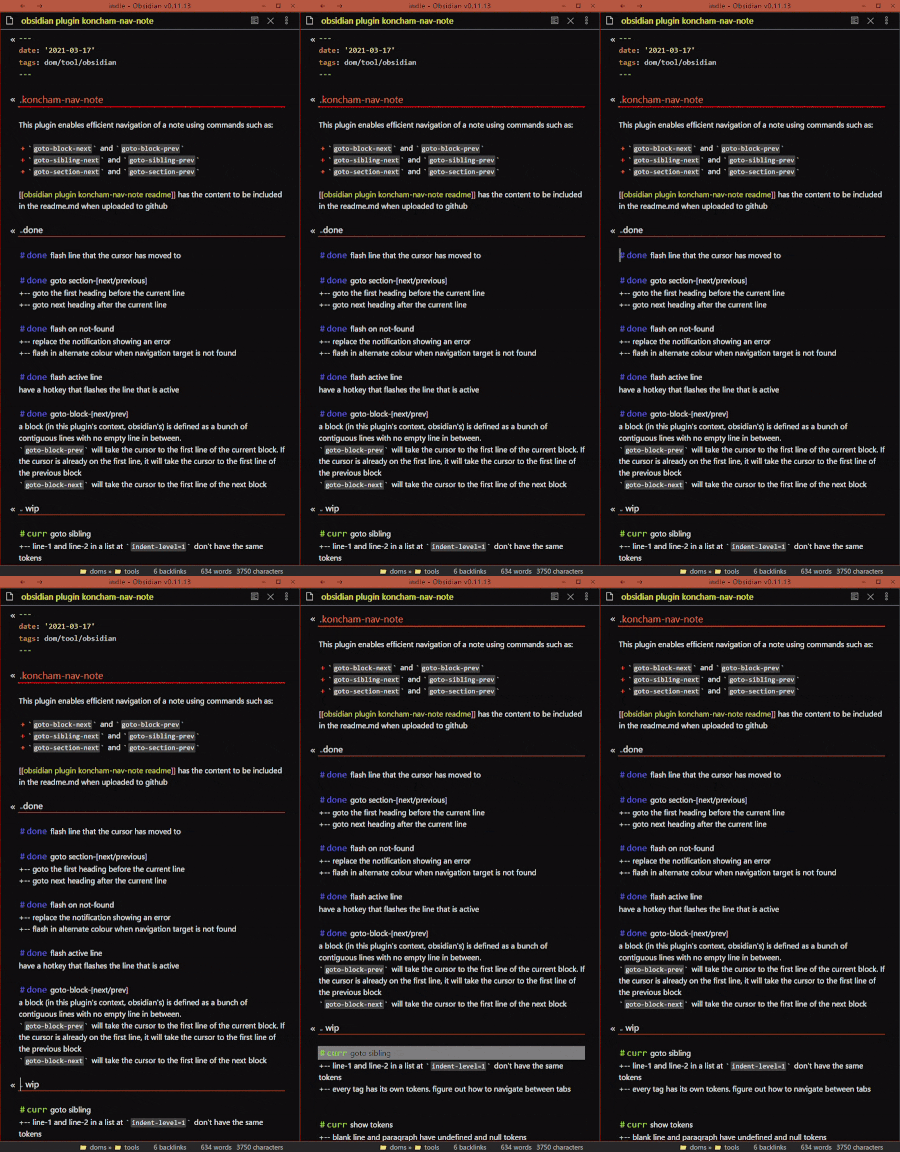
CSSAny theme
# koncham-nav-note
This plugin enables efficient navigation of a note using commands such as:
+ `goto-block-next` and `goto-block-prev`
+ `goto-sibling-next` and `goto-sibling-prev`
+ `goto-section-next` and `goto-section-prev`

## under construction
This plugin is a work in progress. I am putting it up only here (for now) because some features are ready and it might be useful to some people. When it's ready, I will apply to include it in the community plugs.
Also, I wish I could look at the plugins other people are working on, but aren't ready to be included in the community plugin directory. This could give me ideas, or save me time by not working on features that others are including in theirs. This repo is my way of doing the same.
## installation
To install the plugin, you will need to:
1. create a folder called `obsidian-koncham-nav-note` in `\.obsidian\plugins\` in your vault
2. copy `main.js`, `manifest.json` and `styles.css` into the folder from this github repo
your folder structure should look like this:
```treeview
+ <your vault>
|___+.obsidian
|___+ plugins
|___+ obsidian-koncham-nav-note
|___ main.js
|___ manifest.json
|___ styles.css
```
3. reload the app
4. enable `koncham-nav-note` in [settings > community settings]
## caveats ⚠
I am a javascript beginner and a novice at writing software for public usage. Please use the plugin with caution.
I am writing plugins only to facilitate my other work, so I most often won't be able to fix bugs quickly.
As of `2021-03-27`, this plugin does not modify note content. It only takes the cursor to different parts of the note. So your data should be safe. But when combined with other plugins it could change your data. So, do back up and watch out.
I have plans to enable moving content around parts of the note (see the `mull` and `todo` sections). At that point, this plugin will change note content. So watchout for changes.
This plug in has only been tested on a Windows 10 desktop
## usage
The commands from the `done` and `curr` section or the roadmap will be available from the command palette. Set hotkeys if needed.
The goto commands work best when used from the first character of the line
I use:
| command | hotkey | comment |
|:----------------------:|:----------------------:|:----------------------------------:|
| goto-block-prev/next | ctrl + ↑/↓ | |
| goto-sibling-prev/next | ctrl + pageUp/pageDown | I use alt-combos to navigate panes |
| show-tokens | ctrl + M | usually minimizes obsidian window |
⚠You will need to use obsidian 0.11.10 or higher if you want to use `ctrl + ↑/↓`. If you don't have access to it yet, you will need to install the [koncham-undefault-hotkeys](https://github.com/manogna4/obsidian-koncham-undefault-hotkeys) plugin to free those hotkeys from their default functions.
## roadmap
### done
#done flash line that the cursor has moved to
#done goto section-[next/previous]\
+-- goto the first heading before the current line\
+-- goto next heading after the current line\
#done flash on not-found\
+-- replace the notification showing an error\
+-- flash in alternate colour when navigation target is not found\
#done flash active line\
have a hotkey that flashes the line that is active\
#done goto-block-[next/prev]\
a block (in this plugin's context, obsidian's) is defined as a bunch of contiguous lines with no empty line in between.\
`goto-block-prev` will take the cursor to the first line of the current block. If the cursor is already on the first line, it will take the cursor to the first line of the previous block\
`goto-block-next` will take the cursor to the first line of the next block\
### wip
#curr goto sibling\
+-- line-1 and line-2 in a list at `indent-level=1` don't have the same tokens\
+-- every tag has its own tokens. figure out how to navigate between tabs\
#curr show tokens\
+-- blank line and paragraph have undefined and null tokens\
--- +-- the notification doesn't display them properly. use an alternate\
+-- using notification at present. problems:\
--- +-- tokens can't be copied\
--- +-- too obtrusive\
+-- figure out a better method\
--- ?-- status bar\
--- +-- modal\
--- +-- pop-up like over files\
### inbox
#todo select block
?-- take cursor to the beginning or retain position
#todo swap block up/down\
exchange places with neighbours\
?-- empty lines treatment\
--- --- treat empty line below block as part of block while moving, copying\
--- --- +-- insert empty line for the last block of the note if it doesn't exist\
#todo yaml header commands\
+-- fold and unfold from anywhere in the note\
+-- hide to get move vertical space\
+-- display data in a modal\
#todo goto block end\
?-- start of the last line in the block\
?-- end of the last line in the block\
#todo goto child
#todo goto parent
#todo goto ancestor
#todo goto cousin\
+-- figure out the best way to determine cousins\
+-- figure out what elements can be considered cousins\
#todo recursively broader selection
recursively select higher contexts like line>paragraph>h3-h2-h1
try `cm.findWordAt`
?-- what about lists
#todo sort blocks\
alphabetically (asc/desc) based on first line\
+-- have an option to ignore tags ( may be only named tags settings (for special tags))\
#todo select commands\
`select` commands corresponding to the `goto` commands where relevant\
+-- figure out the best way to do this\
+-- figure out behavior\
#todo move: sendto and taketo commands\
`move` commands corresponding to the `goto` commands where relevant\
+-- move entire selection upwards downwards\
+-- taketo is different than moveto, because in moveto the cursor position won't shift; while in taketo, it does\
#mull implicit start-of-line\
movement between lines works best when the cursor is at the start of the line\
?-- have an option to force this (best solution will take time to understand how to)\
?-- force this before every goto (I'll go with this now)\
?-- go by character intead of by line (will be much slower)\
--- +-- figure out whether the lack of speed is significant enough to matter\
--- +-- go by line, if token is found, go by character\
#todo flash colur settings\
have settings to change flash colours:\
+-- active line\
+-- not-found\How to Install
- Download the CSS file below
- Move it to your vault's
.obsidian/snippets/folder - Open Obsidian → Settings → Appearance → CSS Snippets → Enable it
Stats
Stars
7
Forks
0
License
MIT
Last updated 59mo ago
Categories