CSSAny theme
# 🚩 Obsidian Custom Banner Image
css snippet to allow for custom banner images per note in _Reading View_ (live preview not supported)
**an official plugin was created from this project: [pexels-banner](https://obsidian.md/plugins?id=pexels-banner)**
---
### Installation
copy the `custom-banner-image.css` file to your Obsidian snippets folder and enable the snippet in your Appearance preferences.
### Usage
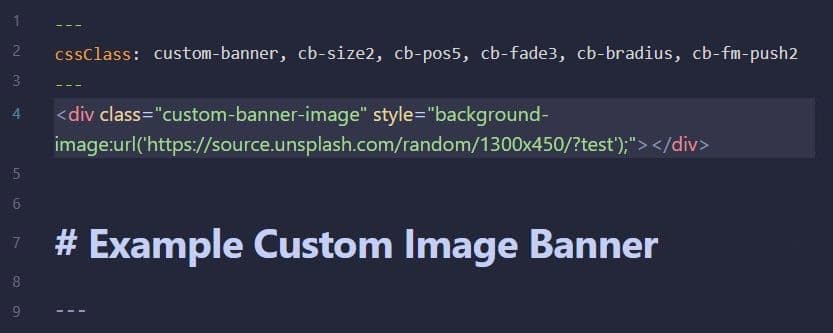
1. Add this class definition to your note's Frontmatter
```
cssClass: custom-banner
```
2. Add this `div` after your note's Frontmatter (replace <https://xyz.jpg> with your own image path)
```
<div class="banner-image" style="background-image:url('https://xyz.jpg');"></div>
```
4. Optionally add these Frontmatter classes to further adjust properies like `image size`, `image display position`, `image fade percentage`, `image border radius`, and `frontmatter shift`
- **banner image size** (_height_)
```
cb-size1
cb-size2
cb-size3 [default]
cb-size4
cb-size5
```
- **image position** (_shift image position in banner_)
```
cb-pos1
cb-pos2 [default]
cb-pos3
cb-pos4
cb-pos5
```
- **image fade** (_transparency used as image fades from top to bottom_)
```
cb-fade1
cb-fade2
cb-fade3
cb-fade4 [default]
cb-fade5
```
- **display solid image** (_no fade_)
```
cb-solid
```
- **add border-radius to image**
```
cb-bradius
```
- **push frontmatter** (_push frontmatter container down to give room to banner image_)
```
cb-fm-push1
cb-fm-push2
cb-fm-push3
cb-fm-push4
cb-fm-push5 [default]
```
- **auto expand frontmatter**
```
cb-fm-auto-expand
```
- **hide frontmatter**
```
cb-fm-hidden
```
### Example


---
_note: live preview not supported_
---
### My Obsidian GitHub Projects
- 🚩 [Obsidian Pexels Banner](https://github.com/jparkerweb/pexels-banner)
- 🦶 [Obsidian Rich Foot](https://github.com/jparkerweb/rich-foot)
- 🌅 [Obsidian Image From Field](https://github.com/jparkerweb/obsidian-image-from-field/blob/main/README.md)
- 🌟 [Obsidian Element Enhancer](https://github.com/jparkerweb/obsidian-element-enhancer)
- ⏹ [Obsidian Bullet Cards](https://github.com/jparkerweb/obsidian-bullet-cards)
How to Install
- Download the CSS file below
- Move it to your vault's
.obsidian/snippets/folder - Open Obsidian → Settings → Appearance → CSS Snippets → Enable it
Stats
Stars
4
Forks
0
Last updated 18mo ago
Categories