SNIPPET
jparkerwebBullet Cards
⏹ obsidian-bullet-cards ⇢ css snippet to render bulleted list items as cards in Reading View (live preview not supported)
⏹ Obsidian Bullet Cards
css snippet to render bulleted list items as cards in Reading View (live preview not supported)
Maintained by

Example Usage
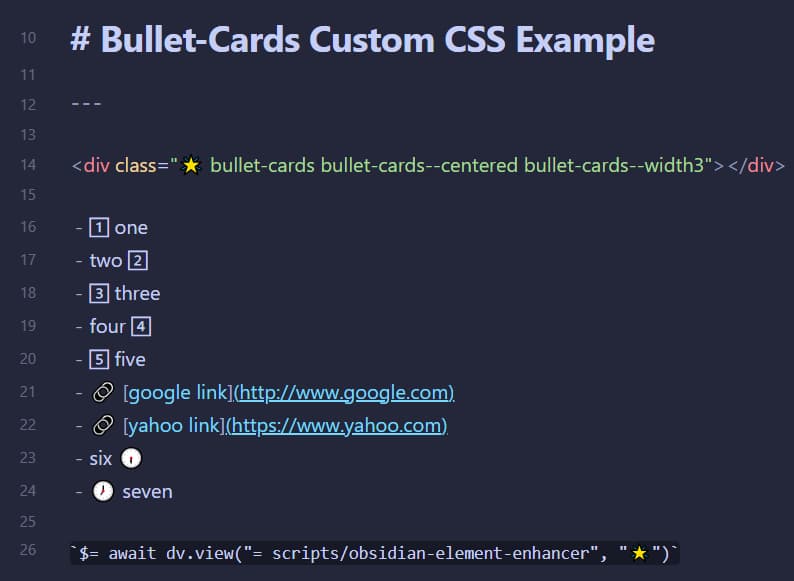
source view
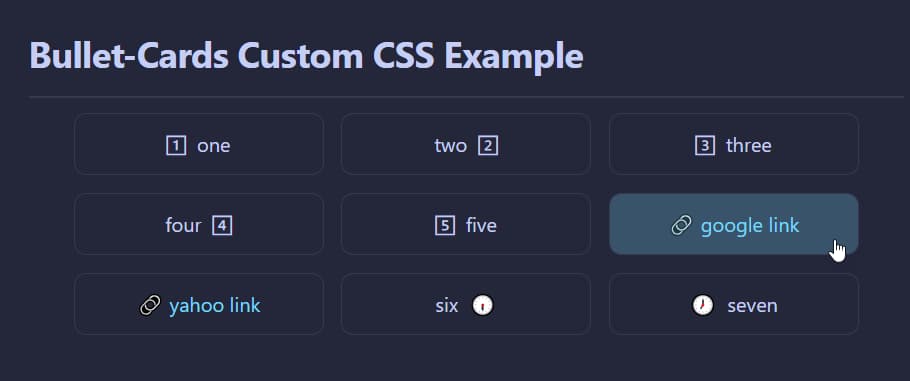
reading view
Installation
-
Install
obsidian-element-enhancerscript to allow custom classes to be injected into the Reading View. -
Copy the
bullet-cards.cssfile to your Obsidian snippets folder and enable the snippet in your Appearance preferences.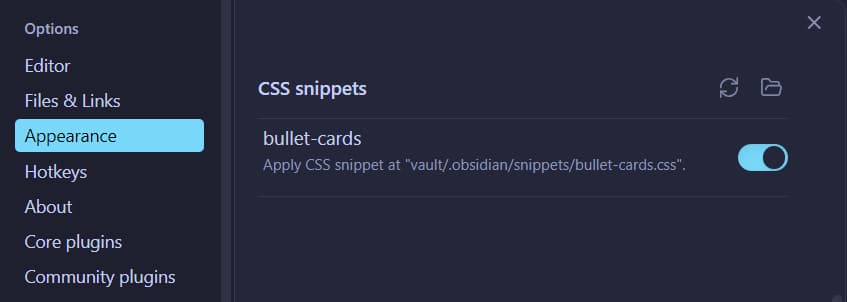
Usage
- using the format specified in
obsidian-element-enhancer, add a div with thebuttet-cardscustom class (and optional modifier classes):
<div class="🌟 bullet-cards bullet-cards--centered bullet-cards--width3"></div> - don't forget to add the following to the last line of your note (as spefiied in
obsidian-element-enhancer)
$= await dv.view("= scripts/obsidian-element-enhancer", "🌟")
Modifier Classes
The following modifer classes can be mixed and matched to achive differnt looks:
verital stacking of content in cards that are on seperate lines
bullet-cards--vertical
alignment of cards
bullet-cards--centeredbullet-cards--justifiedbullet-cards--leftbullet-cards--right
card width
bullet-cards--no-widthbullet-cards--width1bullet-cards--width2bullet-cards--width3bullet-cards--width4bullet-cards--width5bullet-cards--width6bullet-cards--width7bullet-cards--width8bullet-cards--width9bullet-cards--width10
aligment of card contents
bullet-cards--vertical-contentbullet-cards--content-leftbullet-cards--content-centeredbullet-cards--content-right
card padding
bullet-cards--padding1bullet-cards--padding2bullet-cards--padding3bullet-cards--padding4bullet-cards--padding5bullet-cards--vertical-padding1bullet-cards--vertical-padding2bullet-cards--vertical-padding3bullet-cards--vertical-padding4bullet-cards--vertical-padding5
card border
bullet-cards--no-border
note: live preview is not supported
My Obsidian GitHub Projects
How to Install
- Download the repository ZIP below
- Unzip it and find the CSS snippet file
- Move the CSS file into your vault's
.obsidian/snippets/folder - Open Obsidian → Settings → Appearance → CSS Snippets → Enable it
Stats
Stars
10
Forks
0
Last updated 5mo ago