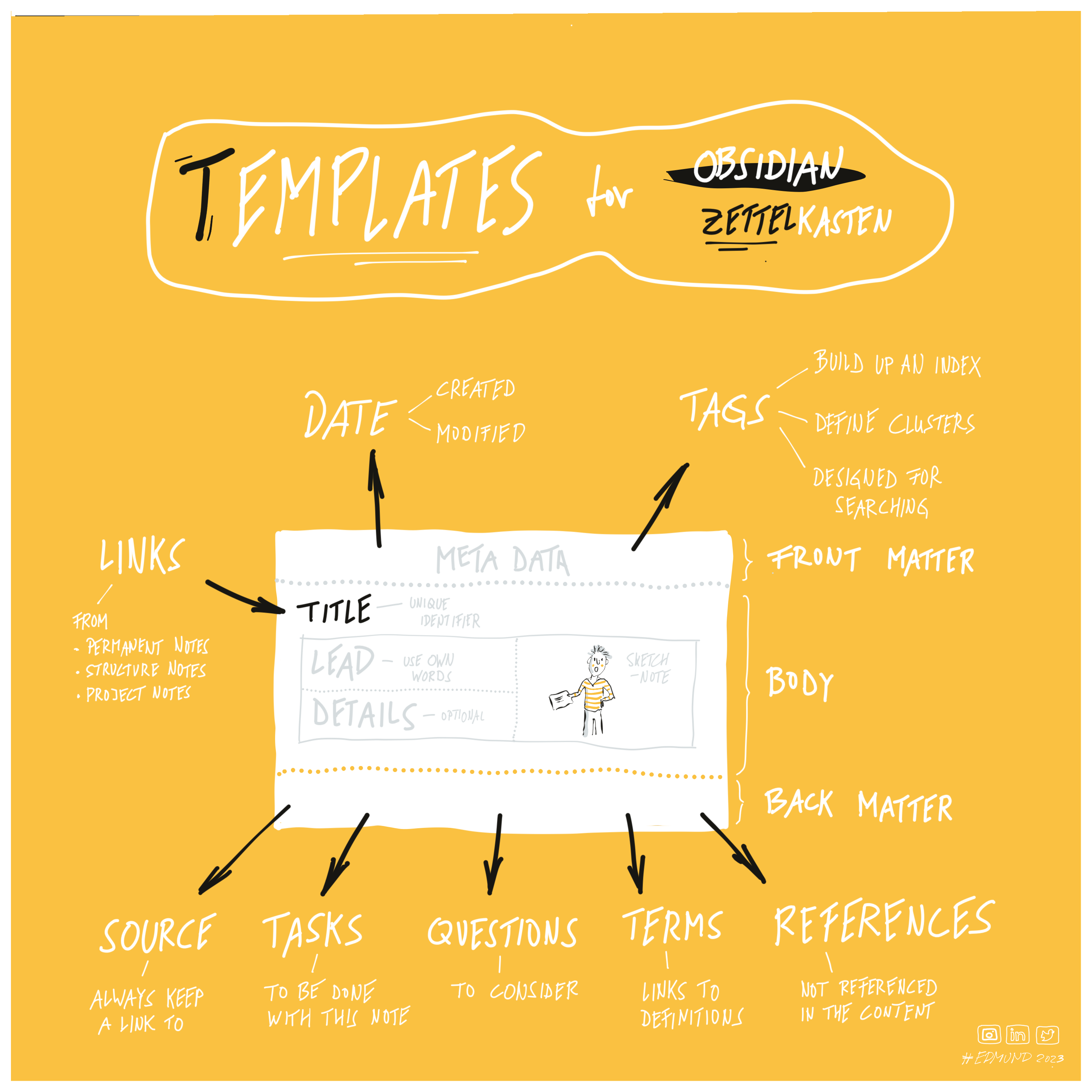
Templates
A repository containing templates and scripts for #Obsidian to support the #Zettelkasten method for note-taking.
Obsidian-Templates for Zettelkasten
A repository containing templates and scripts for Obsidian to support the Zettelkasten method for note-taking.
Obsidian
Obsidian is a note-taking and knowledge management app from Shida Li and Erica Xu. It works on top of a local folder of plain text Markdown files and lets you turn a collection of plain text files into a rich network of linked thought.
More about: https://obsidian.md
Zettelkasten
Zettelkasten is a personal tool for thinking and writing created by Niklas Luhmann. It has hypertextual features to make a web of thought possible. The difference to other systems is that you create a web of thoughts instead of notes of arbitrary size and form, and emphasize connection, not a collection.
More about: https://www.soenkeahrens.de/en/takesmartnotes
Usage
Copy templates to your Obsidian template folder location to make them available as templates within Obsidian. More about: Obsidian Help - Templates
Or use it as part of the Obsidian-Zettelkasten-Starter-Kit.
5 Mandatory Obsidian Plugins
- Bases - Creates database-like views of your notes. Used to view, edit, sort, and filter files and their properties.
- Book Search - Easily creates book notes from Google Books API.
- DataView - Provides a query language for filtering, sorting, and extracting data from Markdown pages.
- Frontmatter Tag Suggest - Autocompletes tags in the YAML frontmatter.
- Wikipedia - Gets the first section of Wikipedia and pastes it into your active note.
10 Optional Obsidian Plugin
- Auto Link Title - Fetches the webpage to extract link titles when they're pasted, creating a markdown link with the correct title set.
- Banners - Adds banner images to your notes.
- Callout Manager - Creating and configuring callouts.
- Charts - Easily create interactive charts for your notes.
- File Explorer Note Count - Shows number of elements under all available folders within file explorer.
- Iconize - Add icons to anything in Obsidian, including files, folders, and text.
- Homepage - Use any note, canvas, or workspace as a homepage
- Paste image rename - Allows to rename the image if you want images to be named and organized clearly.
- PlantUML - Renders PlantUML Diagrams in Obsidian.
- Tag Wrangler - Rename, merge, toggle, and search the tag pane.
Basic Template Structure
Zettelkasten Templates
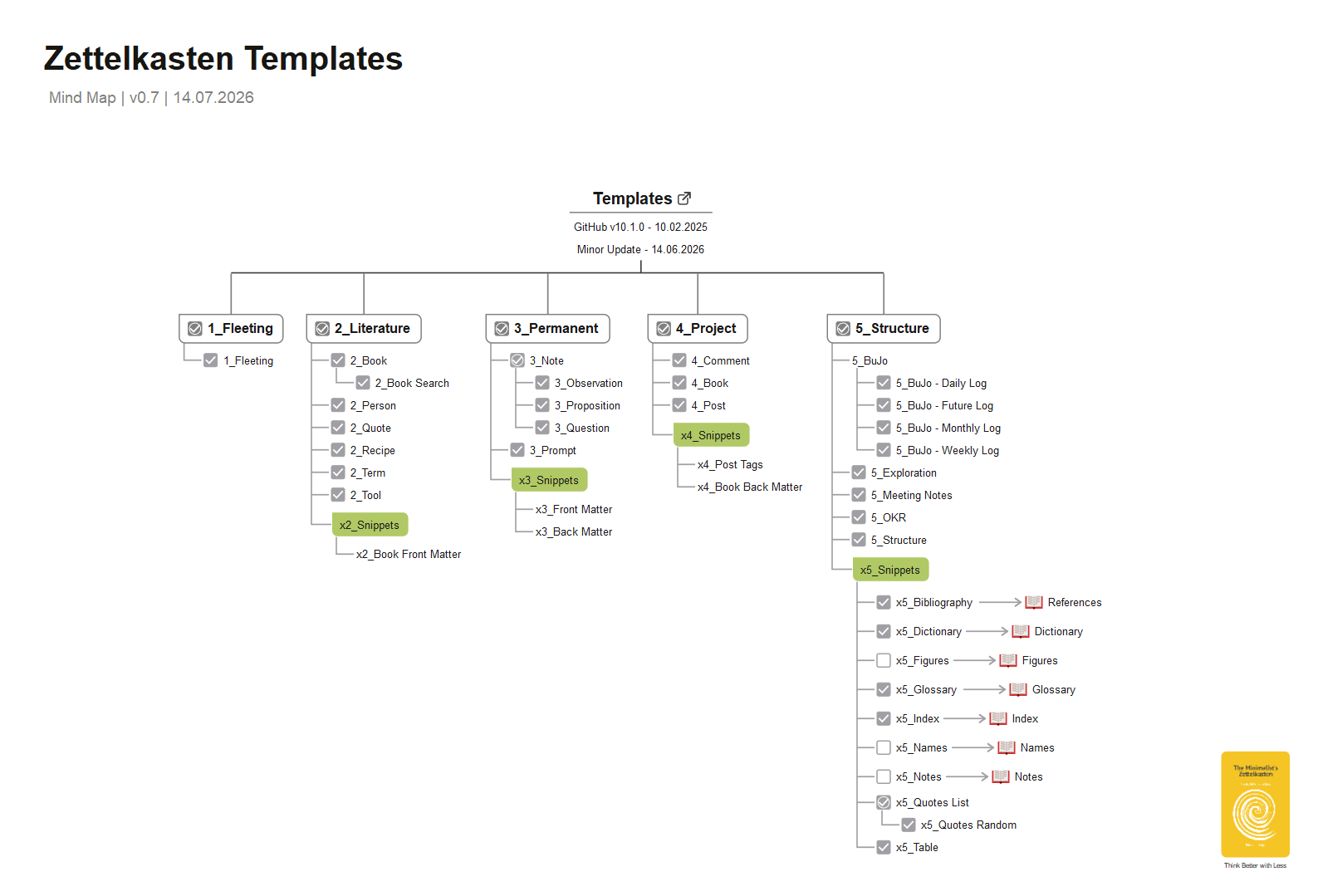
List of Templates
You first may have a look at my note examples created from these templates: EXAMPLES.
1_Fleeting Notes
2_Literature Notes
- Book Template -> needs plugin: Book Search + DataView
- Person Template -> needs plugin: DataView
- Quote Template -> needs plugin: DataView
- Recipe Template -> needs plugin: DataView
- Term Template -> needs plugin: DataView + Wikipedia
- Tool Template -> needs plugin: DataView
3_Permanent Notes
- Note Template -> needs plugin: DataView
- Observation Template -> needs plugin: DataView
- Proposition Template -> needs plugin: DataView
- Question Template -> needs plugin: DataView
- Prompt Template -> needs plugin: DataView
4_Project Notes
- Book Template -> needs plugin: Better Word Count + -> needs plugin: DataView
- Comment Template -> needs plugin: Better Word Count + -> needs plugin: DataView
- Post Template -> needs plugin: DataView
5_Structures
- BuJo - Future Log
- BuJo - Monthly Log -> needs plugin: DataView
- BuJo - Weekly Log
- BuJo - Daily Log
- Exploration Template
- Meeting Notes Template
- OKR Template -> needs plugin: DataView
- Structure Template -> needs plugin: DataView
Template Snippets
- Back Matter Snippet
- Book Frontmatter Snippet
- Dataview Table Snippet -> needs plugin: DataView
- DataviewJS Quote Snippet -> needs plugin: DataView
- E-book Back Matter Snippet
- Frontmatter Snippet
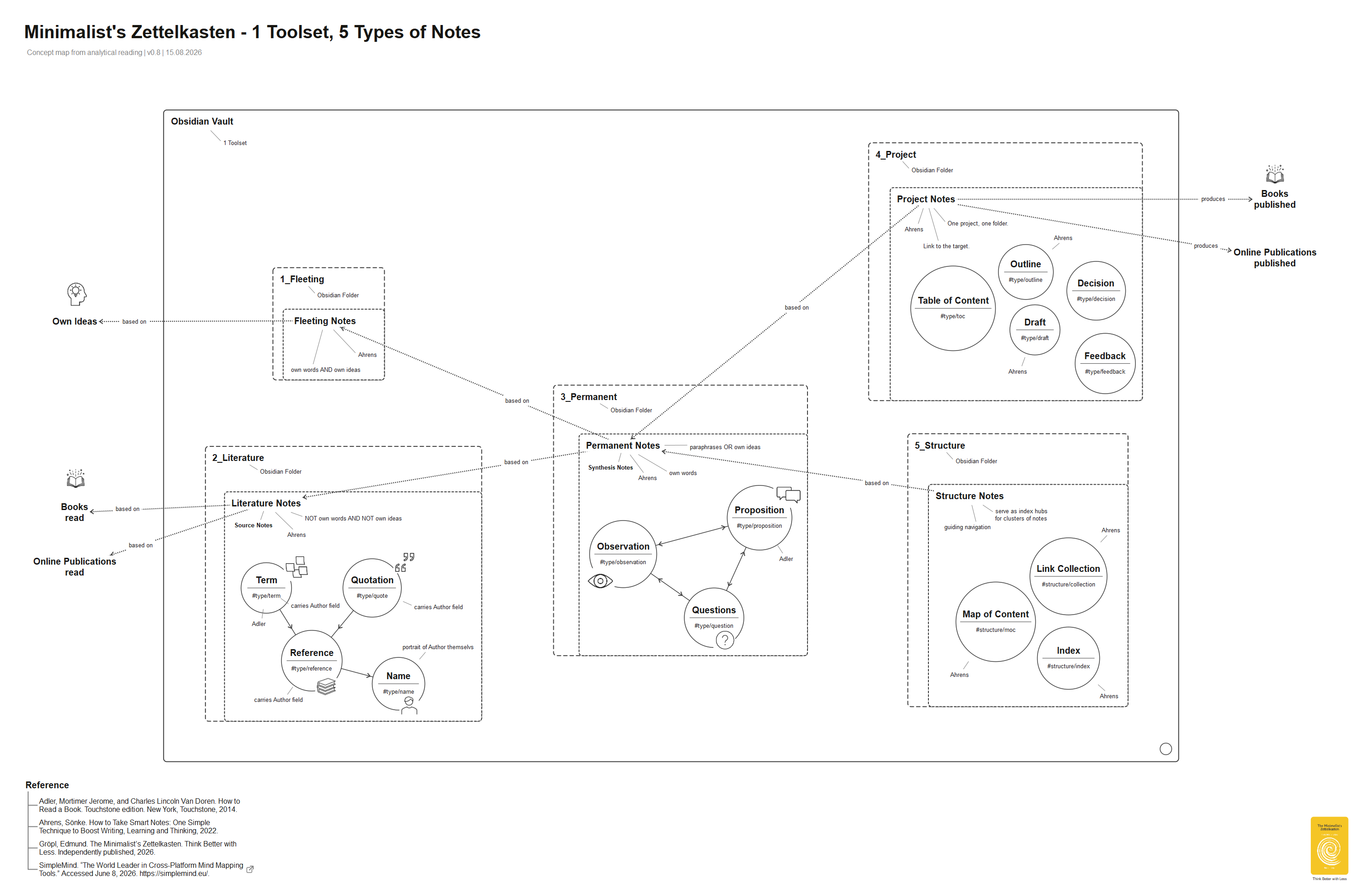
1 Toolset, 5 Types of Notes
How to Use Links
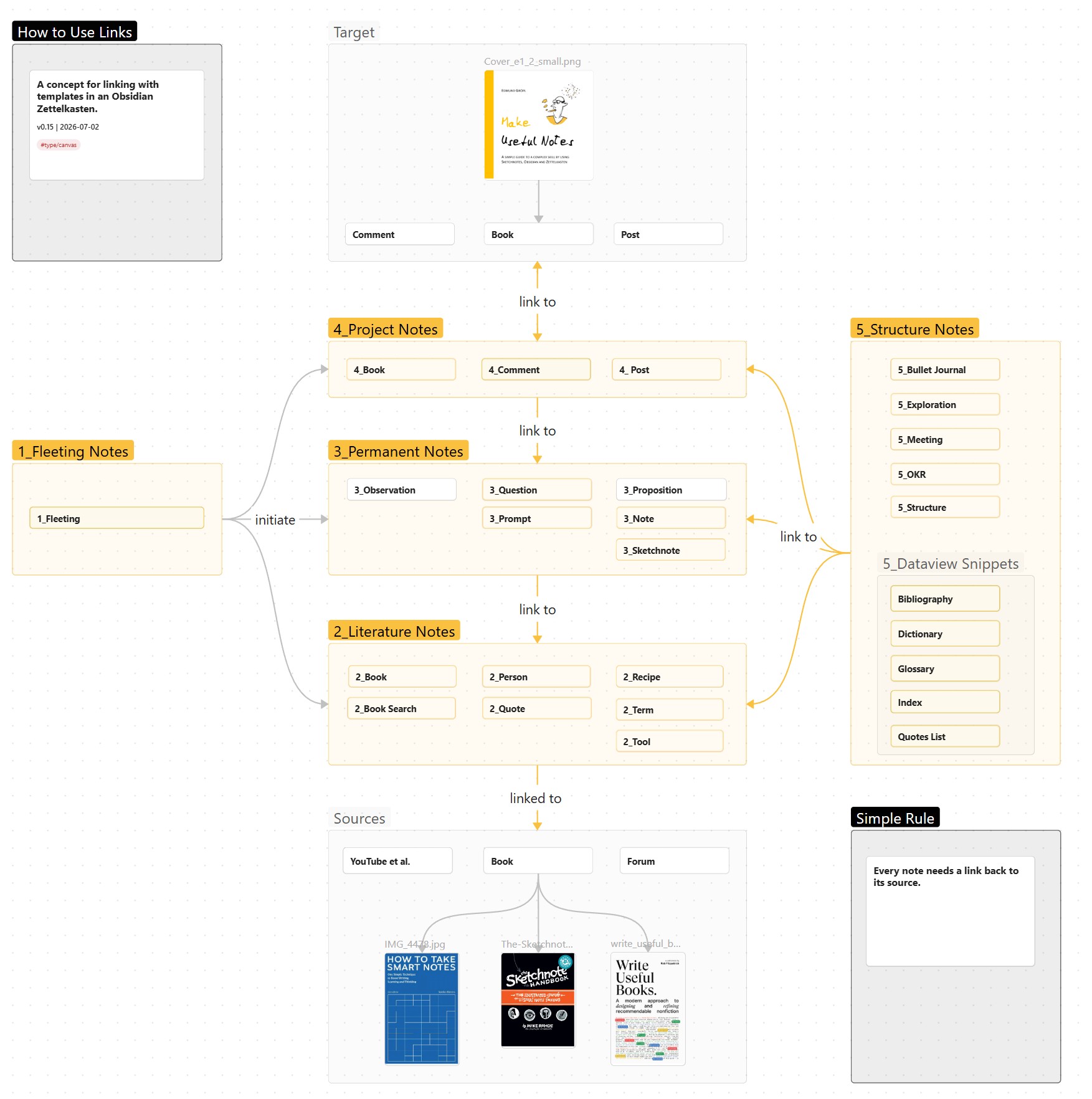 More about: https://forum.obsidian.md/t/link-notes-but-how/
How to Use Tags
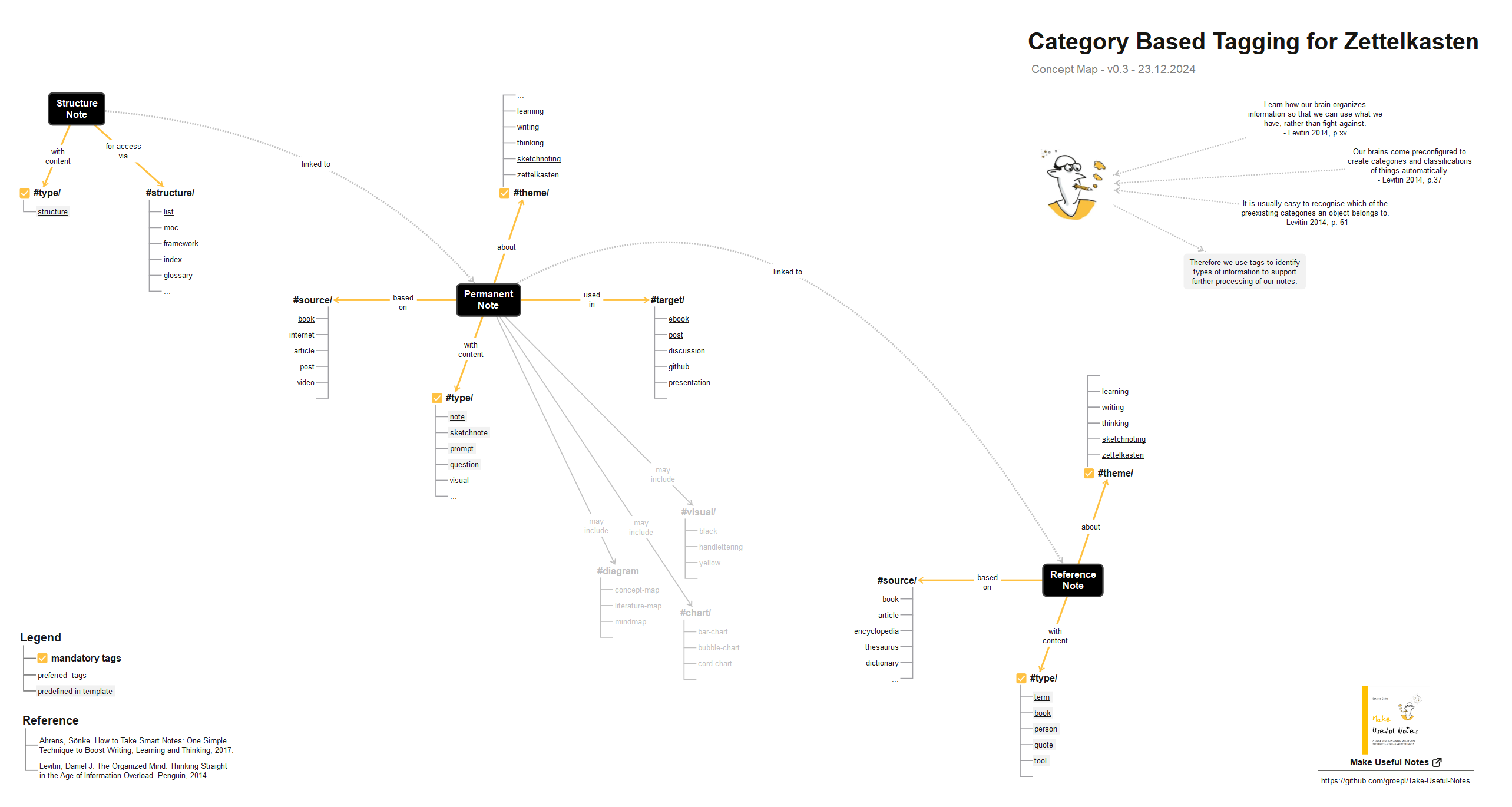
More about: https://forum.obsidian.md/t/use-meta-data-but-how/
How to Use Properties
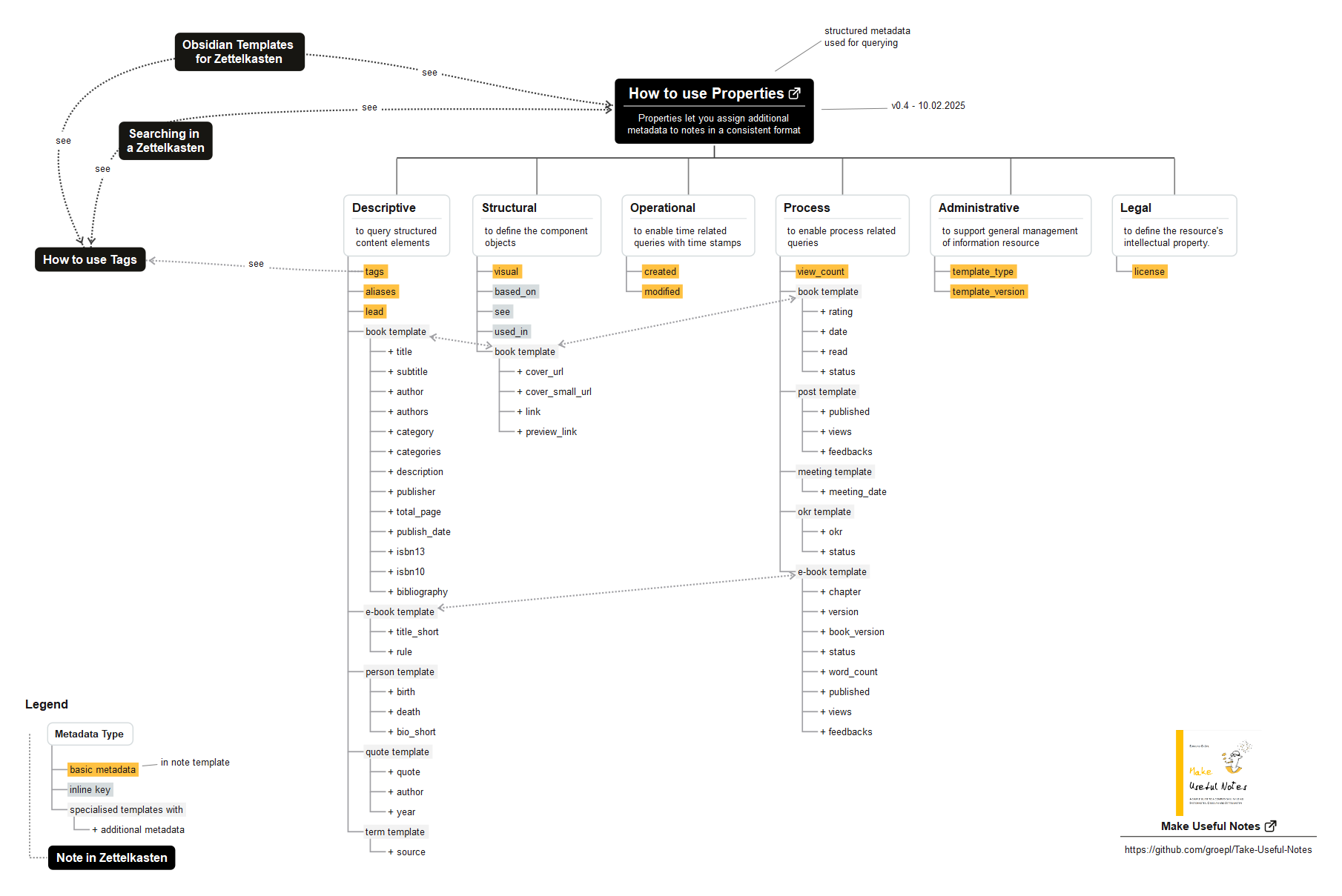
More about: https://forum.obsidian.md/t/16-obsidian-templates-for-zettelkasten-to-start-with/49098/58
How to Search Notes
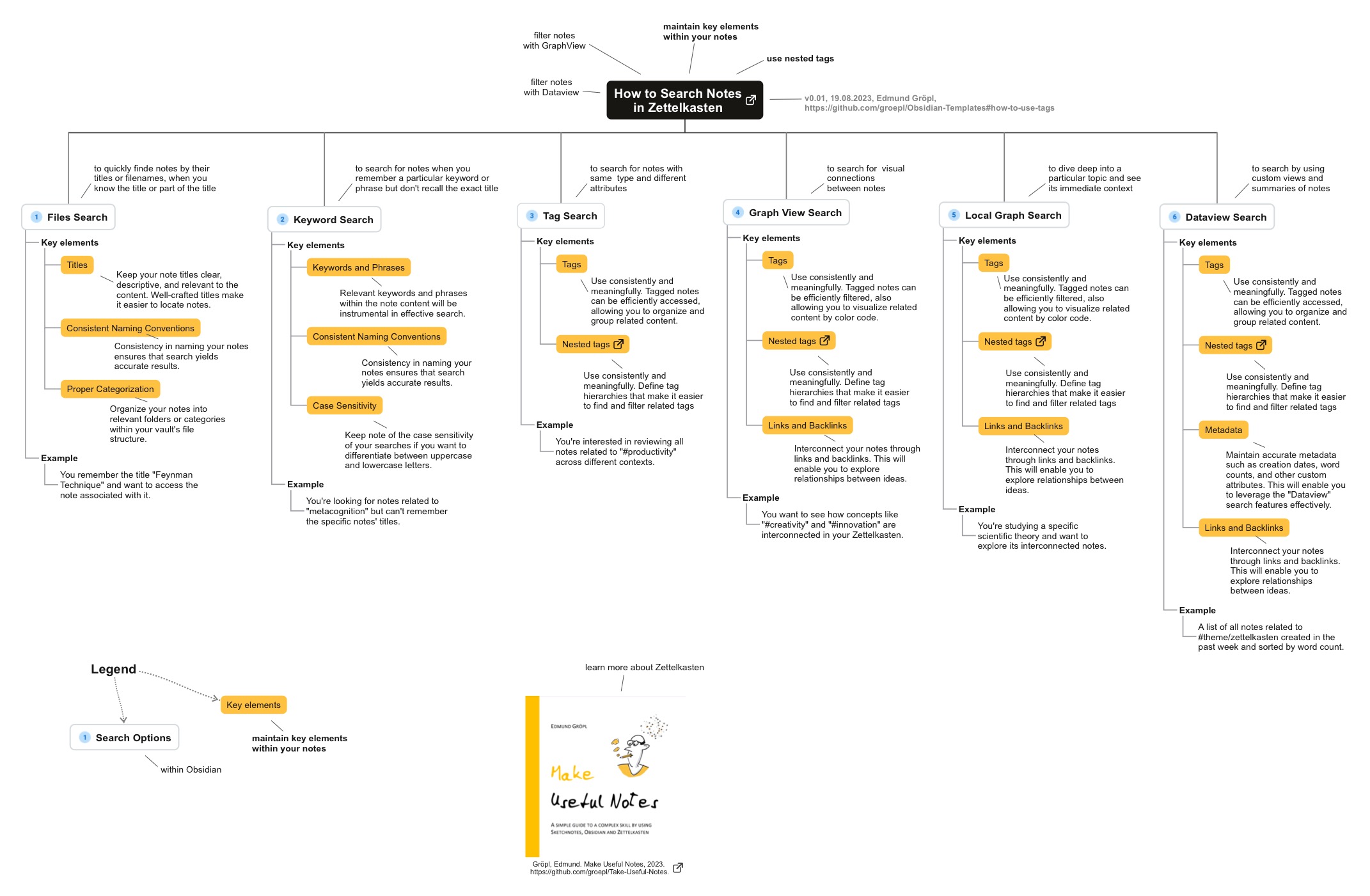 More about: https://forum.obsidian.md/t/search-and-retrieve-notes-how-do-you-search-in-zettelkasten/65386
Zettelkasten Ontology
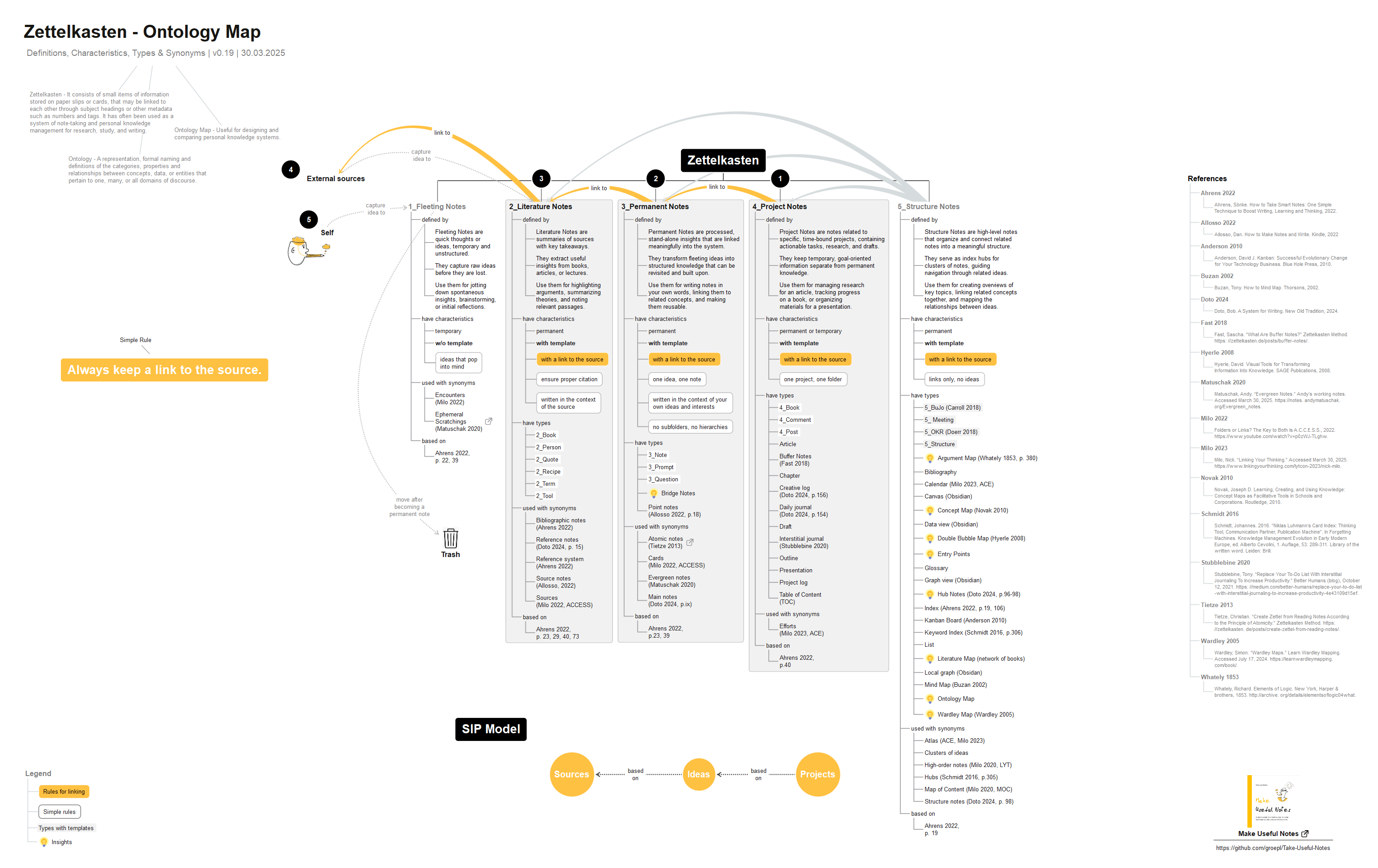 More about: https://forum.obsidian.md/t/limit-folders-how-do-you-use-zettelkasten-in-obsidian/35008/32
Zettelkasten Canvas
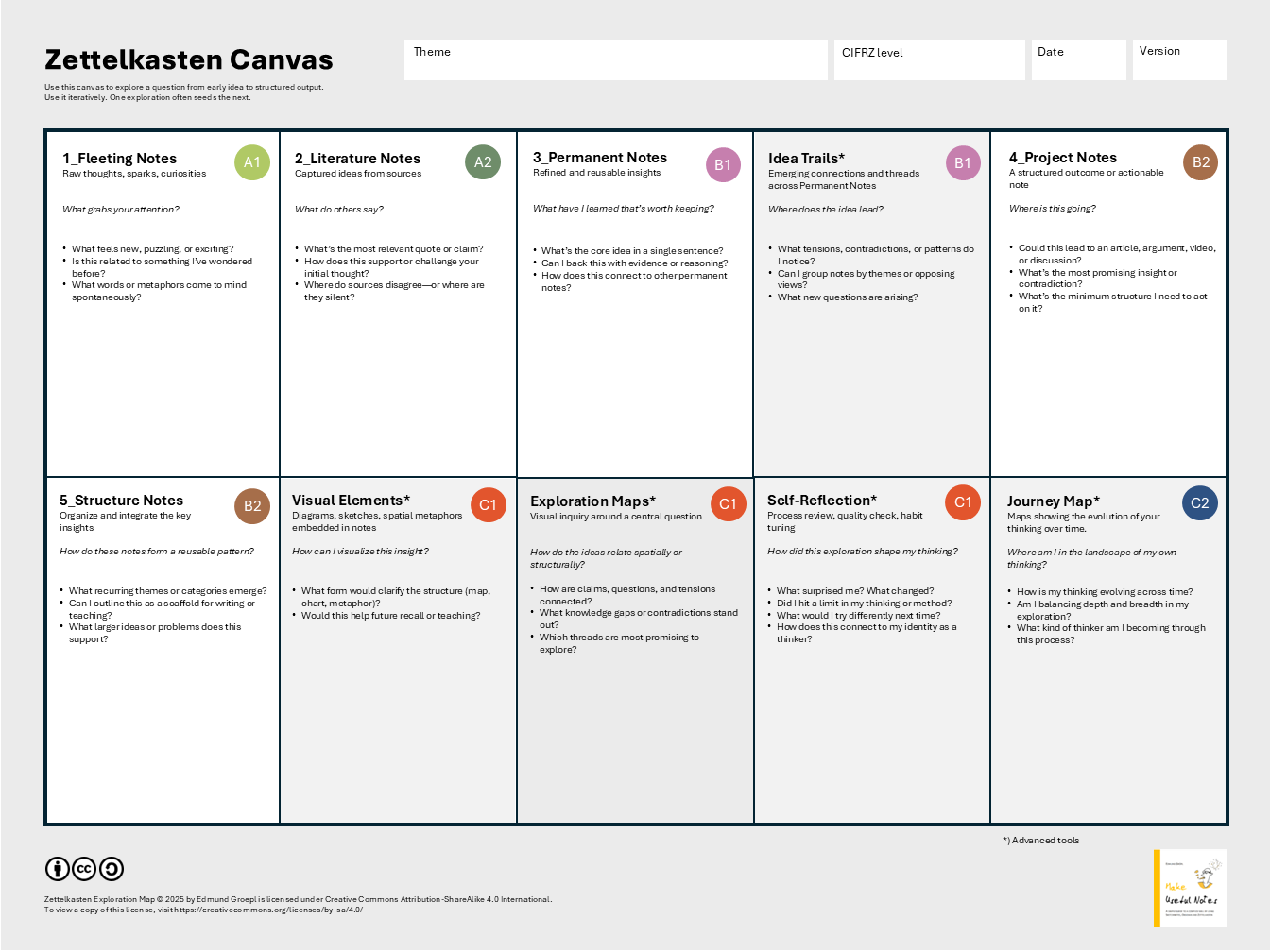 More about: https://forum.obsidian.md/t/12-principles-for-using-zettelkasten/51679/13
The Minimalist's Zettelkasten
 The provided podcast from NotebookLM consists of excerpts from a book titled "The Minimalist’s Zettelkasten: Think Better with Less", authored by Edmund Gröpl. It is set to be independently published in late 2026.
More about: https://github.com/groepl/Take-Useful-Notes/
FAQ
- Where can I discuss my own experiences with these templates?
- What are the rules for using Properties with YAML Frontmatter?
- How to use Tags and Nested Tags in Obsidian?
- How can I learn more about Obsidian and Zettelkasten?
Creative Commons License
Obsidian Templates © 2022-25 by Edmund Gröpl is licensed under CC BY-SA 4.0
Contact
Please leave feedback here in the GitHub discussions or file a new issue if you found a bug or have a feature request. You can reach me via Mastodon too: https://darmstadt.social/@groepl
How to Install
- Download the ZIP or clone the repository
- Open the folder as a vault in Obsidian (File → Open Vault)
- Obsidian will prompt you to install required plugins
Stats
Stars
1922
Forks
172
License
MIT
Last updated 1mo ago
Categories
Tags