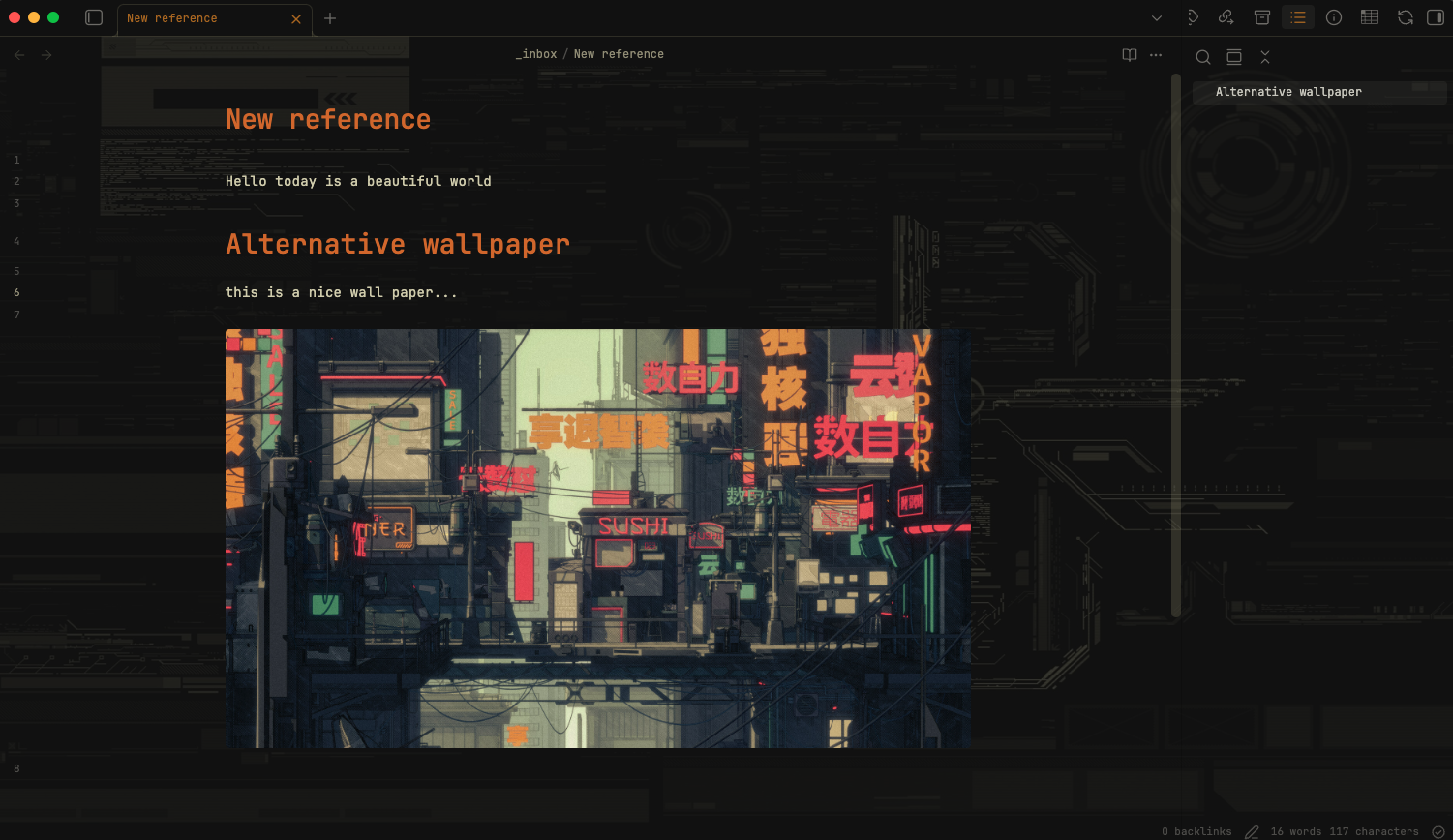
SNIPPET
dxenosMinimal Futuristic Theme
An obsidian, minimalistic, and futuristic theme that fits very well with the minimal theme of Kepano.
2 Stars
GitHubCSSAny theme
# Obsidian Minimal Futuristic Theme
A cyberpunk-inspired HUD theme for Obsidian, designed to complement the [Minimal Theme](https://github.com/kepano/obsidian-minimal) by Kepano.

## Features
- 🎯 **HUD-style interface** — Clean, technical aesthetic with subtle gridlines and instrument-panel styling
- 🌃 **Cyberpunk wallpaper variant** — Immersive background with transparent panels
- 🎨 **Olive/sand color palette** — Easy on the eyes for long writing sessions
## Installation
1. Download the CSS files from this repository
2. Place them in your vault's `.obsidian/snippets/` folder
3. Open Obsidian → **Settings** → **Appearance** → **CSS Snippets**
4. Enable the snippets you want to use
## Snippets
| File | Description | When to use |
|------|-------------|-------------|
| `hud.css` | Base HUD styling with semi-transparent panels | When you want a clean, minimalistic look |
| `hud-wallpaper_claude.css` | Full cyberpunk experience with embedded wallpaper | When you want the futuristic immersive experience |
| `hud-wallpaper_gpt.css` | Alternative wallpaper variant | 🚧 **Work in progress** |
## Usage Tips
- **For maximum minimalism**: Enable only `hud.css`
- **For the full cyberpunk experience**: Enable `hud-wallpaper_claude.css` (includes the wallpaper)
- Works best with [Minimal Theme](https://github.com/kepano/obsidian-minimal) as the base theme
## Wallpaper Credit
The cyberpunk cityscape wallpaper is used with courtesy from this [Reddit post](https://www.reddit.com/r/macbookpro/s/bri6LnIBey) and this is the official website with more wallapers [Gruvbox Wallpapers](https://gruvbox-wallpapers.pages.dev).

## Requirements
- [Obsidian](https://obsidian.md/)
- [Minimal Theme](https://github.com/kepano/obsidian-minimal) by Kepano (recommended)
## License
Feel free to use and modify for personal use.
How to Install
- Download the CSS file below
- Move it to your vault's
.obsidian/snippets/folder - Open Obsidian → Settings → Appearance → CSS Snippets → Enable it
Stats
Stars
2
Forks
0
Last updated 3mo ago