Astro Modular
A flexible Astro blog theme designed for Obsidian users.
Made with Vault CMS
Use Obsidian as a CMS with Vault CMS.
Stats
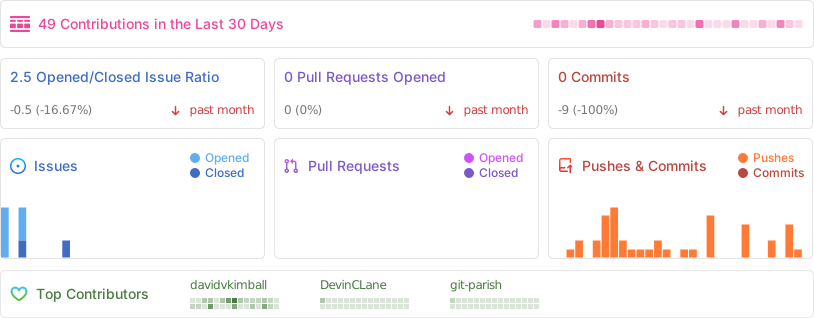
Status


Tech Stack






Why Astro Modular?
- Obsidian As A CMS: Works with Obsidian out of the box (built upon Vault CMS), write and publish instantly
- Highly Customizable: Every feature can be enabled/disabled independently
- Performance-Focused: Assets are highly optimized for lightning-fast loading
- SEO-Ready: Automatic sitemap, RSS feed, and Open Graph image generation
Features
- Custom Themes
- Feature Toggle Control
- Dark/Light Mode
- Search & Command Palette
- Wikilinks & Linked Mentions
- Obsidian-Style Callouts
- Obsidian Embeds Files
- Folder-Based Posts
- Multiple Content Types
- Image Optimization
- Automatic Feed Generation
- Table of Contents
- Smooth Scroll & Page Transitions
- Image Gallery & Lightbox
- Reading Time & Word Count
- Tagging
- Graph View
- Mermaid Diagrams
- LaTeX & Math Rendering
- Custom Typography
- Profile Picture
- Comments
Quick Start

Get the Code
Choose one of the following methods to get started:
Option 1: CLI (Recommended)
pnpm create astro-modular my-blog
cd my-blog

This downloads the latest template, removes dev-only files, and installs dependencies automatically. Also works with npm create astro-modular my-blog.
Option 2: Use GitHub Template
- Click the "Use this template" button on the repository page
- Select "Create a new repository"
- Choose your repository name and settings
- Click "Create repository from template"
- Clone your new repository:
git clone https://github.com/your-username/your-repo-name.git
cd your-repo-name
Prerequisites
- Node.js 24.13.0+
- pnpm 10.29.3+ or npm 9.6.5+
[!NOTE] While this theme works great with any markdown editor, it's specifically optimized for Obsidian use. See the Astro Suite Vault Guide for Obsidian-specific features.
Setup
-
Install pnpm (if you don't have it):
npm install -g pnpm -
Install dependencies:
pnpm install -
Preview:
pnpm devYour blog will be available at
http://localhost:5000 -
Build for production:
pnpm build
Updating the theme
To pull the latest theme release (framework files, Astro, config) while keeping your content and assets:
pnpm run update
This downloads the latest release from GitHub, replaces framework files, restores your src/content and profile/favicon assets, then runs pnpm install. After updating, open Obsidian and use Astro Modular Settings → Apply all settings so your saved settings are written to the new config.ts if needed.
Configuration
Edit src/config.ts to customize your site - change the theme, enable/disable features, and configure all settings.
Deployment
Set your deployment platform once in src/config.ts under deployment.platform ("netlify", "vercel", "github-pages", or "cloudflare-workers"). The build process automatically generates the correct configuration files for your chosen platform - no environment variables needed!
Documentation
For detailed guides, see the included blog posts:
- Getting Started - complete setup and workflow guide
- Formatting Reference - comprehensive formatting reference
- Vault CMS Guide - Obsidian vault walkthrough
- Obsidian Embeds Demo - Obsidian embed examples
For AI Agents & Developers: See AGENTS.md for comprehensive technical documentation.
Star History
Acknowledgments
Spaceship Astro theme for the graph view functionality upon which this theme's is based.
ogImage.click to generate the open graph image used for this theme.
Contributing
This is an open-source project. Feel free to submit feature requests, report bugs, or contribute improvements.
If you are contributing code back to the theme itself, please fork the repository and submit a Pull Request. Do not fork the repository if you are just building your own site from this template.
License
How to Install
- Download the ZIP or clone the repository
- Open the folder as a vault in Obsidian (File → Open Vault)
- Obsidian will prompt you to install required plugins
Stats
Stars
189
Forks
39
License
MIT
Last updated 4d ago
Tags