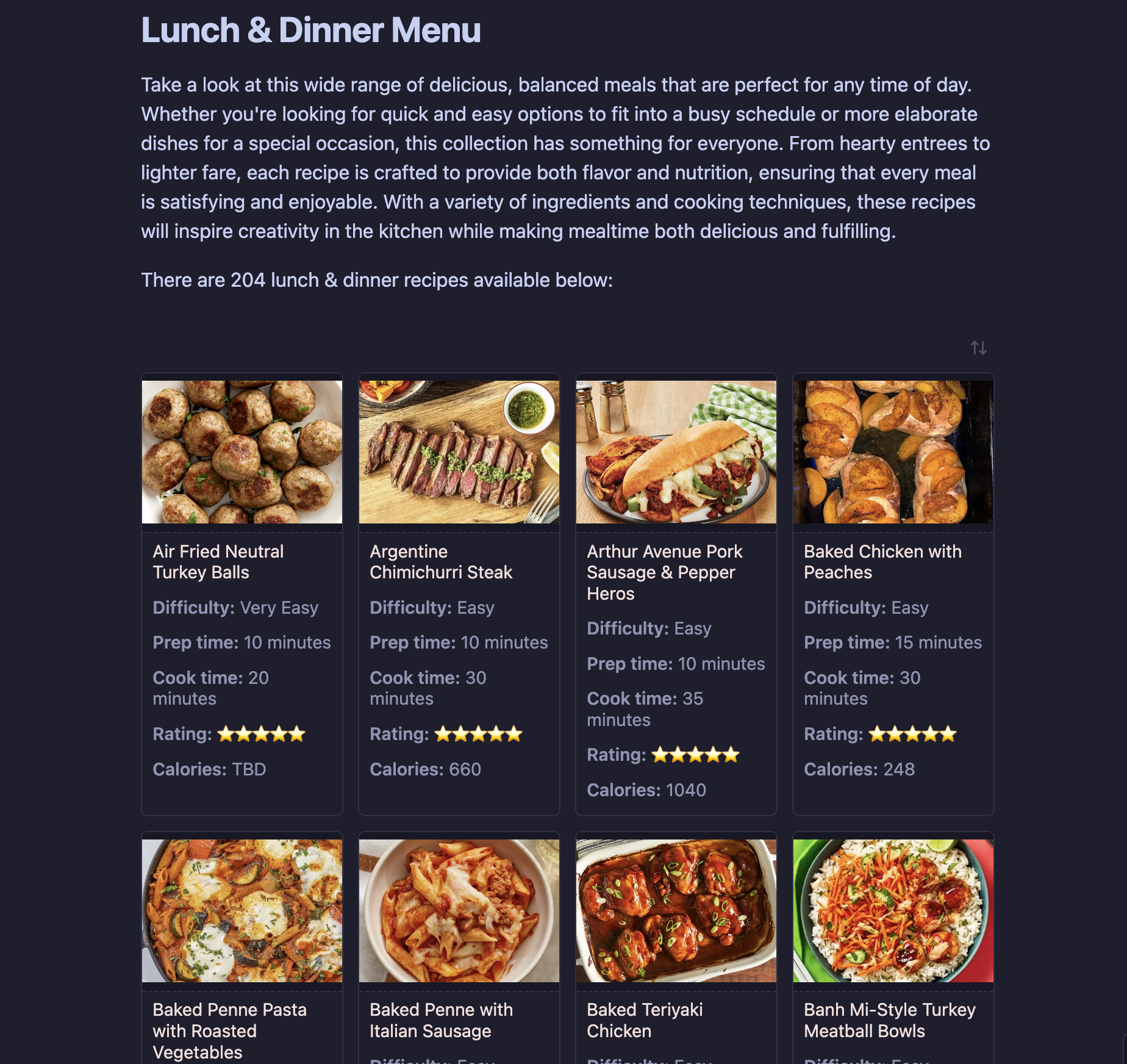
Recipe Vault Repo
This recipe book was designed using Obsidian Notes and is a well-organized digital collection of hundreds of recipes, designed for seamless viewing on a kitchen monitor. Utilizing Obsidian’s powerful linking, tagging, and visualization capabilities, this system enhances accessibility and efficiency in the kitchen.
Recipe-Vault-Repo
The Recipe Vault, created and displayed in Obsidian, is a well-organized digital collection of hundreds of recipes, designed for relatively seamless viewing on a kitchen monitor. Utilizing Obsidian’s powerful linking, tagging, and visualization capabilities, this system enhances accessibility and efficiency in the kitchen. No more spilling ingredients on your favorite paper recipe!
If you haven't already, you will need to download Obsidian. This is a free program that uses markdown files to create notes. It is available for all common operating systems (Windows, Mac, Linux).
In addition to Obsidian, you will also need to download the following plugins and snippets:
Community Plugins Required:
You will need to download these plugins, but it is easy through obsidian. Click on Settings --> Community plugins --> Browse and search for these. The theme will be found under Settings --> Appearance.
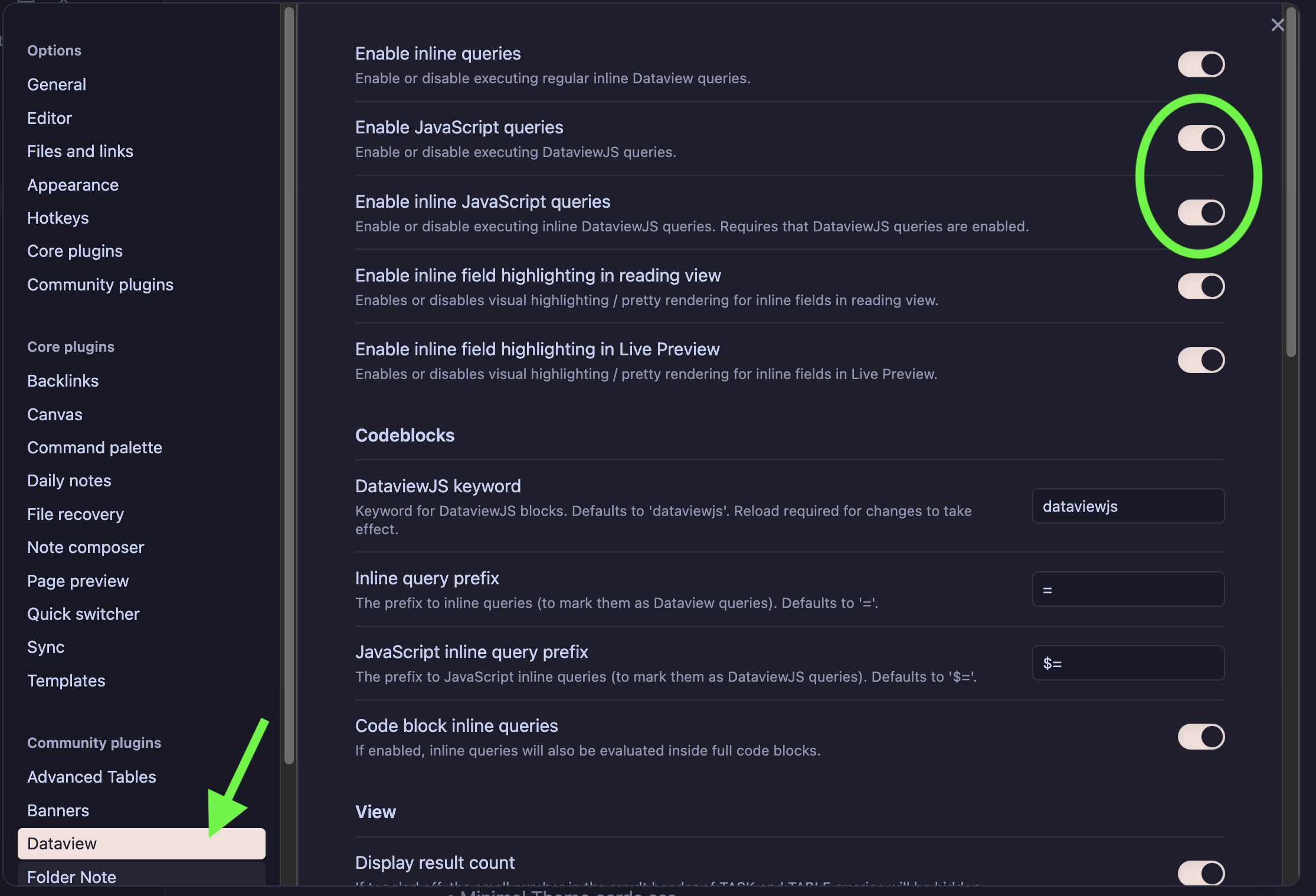
- Dataview
- You will want to go to dataview properties and toggle "Enable JavaScript queries" and "Enable inline JavaScript queries" on.
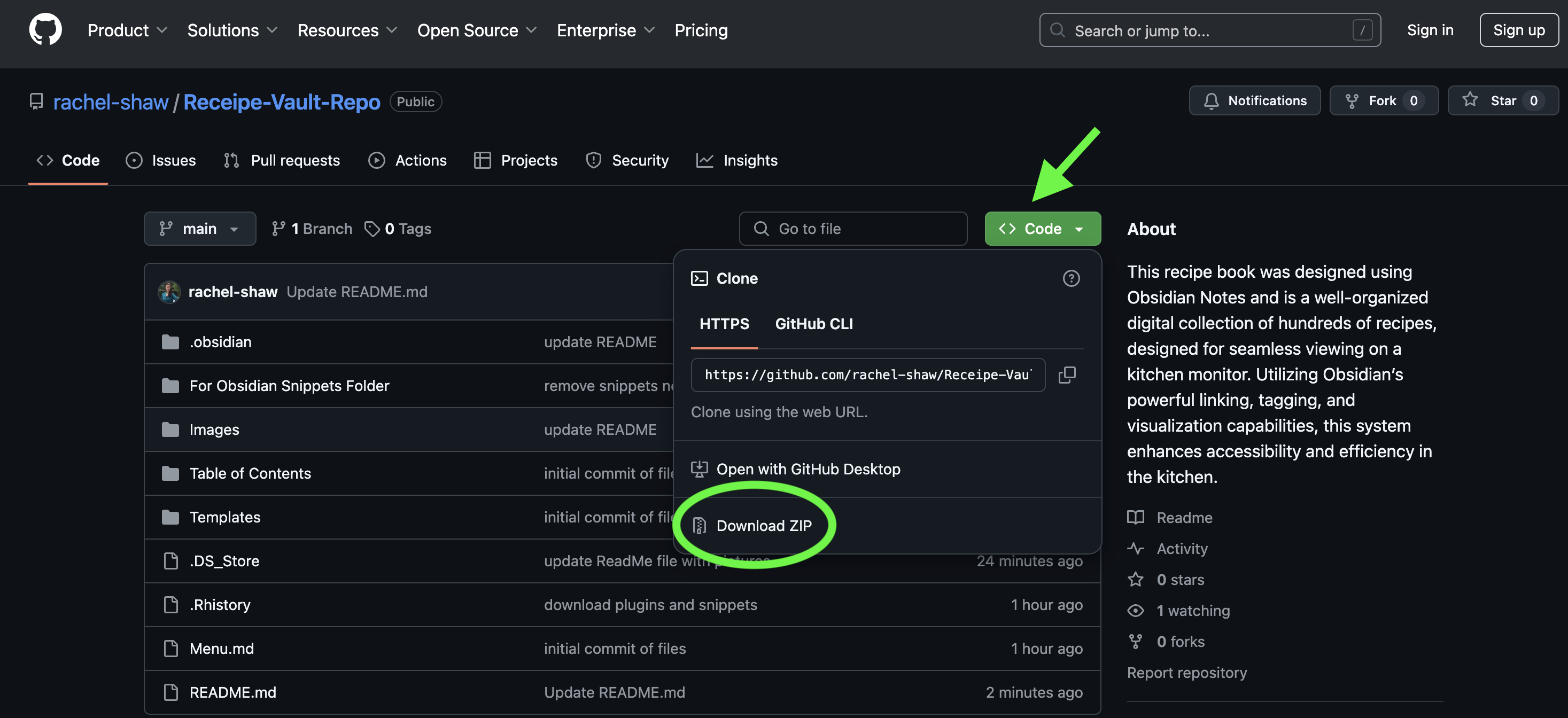
Download Folders from GitHub
In order to access all of the required files needed for the recipe book to work on your system, you will need to download them from GitHub. Click on Code --> Download Zip. Extract these files to a folder on your system.
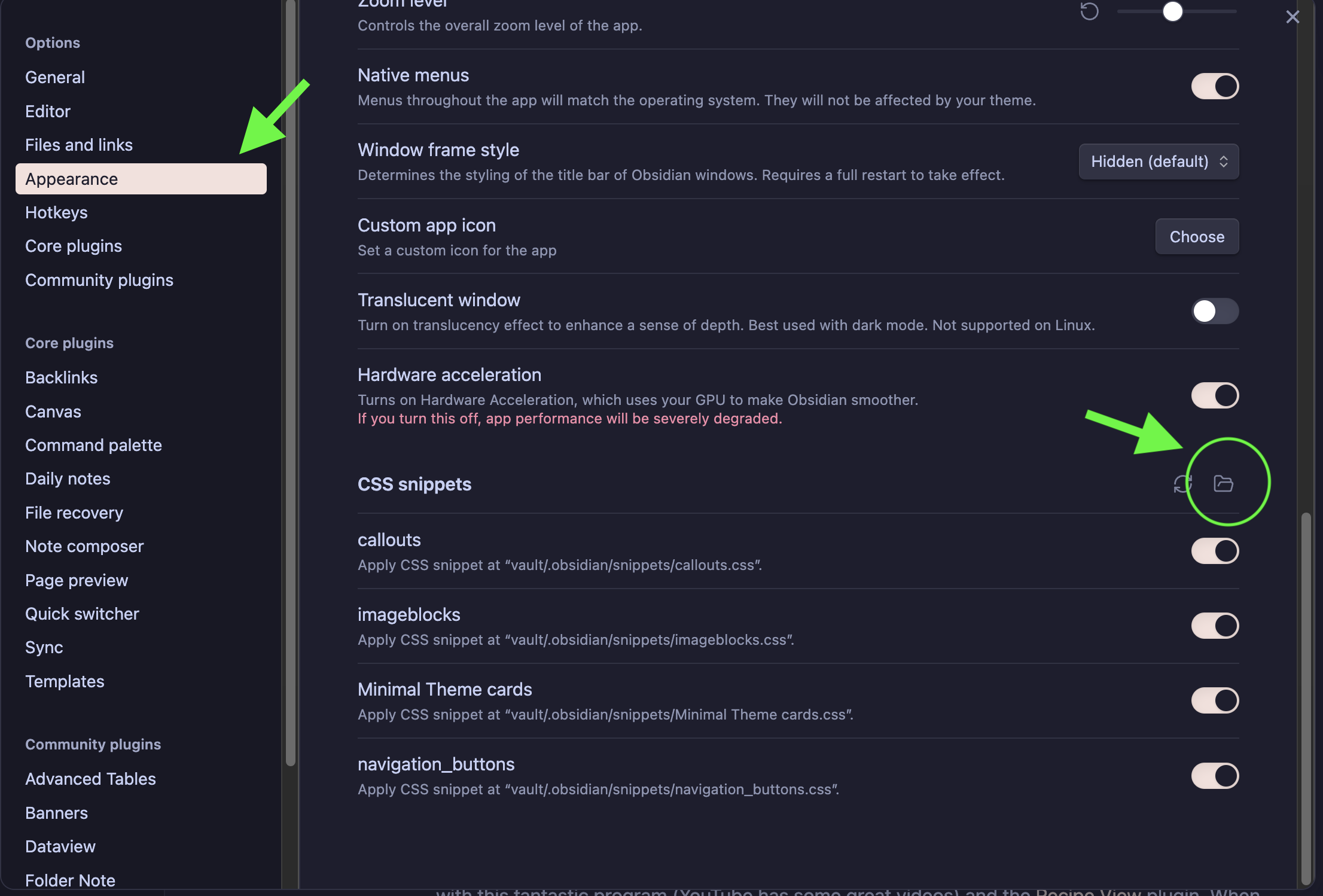
CSS Snippets
There are four css files you will want to install in the CSS snippets folder in Obsidian. Copies of these files can be found in the folder "For Obsidian Snippets Folder" (included in the files you downloaded from GitHub). Be sure to copy and paste these files into the folder in Obsidian found under Settings --> Appearance --> CSS Snippets.
- callouts.css
- imageblocks.css
- Minimal Theme cards.css
- navigation_buttons.css
How To Use
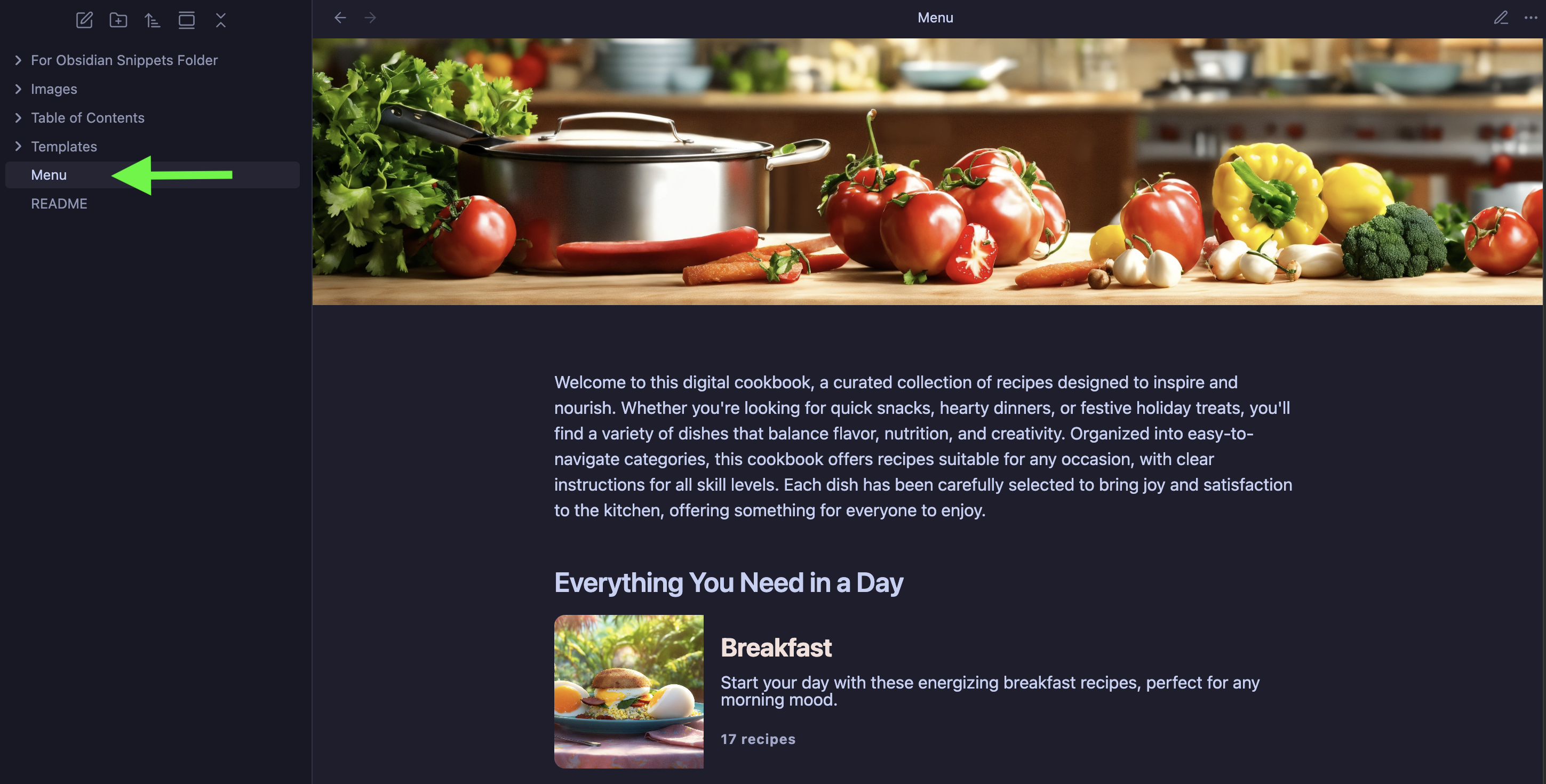
Obsidian is simple enough to use. If you haven't used it before, I suggest you familiarize yourself with this fantastic program (YouTube has some great videos) and the Recipe View plugin. When you are ready and have the plugins and snippets installed, click on the Menu markdown file within Obsidian and select the meal you would like to make.
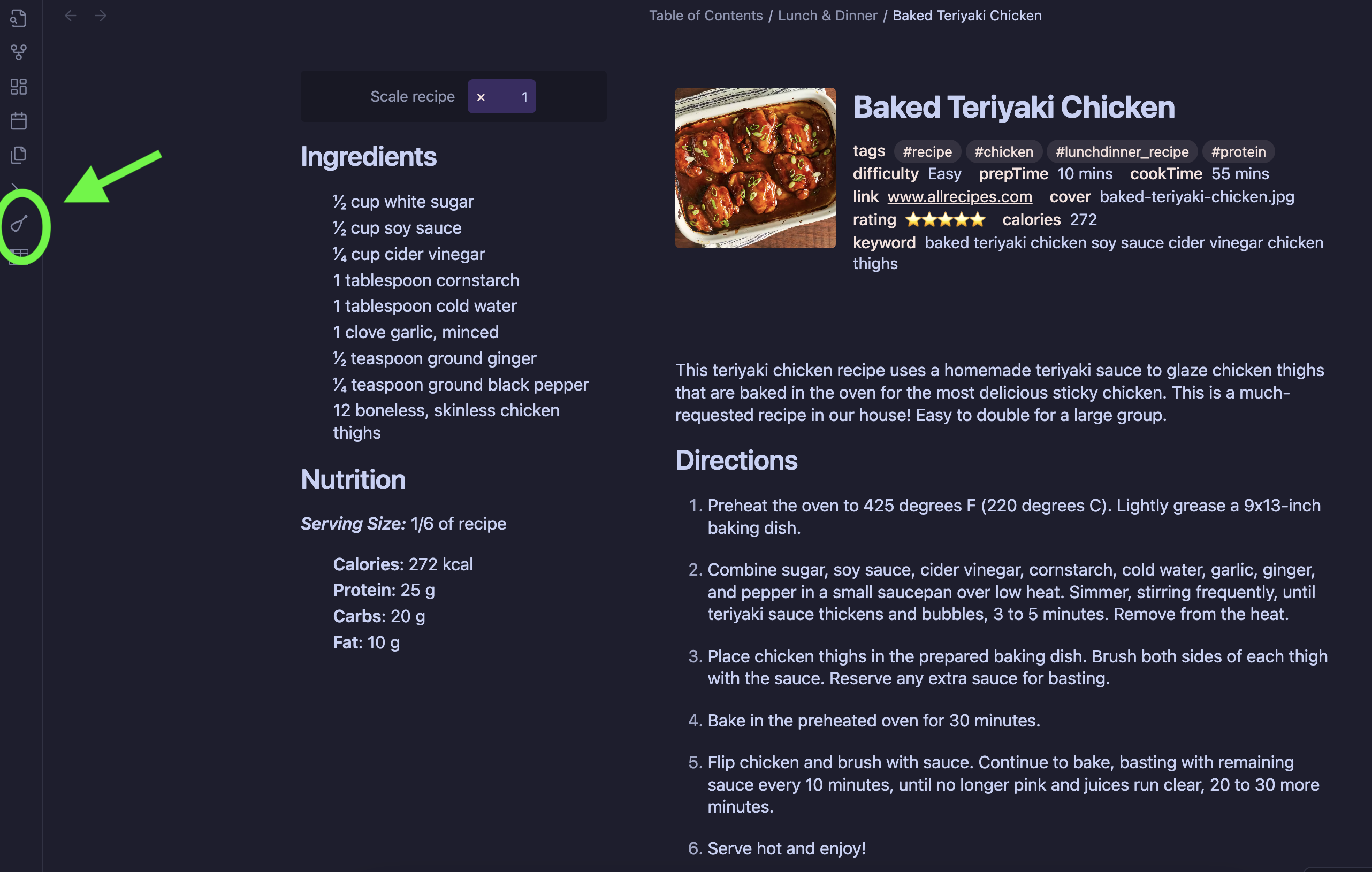
When selecting recipes, use the "toggle recipe view" icon on the left hand side of your screen to format the recipe correctly.
How to Install
- Download the ZIP or clone the repository
- Open the folder as a vault in Obsidian (File → Open Vault)
- Obsidian will prompt you to install required plugins
Stats
Stars
2
Forks
0
Last updated 20mo ago
Categories