CSSAny theme
# Obsidian Image Caption
**This is currently an intermediate release with knowng issues.**
### Add captions to your images.

## Use
**Internal embeds**
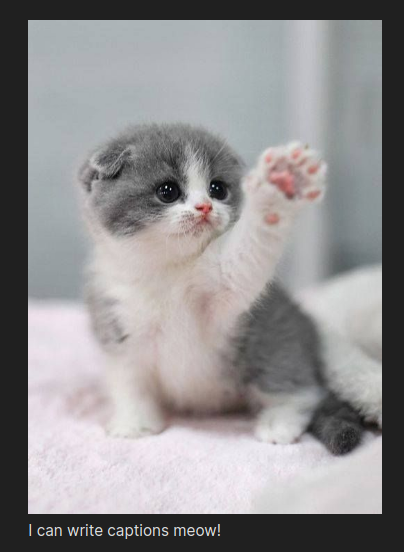
Use the pipe (|) after the the source of an embeded image to display the text as a caption of the figure.
e.g.
```markdown
![[my_amazing_image.png|Check out this amazing picture.]]
```
**External embeds**
Use alt text to display as a caption.
Allows resizing of images, exactly how internal embeds work. (See below)
e.g.
```markdown

```
**Resizing**
When resizing internally embedded images one can normally use the `<width>x<height>` after the pipe (`|`) character. Use the keyword `auto` as `<width>` or `height` to set the size of one dimension and auto-scale the other.
e.g.
```markdown
![[my_amazing_image.png|50x50]]
![[my_long_photo|autox200]]
```
You can now resize both internally and externally embeded images with caption. However, delimeters must be used to distinguish the caption text if it is present.
e.g. If `"` is the caption delimeter.
```markdown
![[my_amazing_image.png|50x50]]
![[my_amazing_image.png|50x50 "Look at my caption ma!"]]


```
## Settings
+ **Label:** Text that prepends all captions.<br/>
For automatic numbering use '#'. If a '#' character is meant to be output, escape it with a backslash ('\\'), i.e. '\\#'. Backslashes must also be escaped to be output, i.e.'\\\\'.
+ **CSS:** Apply custom CSS styling to the image captions.<br/>
Captions are indexed from 1 using the 'data-image-caption-index' attribute for styling based on figure number.
+ **Delimeter:** Indicates the caption text.<br/>
A delimeter is a set of characters that identify the caption text to use. The delimeter must enclose the text you wish to display as the caption.
+ If no delimeter is set the entire text is used.
+ A single delimeter can be used for the start and end.<br/>
e.g. `"` -> `"My caption"` or `!!` -> `!!My caption!!`
+ A start and end delimter can be used by separating them with a comma (,).<br/>
e.g. `{, }` -> `{My caption}` or `<<, >>` -> `<<My caption>>`
+ **Note:** Whitespace is trimmed from the delimeter character sets.
+ **Note:** Only the first and last delimeters are matched, so the delimeter character can be used in the caption without special consideration, such as escaping.
+ **Caption as HTML:** Allows your captions to be rendered as HTML.<br/>
By turning this option on your captions will be inserted into the document as HTML rather than text.
## FAQ
+ **My captions aren't showing up:** Captions are only added if the image is rerendered. Try changing the caption (needs to be more than a trailing space) and trying again. If this fixes the issue then change it back, otherwise open an Issue.
+ **How does this work with Panoc?:** Pandoc has an *implicit_figures* extension which is active by default. As the [User's Guide](https://pandoc.org/MANUAL.html#extension-implicit_figures) indicates: "\[a\]n image with nonempty alt text, occurring by itself in a paragraph, will be rendered as a figure with a caption. The image’s alt text will be used as the caption." This is identical to the behavior of this plugin for external embeds, though Pandoc ignores any resizing.
## Known issues
+ Some captions missing.
+ Not entirely compatible with Pandoc for exporting.
How to Install
- Download the CSS file below
- Move it to your vault's
.obsidian/snippets/folder - Open Obsidian → Settings → Appearance → CSS Snippets → Enable it
Stats
Stars
94
Forks
3
License
GPL-3.0
Last updated 19mo ago