SNIPPET
bencodezenNight Owl Theme
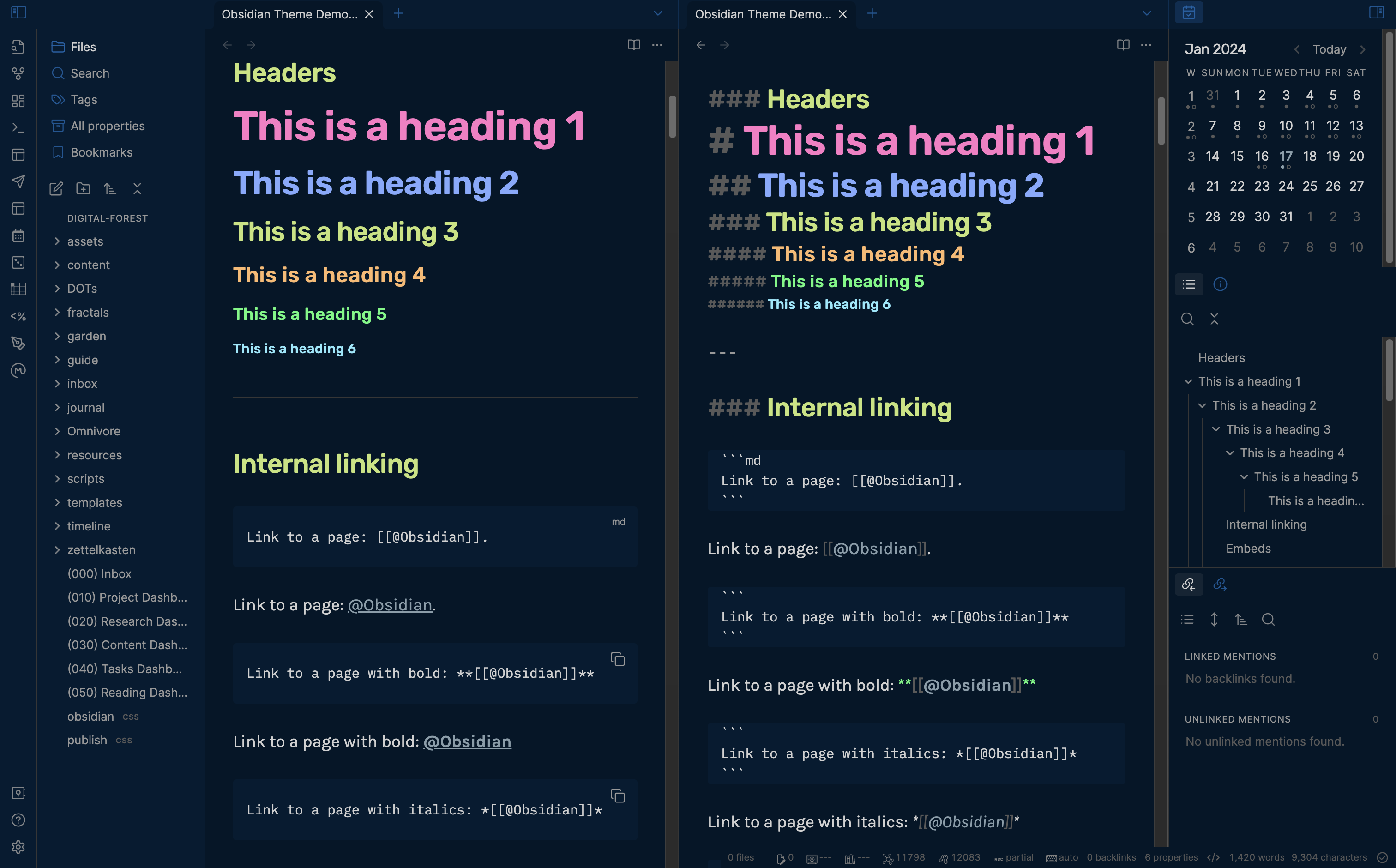
An Obsidian theme inspired by the original Night Owl VS Code Theme by Sarah Drasner!
55 Stars
GitHubCSSAny theme
# Minimal Night Owl Obsidian Theme

⚡ Inspired by the original [Night Owl theme](https://github.com/sdras/night-owl-vscode-theme) by [Sarah Drasner](https://twitter.com/sarah_edo).

## 🛠️ Setup
### Step #1. Install Minimal Theme
1. Open **Settings** in Obsidian
1. Navigate to **Appearances** tab under **Options**
1. Under the **Themes** section, click on the `Manage` button
1. Search for `Minimal` in the Filter text input in the upper left corner
1. Click `Install and use` and you should now see your theme automatically switch!
## Step #2. Install Plugins for Minimal Theme Extension
1. Open **Settings** in Obsidian (if you closed it)
1. Navigate to **Community plugins** under **Options**
1. If needed, click on **Turn on community plugins**
1. Under the section **Community plugins**, click **Browse**
1. Search for `Minimal Theme Settings` and install it
1. Enable `Minimal Theme Settings` plugin
1. Search for `Style Settings` and install it
1. Enable `Style Settings` plugin
## Step #3. Import Night Owl Configuration File
1. Copy the contents of [obsidian-night-owl-theme.json]
1. Open **Settings** in Obsidian
1. Navigate to **Style Settings** under **Community plugins**
1. You should see four sections for `Minimal`, `Minimal Cards`, `Minimal Mobile`, and `Minimal Advanced Settings`
1. Click on **Import** in the upper right
1. Paste content from [obsidian-night-owl-theme.json]
1. Click **Save**
## Step #4. Match typography
If you want to match the typography in the theme, you'll need the following fonts on your machine:
- **Headings**: [Rubik](https://fonts.google.com/specimen/Rubik)
- **Interface**: [Inter](https://fonts.google.com/specimen/Inter)
- **Text** (Body): [Karla](https://fonts.google.com/specimen/Karla)
- **Monospace**: [IBM Plex Mono](https://fonts.google.com/specimen/IBM+Plex+Mono)
Except for **Headings** (which is managed by Style Settings), you'll need to update the font for **Interface**, **Text**, and **Monospace** in your Obsidian settings:
1. Open **Settings**
1. Click on **Appearance** under **Options**
1. Click on **Manage** for each respective section to add the desired font you want to use.
### Step #5. Enjoy your Night Owl theme
🎉 Celebrate! 🎊 You're all set to go! 🎉
## FAQs
### How do I customize this theme?
#### Easy: Use [Obsidian Style Settings Plugin](https://github.com/mgmeyers/obsidian-style-settings)
This allows you to configure the theme directly in Obsidian without any CSS knowledge required!
More settings to come, but if you have specific requests, please [open an issue here](https://github.com/bencodezen/obsidian-night-owl-theme/issues/new)!
#### Intermediate: Add CSS snippets
Check out CSS snippets as a way to progressively enhance the theme.
Here's a [useful forum post](https://forum.obsidian.md/t/how-to-achieve-css-code-snippets/8474) to help get you started.
> 🎩 Thanks to the suggestion by @DutchPete!
## 🎩 Credit
Huge thanks to the [@kepano](https://stephango.com/about) for creating the [Minimal Obsidian Theme](https://github.com/kepano/obsidian-minimal) and maintaining an incredible base theme that makes keeping this theme up to date possible!
How to Install
- Download the CSS file below
- Move it to your vault's
.obsidian/snippets/folder - Open Obsidian → Settings → Appearance → CSS Snippets → Enable it
Stats
Stars
55
Forks
14
Last updated 27mo ago
Tags
night-owl-themeobsidian