Wechat Public Platform
Obsidian Wechat public Plugin (微信公众平台) is a plugin to release article from your Obsidian Vault to WeChat, Baidu baiJiahao or other platforms.
Obsidian Wechat Public Plugin



The Obsidian WeChat public platform plug-in is an obsidian community plug-in that is used to publish articles or videos and other resources in obsidian to the WeChat public account.
Video Walkthrough
- Chinese Video Display 中文视频演示请点击下面图片
| Wechat Public Platform | Baidu BaiJiaHao |
|---|---|
 |  |
Release history
https://github.com/ai-chen2050/obsidian-wechat-public-platform/releases
Functions & Command
- [ upload material to WeChatPublic ] Upload resource pictures and videos to WeChat public account resource management (waiting for obsidian to support formdata body)
- [ add draft to WeChatPublic ] Add graphic and text resources to the draft box of WeChat public platform
- [ Release article to WeChatPublic ] Release graphic messages and various resources and publish them on the WeChat public platform
- [ Send all fans to WeChatPublic ] Send group messages to fans (note: authentication is required to have calling permission)
- [download-material-from-wechatpublic] download material(news,image,video,audio) from wechat public platform
- [download-youtube-video] download video from youtube platform
- [publish-baidu-bjh-news] publish obsidian's article to baidu's baijiahao
- [show-wechat-stats-panel] open a statistics dashboard to view user cumulate data and published content overview (supports date range picker)
| Overall | Down/Upload |
|---|---|
 |  |
 |  |
Install
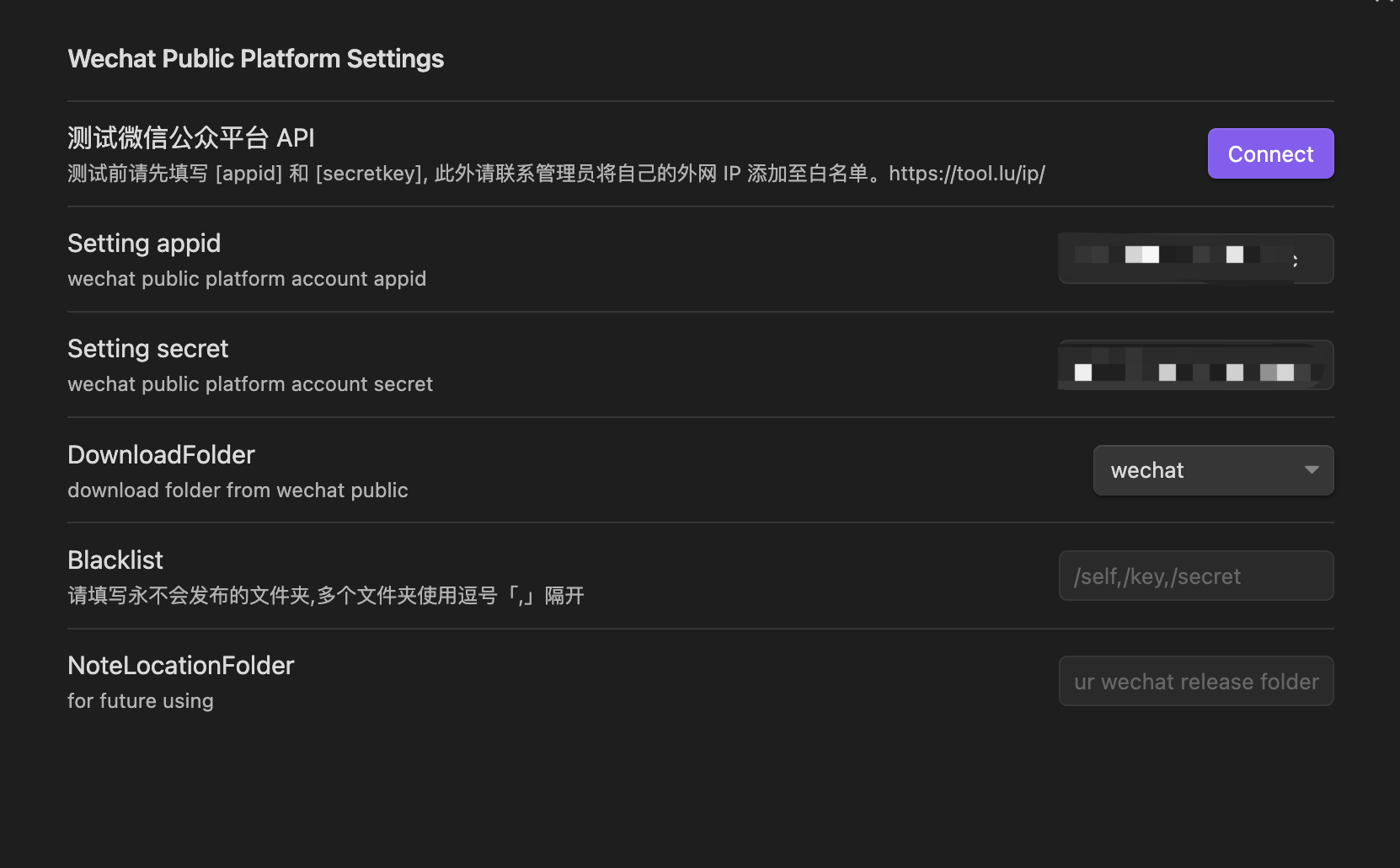
Directly search for wechat public in the plug-in market, find Wechat public Plugin and click install to install it. After the installation is complete, click Enable to enable the plug-in. [png]
Second method is download the release package, then make a new dir, name to wechat-public-plugin, last put them to .obsidian/plugin, and find 3rd plugin to enable.
Or download the source code and compile it into main.js manifest.json and put it in the plug-in directory under .obsidian, and then Enable.
OpenClaw CLI
This repo also ships a CLI for OpenClaw automation. You can install and run it in one of these ways:
# Clone and build locally
git clone https://github.com/ai-chen2050/obsidian-wechat-public-platform.git
cd obsidian-wechat-public-platform
npm install
npm run build:cli
./dist/wechat-public-cli.js wechat:draft --file /path/to/article.md
# Install globally via npm (after publish)
npm install -g wechat-public-cli
wechat-public-cli wechat:draft --file /path/to/article.md
# Install via OpenClaw (if available)
claw install wechat-public-cli
If the CLI is published to npm, you can also run it with npx:
npx wechat-public-cli wechat:draft --file /path/to/article.md
Using case
Article frontmatter annotation
- It is recommended to use the following frontmatter. This plug-in will use the following fields
author: Blake   // for article author
thumb_media_id: "awM_2hMypzpKEBfvr0B09MPmBahsXrBzBhNAzIPXHzRYGjzErk7ZBs4L8nL7VpEY" // media id in wechat platform
banner: "https://images.unsplash.com/photo-1620266757065-5814239881fd?ixlib=rb-4.0.3&q=85&fm=jpg&crop=entropy&cs=srgb&w=2400"
banner_path: "twitter.jpg"  // image file path
open_comment: 0
source_url: ""  // ref article url source
digest: ""
- Article cover: When the WeChat public platform internal resource thumb_media_id has the highest priority, followed by the network image banner, and finally the local image path of obsidian
- Other fields will be filled with relevant information about articles published on the WeChat public platform.
API Key And Secret
- Login Tencent Wechat Server, go into Setting and Develop page.
- And find the basic setting subpage of Setting and Develop page. copy appid and secret to plugin setting.
whiteList
- The wechat platform request user put the client Ip to server whitelist. It's same page with API Key and Secret.
- You could find your outneter ip in here.
- And put ip [192.168.0.0/16] or [192.168.66.66] if you out network ip is [192.168.66.66]
custom css & themes
please refer to this page.
The Settings take effect only after the plug-in is restarted.
Wechat public API
Support & Funding
| Halo | World |
|---|---|
 |  |

Star History
How to Install
- Download the template file from GitHub
- Move it anywhere in your vault
- Open it in Obsidian — done!
Stats
Stars
142
Forks
22
License
MIT
Last updated 1mo ago