 Obsidian for Academia Template
This repository serves as a demo for setting up an Obsidian Vault for academics.
Obsidian is an incredibly powerful tool for note-taking on itself. Its capabilities can furthermore be significantly enhanced with a wide range of plugins from the Open Source Community. These plugins enable advanced functionalities, particularly in areas such as knowledge management, journaling, and literature reviews.
While Obsidian is straightforward to use with its default configuration, setting up plugins and integrations can be time-consuming. This is why we propose here a default setup showcasing the Obsidian's capabilities for academic usage.
Features
Zotero Integration:
Zotero is a powerful tool to save academic papers. It can find and download open access pdfs, import relavant metadata, and allow you to read and highlight them.
Literature management
- Authors Management:
- Related Papers:
Installation
Obsidian
- First, Download and install Obsidian.
- To test this vault right away you can clone this repository:
git clone https://git.isir.upmc.fr/morand/obsidian-academia-template.git
- Then click "Open folder as Vault" and select the repository folder.
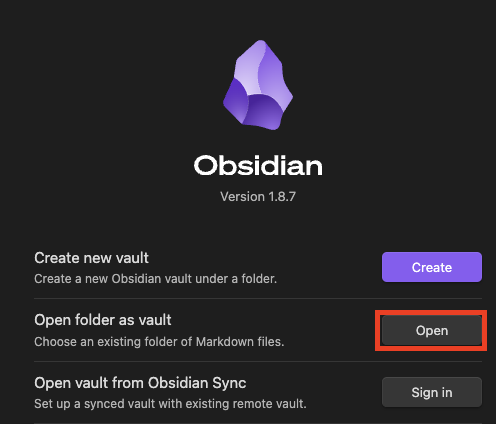
- To run the custom code in this repo, you'll need to enable plugins
- (you can still do this later in Parameters ⚙️ > Community plugins > Turn on community plugins)
Now than you are in Obsidian, you can open the [[❓Tutorial]]
How to Install
- Download the ZIP or clone the repository
- Open the folder as a vault in Obsidian (File → Open Vault)
- Obsidian will prompt you to install required plugins
Stats
Stars
1
Forks
0
Last updated 7mo ago
Categories
Tags