Obsidian Story Starter
[!summary] This project is a starter Obsidian Vault for use with Obsidian.md. It is intended to help with writing fiction stories. Or D&D Campaigns. That sort of thing.
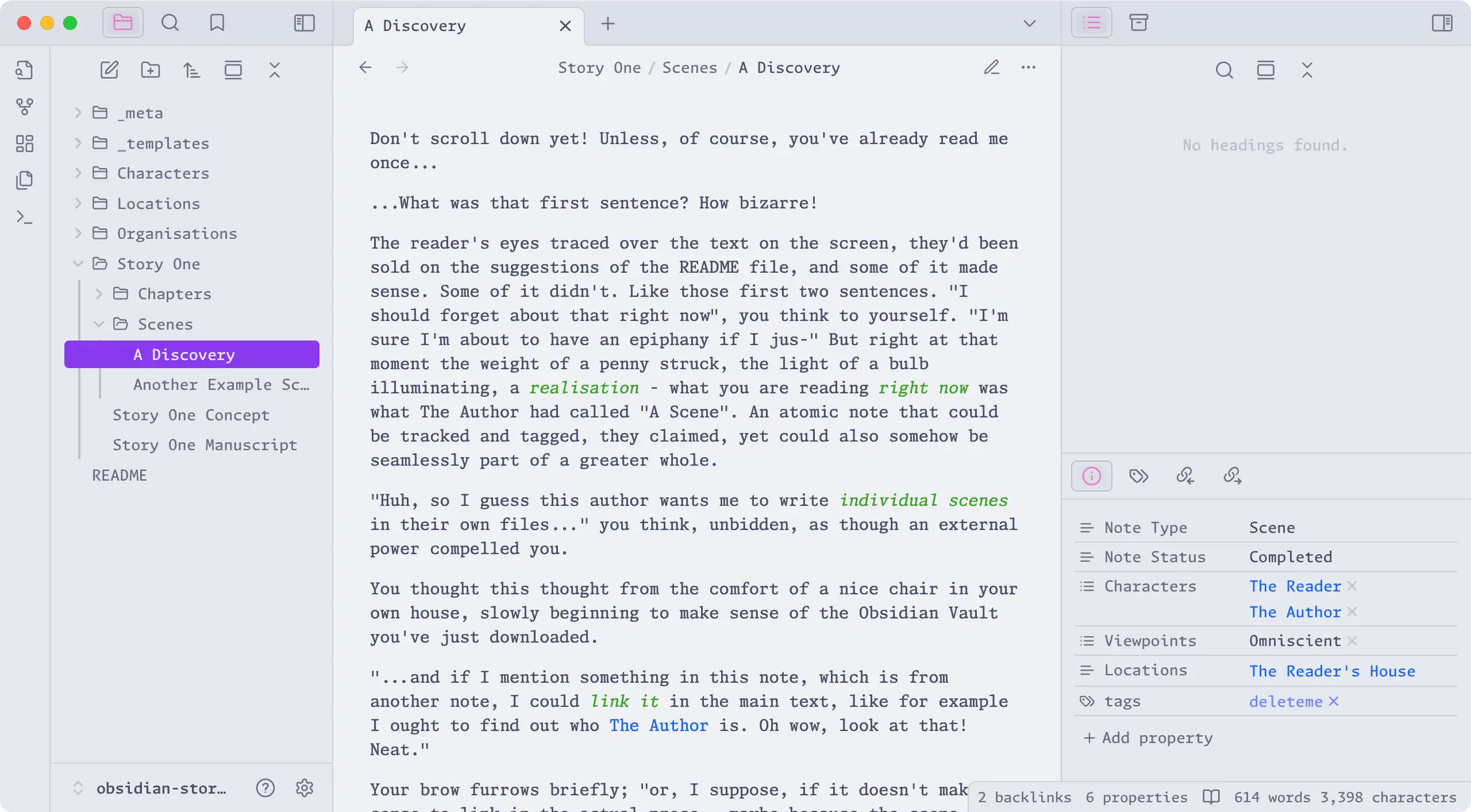
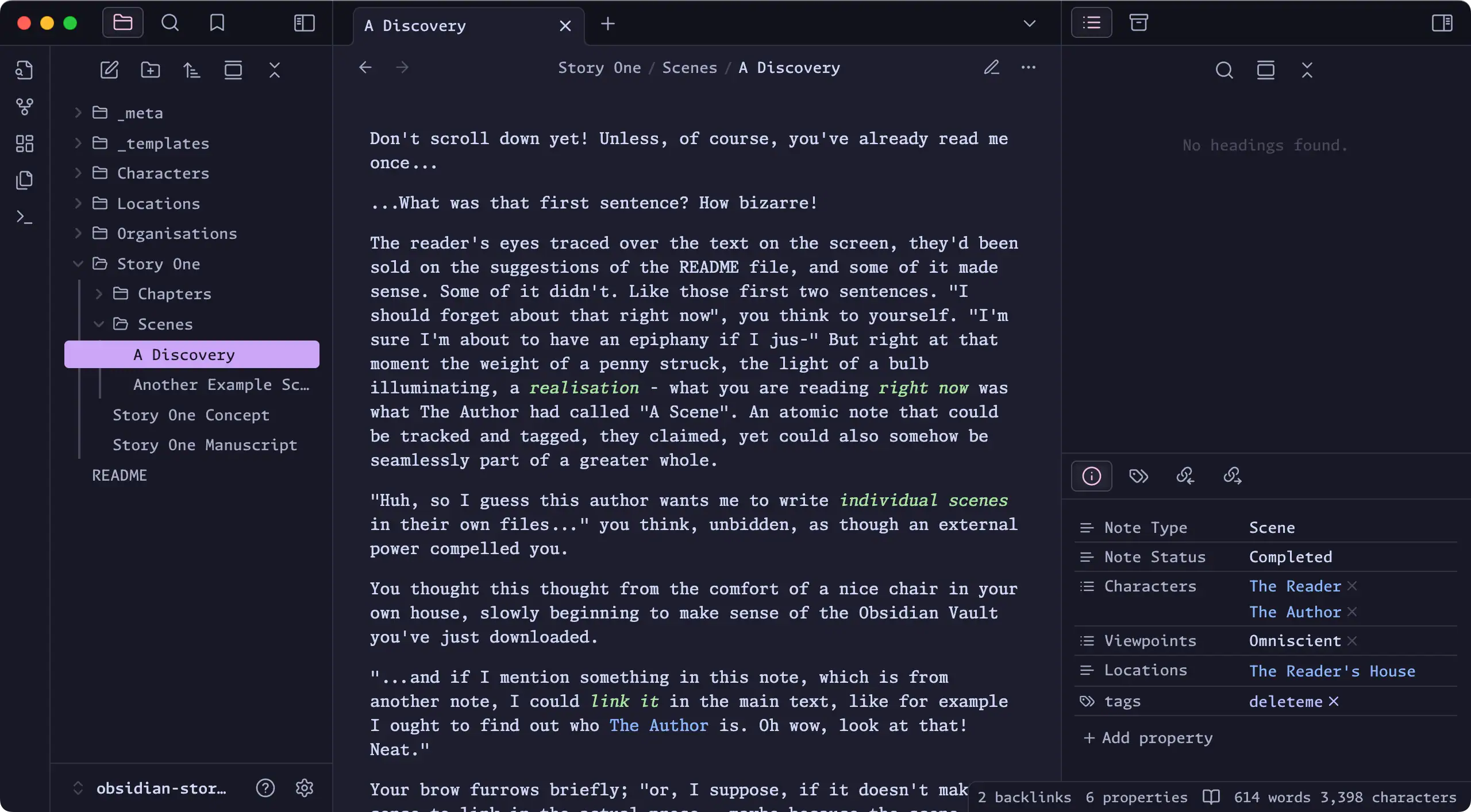
Once you download it and open it in Obsidian I'd suggest you start familiarising yourself by going and reading the first scene in this bare-bones example story... [[Story One/Scenes/A Discovery|A Discovery]]. You can just click that link.
More about this vault
It doesn't rely on community plugins, and the methodology in it is all suggestion rather than strict system. It's intended to be a simple place to start.
More than anything: this is just something that I find works for me. It's scaffolding when starting a new project, because "I'll likely want to think about these sort of things and in this sort of way". It's not meant to be restrictive or complete. Adapt it as needed.
For the sake of making it public, I've added "an example story" aimed at people not myself (hi, that's you) in an attempt to get what my brain already knows into your brain (which doesn't). Those notes are all tagged with deleteme. You can see them all here, in this handy-dandy inline database query (the sort of thing you'll find useful as you write stories and want to keep track of "stuff" - Obsidian can automate a lot of that...)
Notes tagged with deleteme
views:
  - type: table
    name: Table
    filters:
      and:
        - file.tags.contains("deleteme")
    order:
      - file.name
      - file.folder
    sort:
      - property: file.folder
        direction: ASC
If you're reading on GitHub, you can see the query itself above. If you're in Obsidian, that's actually showing the results of the query (if you're in reader view). I didn't have to write that list - Obsidian just found all the notes I added the deleteme tag to. Nice.
I suggest you delete those notes in that list before starting your project. And then delete this note once that list is empty.
Requirements
- Obsidian - the note-taking app.
- It's free.
- It uses standard MarkDown text files, so there is no vendor lock-in.
- It's cross-platform, including phones so you can write whenever you have a thought.
Nice to have
If you want it to look like I prefer, you will need:
- Monaspace FontFamily
- Free. Install them onto your Operating System.
- Catppuccin Theme
- The theme I use for Obsidian's appearance.
You absolutely do not need these "nice to have"s. The defaults are fine. But if you do, here's how...
Obsidian Appearance Settings
Open: Settings > Appearance
- Themes:
Catppuccin - Interface Font:
Monaspace Argon Var - Text Font:
Monaspace Xenon Var - Monospace Font:
Monaspace Krypton Var
Using this vault
It's organised in such a way that you could write multiple different stories in it, and still have everything available for if your stories ever intersect; e.g., you could write Book One and Book Two, which share some of the same characters and locations.
Or you could just write one story and make a new vault for another story - just remember that you can't link between vaults; so if you end up wanting to reference Character One from Story One in Story Two... you can't if they're in different vaults.
The methodology
I don't like writing one big long document as a story. It's hard to organise and keep track of things. If you want to move things around you've got to cut-and-paste big chunks of text around a giant document and that can be fragile and confusing.
Likewise I don't like having one folder on my computer with a bunch of docx (or similar) files in it that I have to have open separately, because they're a pain to work with and need a ton of windows open at once, etc.
That's why I don't use Word or whatever. I use Obsidian and keep everything in it, because Obsidian is extremely good at organising and searching and working with related written content.
I write scenes as individual notes. Scenes are things I can assign properties to - like "who's POV is this scene? Where does it take place? Which characters are in the scene? On what date does the events of the scene happen?" and then I can use Obsidian's built in tools to keep track of those properties. I then compile multiple scenes into chapters using Embeds. Meaning I can move scenes around accurately and quickly - work on them atomically but still seamlessly see them as part of a larger document.
Do I need to know what scenes Character Bob is actually in? Easy, it's tracked already in his Character Sheet with a simple embedded database. Did Bob ever meet Jo? In which scenes? Easy to find out! It's all there (assuming you add the appropriate properties to the scene), without needing to go read or do laborious text searches over entire book-length documents. This is what Obsidian is for; exposing relations between notes.
The vault structure
Folders that start with an underscore are meta folders; that is to say they do not form part of the story itself, but hold files relating to it. The vault is organised into the following folders.
_bases
It's where the "databases" used elsewhere are stored. Ignore this folder for now, you can learn more about "bases" from the Obsidian documentation later.
_media
This is where all images used in any pages are stored. It's handy to have media stored in one place. You might want a photo of an actual real-world sword to reference inside a Research Note on the topic of swords, for example.
_meta
This is where any files that are not part of the story itself belong. For example, you could put notes to yourself in here, or group your research notes, etc.
research- e.g., Research about common illnesses in medieval times, and their supposed cures - that you might want to reference and adapt for your own world.ideation- random ideas and other such unprocessed stuff that might become something laterstory notes- the stage after ideation, where things are more firmly defined
_templates
Obsidian templates to allow the quick creation of note types as you write. For example, Character notes, or Location notes, with pre-scaffolded out sections and properties for you when you need a new one.
Characters
This is where all of your characters should be stored.
One Note per character is all I usually do, with stuff I as the author want to remember and know about my concept of them, which I can refer back to as I write.
Events
"world events" or other such important bits of history and lore that aren't directly things that happen in the story
One note per Event. I treat these as omniscient fact, absolute truths. But that doesn't mean that the characters in the story agree with those facts, or have the same level of knowledge about the event.
Locations
This is where all of your locations should be stored.
One Note per location is all I usually do, with stuff I as the author want to remember and know about it, which I can refer back to as I write.
Organisations
This is where all of your in-world organisations should be stored.
Guess what? One Note per organisation is all I usually do, with stuff I as the author want to remember and know about my concept of them, which I can refer back to as I write. "What was the name of the guild responsible for wagons again? And who was it heading up the organisation? Ah yes..."
Scratchpad
Dump thoughts and ideas in here before you forget them.
Had a sudden idea? This is somewhere to drop them before you organise / categorise / toss them out. Anything goes in here. Just get it out of your brain and in a file first.
STORY TITLE > Chapters (named)
Embeded compilations of Scenes to form a chapter
Again, not numbered because you may also want to re-arrange chapters as you work, to facilitate different story flow. Instead, I use titles for the chapter.
No actual writing is in these Notes, just Obsidian's feature of embedding other Notes - this then allows you to drag-and-drop re-arrange scenes within a Chapter (by using Source view and moving the embed lines around, before going back to Reading view).
STORY TITLE > Scenes
Components of the story itself, split into individual named scenes.
Not numbered, because the order of scenes is likely to change as you progress on the story. You'll likely want to try out different ways of organising the scenes as part of the tory flow. So rather than just having one huge long document, I prefer to write atomic scenes and then compile those into a Chapter using Obsidian's "Embed" feature...
STORY TITLE > Story Manuscript
Embedded Chapters, in order, to form the final story
Again, no actual text is in the Story note - just Embeds. Uses the same logic as Chapters described above.
How to Install
- Download the ZIP or clone the repository
- Open the folder as a vault in Obsidian (File → Open Vault)
- Obsidian will prompt you to install required plugins
Stats
Stars
0
Forks
0
Last updated 7mo ago
Categories
Tags