Pantheon Generator for Obsidian
A randomized deity generator designed for worldbuilders, game masters, and TTRPG storytellers. This script dynamically assembles an original pantheon with rich detail using Templater inside Obsidian.
New Features & Updates
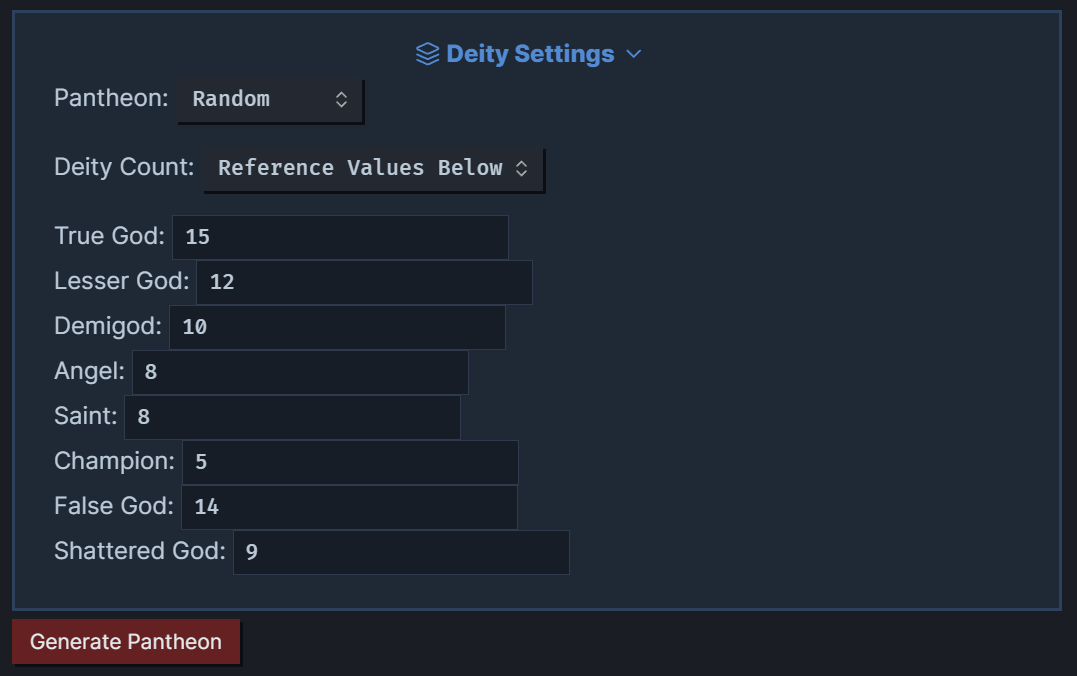
- Deity Count Options: You can now choose how many deities to generate by selecting Random, Balanced, or Reference Values Below (i.e., a specified amount).
- Expanded Deity Names List: The pool of available names has been significantly expanded, ensuring more variety and flavor for each species.
- Species-Linked Names: Generated deity names are now tied directly to the selected species (e.g., Drawn from
names-human.md,names-dwarf.md, etc.). - Refactored
genPantheon.md: The main generator template has been reorganized for better readability and easier maintenance (utility functions, name handling, deity creation, and file-creation logic are now clearly separated). - Automatic Overview Naming: When you generate a pantheon, the overview note is now automatically renamed to match the species (e.g., “Human Pantheon”, “Dwarf Pantheon 2”, etc.).
- Improved Folder Structure: Pantheon overviews are now organized under
2-World/Cosmology/Deities.- This subfolder must be preserved; recreate it if deleted.
- Callout & Search Styles: Optional CSS snippets in
.obsidian/snippets/color the tier callouts and style the search dashboard. - Search and Index Dashboards:
overview/Divine Search.mdoffers filtering by name, aspect, alignment, domain, tier, and pantheon, whileoverview/Divine Index.mdlists every pantheon with its deities.
Overview
This generator creates deities across a structured divine hierarchy, assigning each one:
- Name & Epithet
- Divine Tier (True God, Demigod, Angel, etc.)
- Domain, Alignment, and Pantheon
- Mythic Aspects (tenets, holy days, myths, etc.)
- Relationships (parent of, lover of, rival to, etc.)
- Symbols, Realms, Ruins, Missions, Martyrdom
It also outputs:
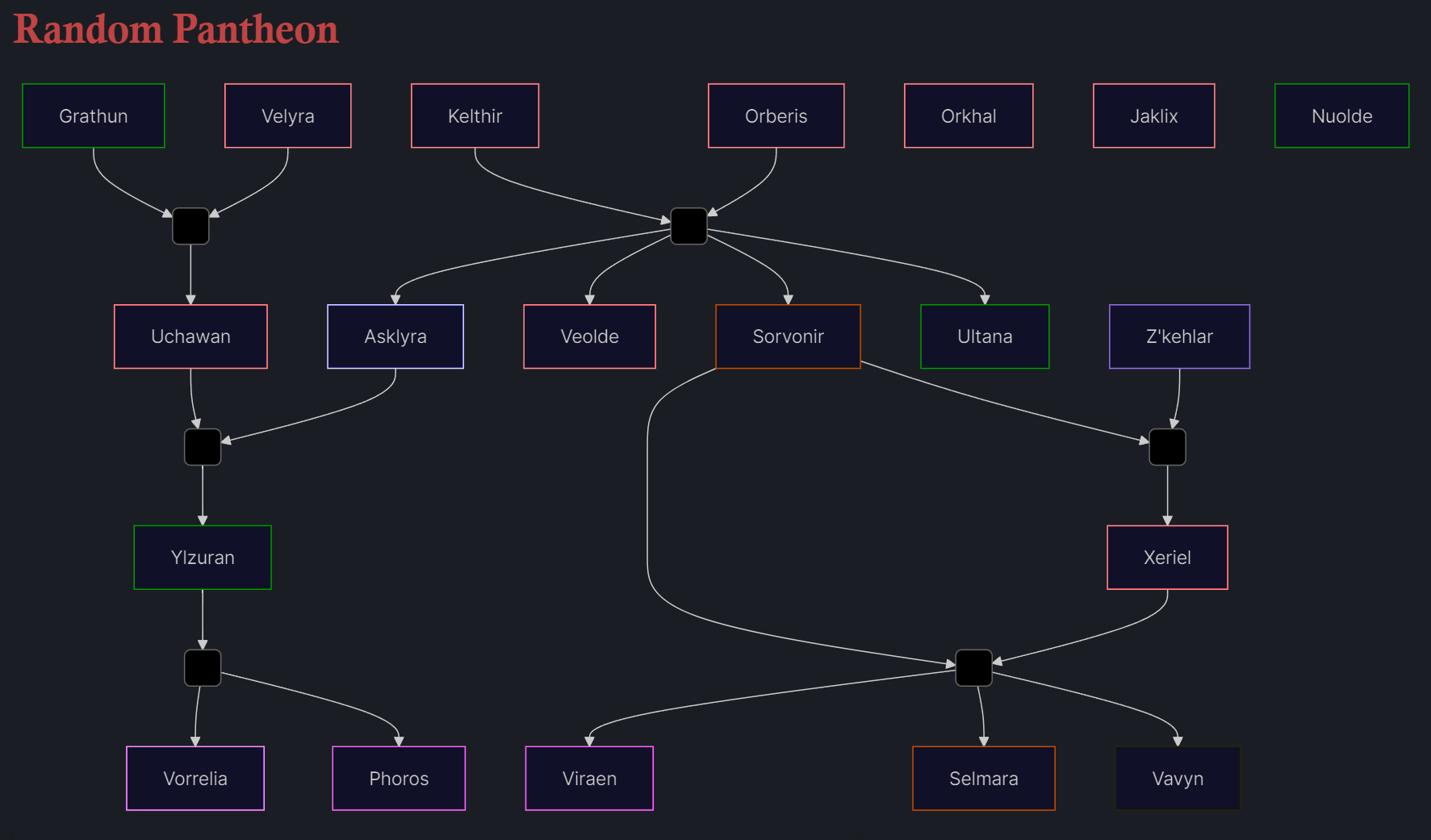
- A visual family tree using Mermaid.js
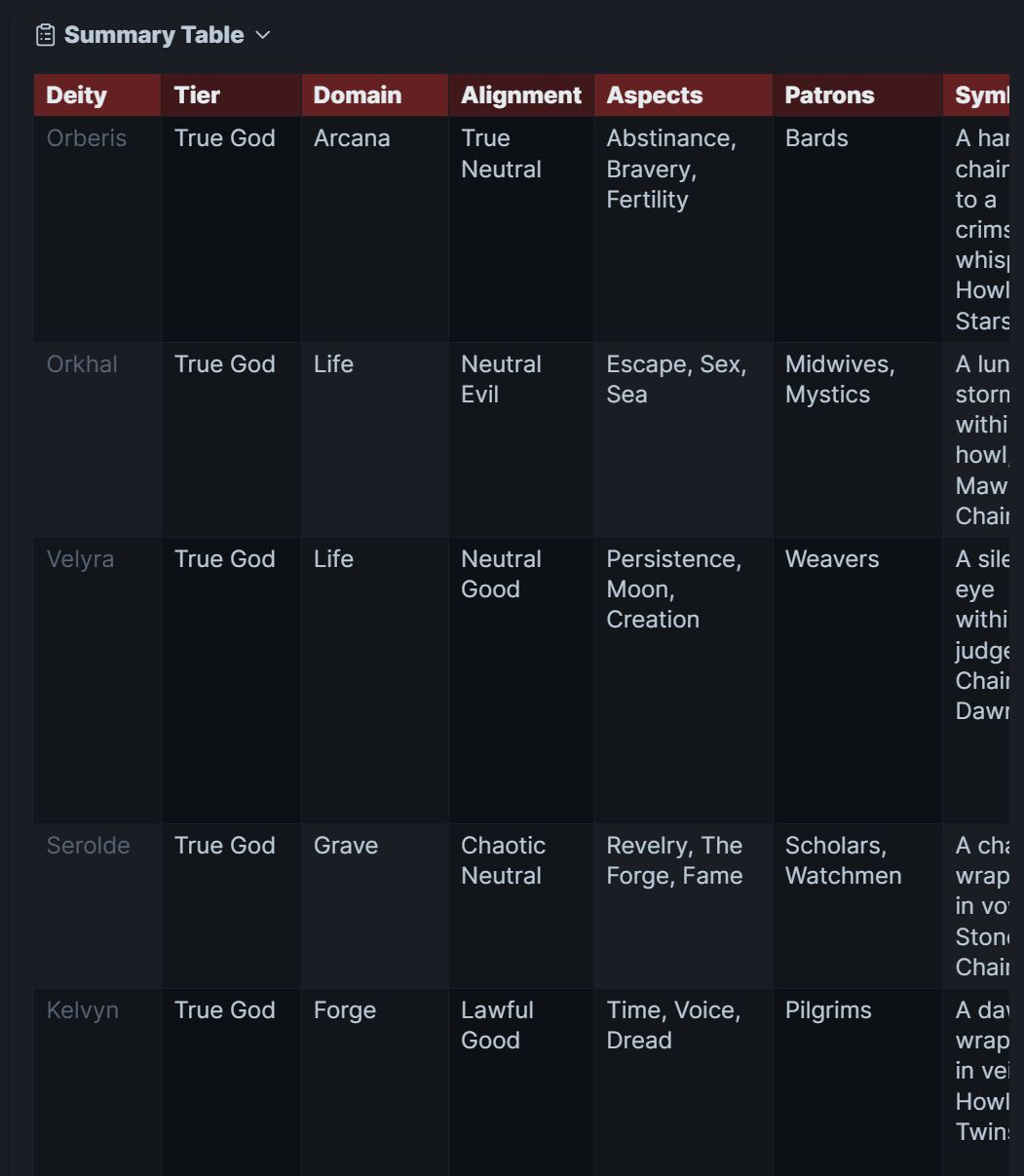
- A collapsible summary table of all gods
- Individual deity
.mdfiles auto-saved by tier (nested under a folder named for the pantheon)
Divine Hierarchy
This project uses a custom cosmological framework inspired by comparative mythology. The ten tiers include:
- Prime Source – The unknowable origin
- True Gods – Realm-holding supreme deities
- Lesser Gods – Regional or narrower in domain
- Demigods – Mortal-divine hybrids
- Angels – Created servants of higher gods
- Saints – Mortals exalted through martyrdom
- Champions – Mortal agents on divine missions
- False Gods – Belief-born, unstable deities
- Shattered Gods – Dead, fragmented, or forgotten deities
- Conceptualism – Worship of abstract forces
See Hierarchy.md for full descriptions and examples.
How It Works
Tools Required
Input Data
Each .md file in z_Generators/Pantheon Generator/data contains word banks (e.g., colors.md, myths.md, tenets.md, plus separate names-[species].md files) used to construct gods.
- Species Names Files (e.g.,
names-human.md,names-dwarf.md,names-high-elf.md, etc.) ensure that each pantheon’s deity names are drawn from the correct cultural pool. - All other language files (
nouns.md,verbs.md,adjectives.md, etc.) remain indata/language/.
Config Settings
The generator reads your preferences from settings.md, including:
- Pantheon: Choose a specific species (e.g.,
Human,Dwarf,High Elf, etc.) orRandom. - Deity Count: Select one of:
- Random: Each tier’s count is picked randomly between 0 and 20.
- Balanced: Uses predefined “balanced” ranges (e.g., 8–12 True Gods, 4–6 Lesser Gods, etc.).
- Reference Values Below: Manually enter exact counts for each tier in the frontmatter fields (
amtTrueGod,amtLesserGod, etc.).
Core Script (pantheon-generator.md)
- Utility Functions: Loading word-bank files, random picks, pluralization, and template rendering.
- Frontmatter Loader: Reads
settings.mdto determine which species to use and how many gods in each tier. - Name Management:
- Load the appropriate
names-[species].mdfile (e.g.,names-dwarf.mdif “Dwarf” is selected). - Check existing deity notes under
2-World/Cosmology/Deities/to avoid duplicates. - Pick a unique name for each new deity.
- Load the appropriate
- Deity Generation:
- For each tier (True God, Lesser God, Demigod, Angel, Saint, Champion, False God, Shattered God), generate the desired number of gods.
- Assign properties: epithet, domain, alignment, aspects, colors, patrons, holy day, tenet, myth, and any tier-specific fields (e.g., realm for True Gods, ambition for Demigods, etc.).
- Randomly create relationships (parent/child, siblings, rivals, etc.) between the generated gods.
- Rendering:
- Build a Mermaid.js graph illustrating parent/child clusters and sibling links.
- Build a collapsible summary table (Deity | Tier | Domain | Alignment | Aspects | Patrons | Symbols | Realm | Serves | Created By | Martyrdom | Ruin Site | Relationships).
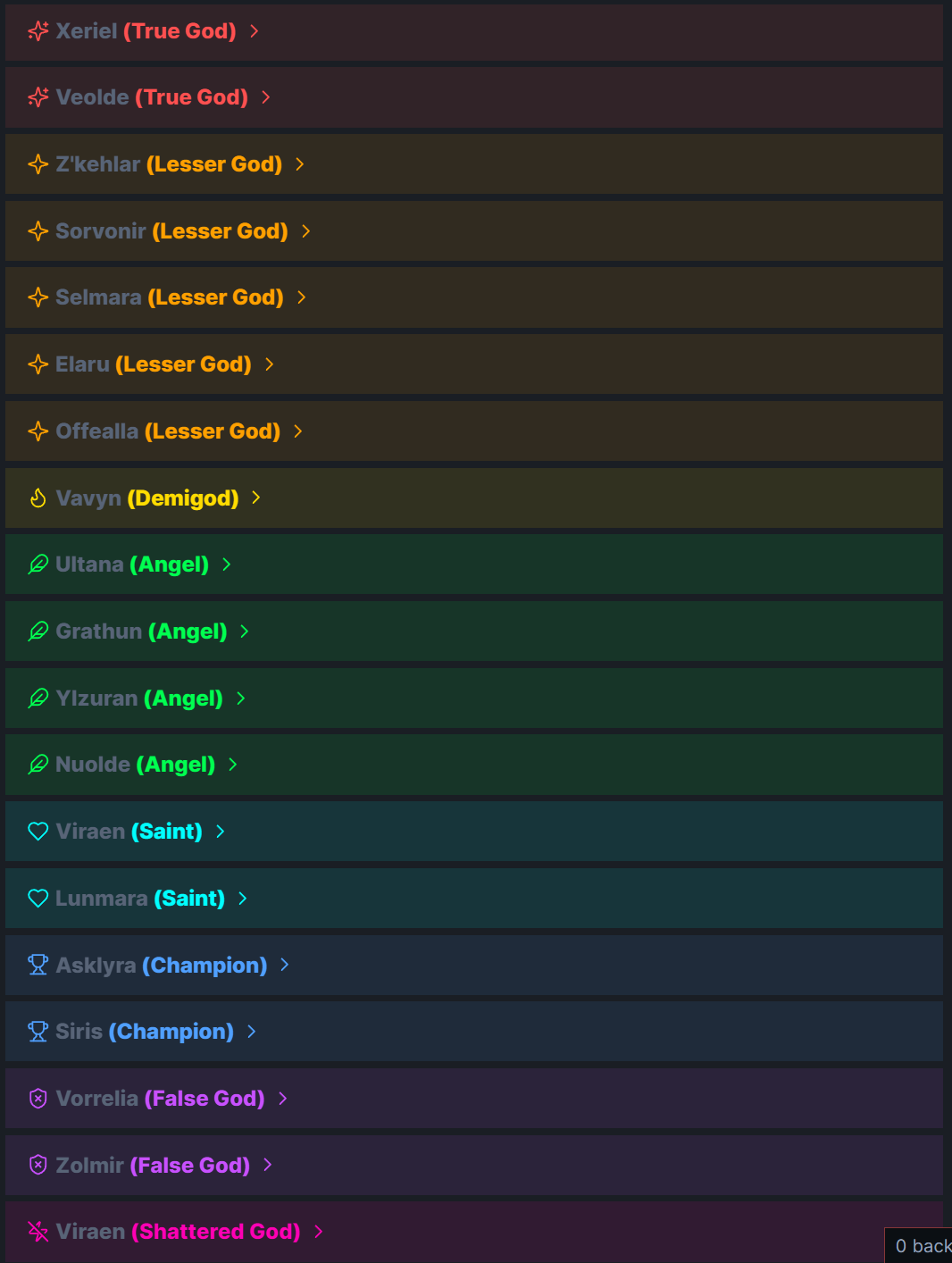
- For each deity, generate an individual callout block (for the overview note) and create a separate
.mdnote under:2-World/Cosmology/Deities/{Pantheon}/ ├── 1. True Gods/{Name}.md ├── 2. Lesser Gods/{Name}.md ├── 3. Demigods/{Name}.md ├── 4. Angels/{Name}.md ├── 5. Saints/{Name}.md ├── 6. Champions/{Name}.md ├── 7. False Gods/{Name}.md └── 8. Shattered Gods/{Name}.md
- Automatic Note Renaming: The overview file (initially created under
2-World/Cosmology/Deities/Generated Overview.md) is automatically renamed to<Pantheon> Pantheon, or<Pantheon> Pantheon Nif duplicates already exist (e.g.,Elf Pantheon 2).
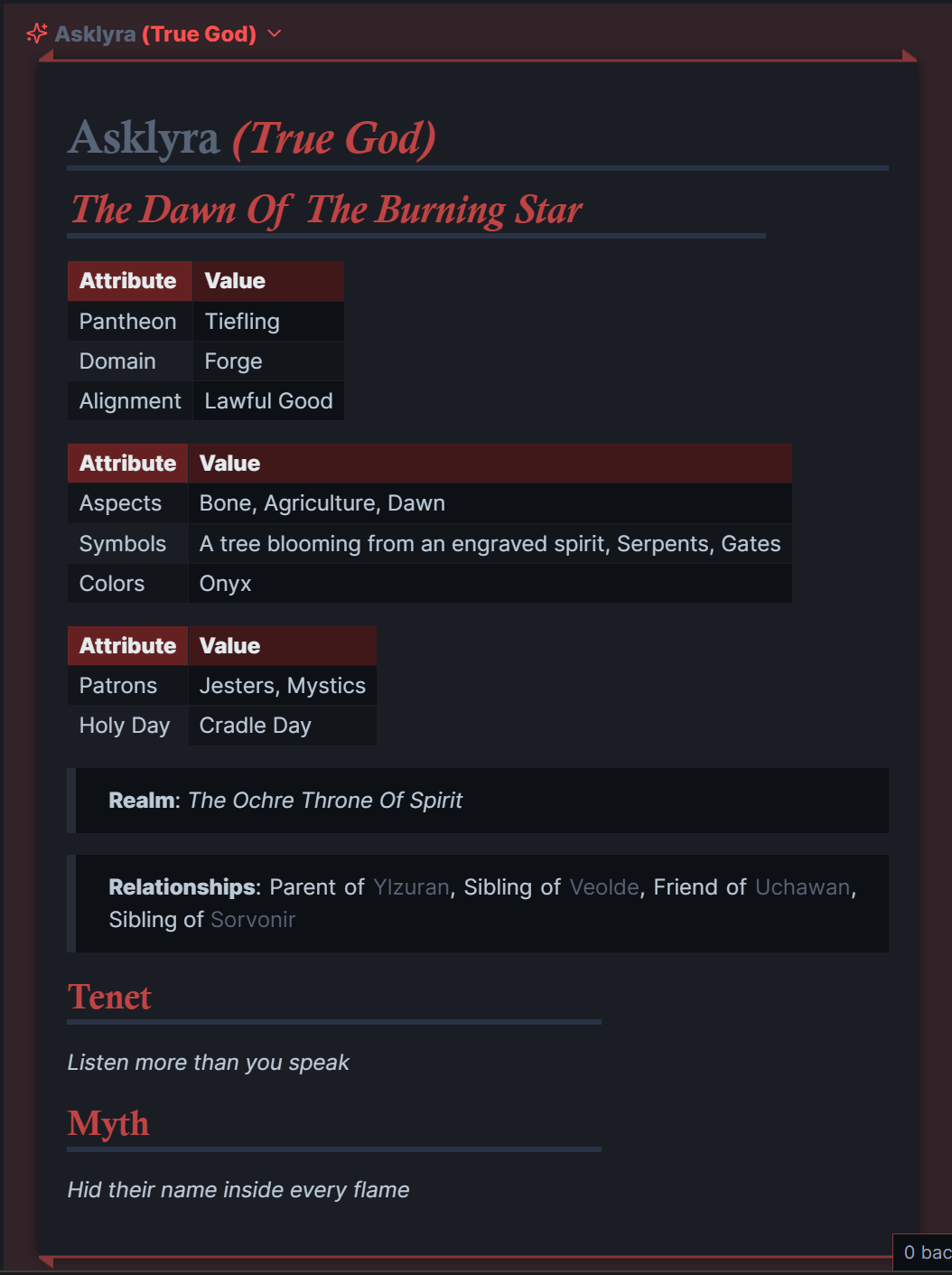
Output Example
- Mermaid.js Family Tree (auto-clustered by parents/siblings)
- Scrollable Summary Table of all gods and traits
- Unique Icons & Tier-Color Callouts for each deity in the overview note
- Auto-Generated Relationships (e.g., “Sibling of [[Vorthak]]”)
- Separate Deity Notes by tier, nested under a folder named for the pantheon
License
This project is open source under the MIT License.
Creative elements (e.g., myths, tenets, names) are shared under CC BY-NC 4.0.
Feel free to fork, adapt, and expand—just don’t sell it without permission.
Credits
Made by @Gulgrot as a hobby project.
Powered by storytelling, mythography, and procedural love.
Related
pantheon-generator.md– Main logic file (refactored for clarity)settings.md– User controls and pantheon configuration (now supports Random, Balanced, or Specific counts)Hierarchy.md– Divine tier structure/data/– Word banks (language files, expanded name lists, etc.)overview/Divine Search.md– Dataview dashboard with filters and searchoverview/Divine Index.md– Quick table of each pantheon by tier.obsidian/snippets/– CSS snippets for callouts and the search layout
How to Install
- Download the ZIP or clone the repository
- Open the folder as a vault in Obsidian (File → Open Vault)
- Obsidian will prompt you to install required plugins
Stats
Stars
5
Forks
0
Last updated 16mo ago
Categories