VAULT
GentryGibsonObsidianBookshelf
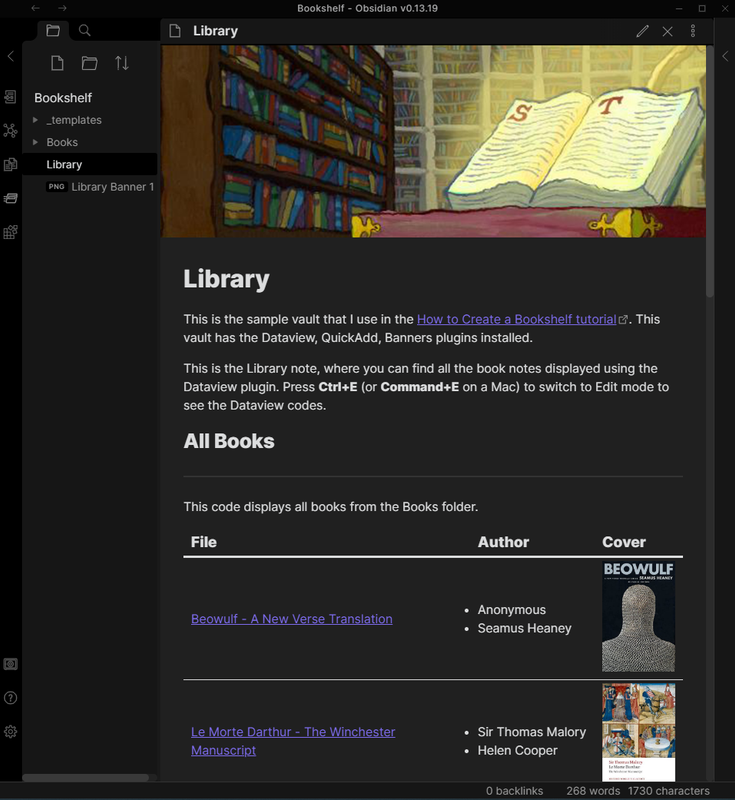
This is the sample vault that I used to create a bookshelf in Obsidian.md
Obsidian Bookshelf
This is the sample vault that I used to create a bookshelf in this tutorial for Obsidian.md.
How to Download
- Click on the Releases section on the right corner.
- Click on the ObsidianBookshelf.zip file to download it to your computer.
- Unzip the file.
- On Obsidian, click on the vault icon and press the Open button.
- Select the Bookshelf folder to open it as a vault in Obsidian.
Credits
- blacksmithgu: Dataview Plugin
- chhoumann: QuickAdd Plugin
- SkepticMystic: CSS Snippet for lines on the Dataview table.
- peterolson: Dataview code for displaying book cover images
- noatpad: Obsidian Banners Plugin
If you found this helpful, consider supporting me on Ko-fi!

How to Install
- Download the ZIP or clone the repository
- Open the folder as a vault in Obsidian (File → Open Vault)
- Obsidian will prompt you to install required plugins
Stats
Stars
35
Forks
5
Last updated 52mo ago