Knowledge Management For Offensive Security Professionals
Knowledge Management for Offensive Security Professionals Official Repository
Knowledge Management Systems for Offensive Security Professionals
Welcome to the Knowledge Management Systems for Offensive Security Professionals course! This course is designed to provide you with efficient knowledge management methodologies tailored for ethical hacking.
Note: The principles and strategies shared here will also benefit anyone pursuing a college degree or preparing for any certification.
Course Overview
This course focuses on:
- Knowledge management systems and methodologies for organizing, managing, and optimizing notes.
- Practical applications of Obsidian, an S-tier note-taking application.
Getting Started
Prerequisites
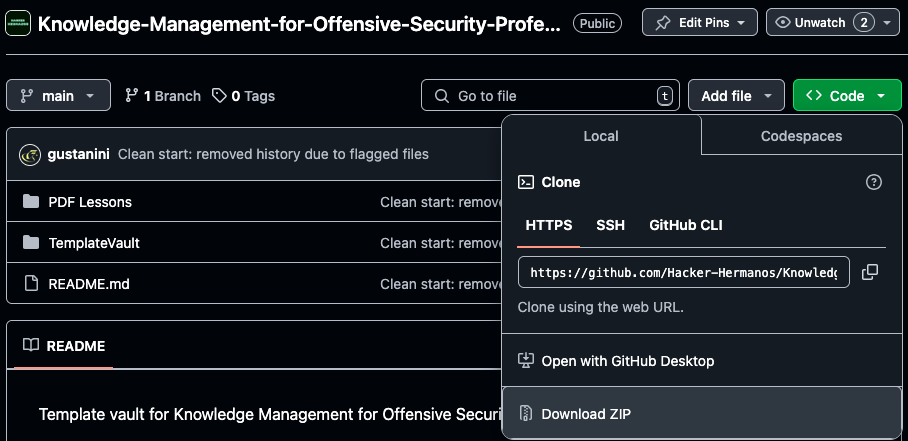
- Install Obsidian (free note-taking application).
- Clone this repository
- Download this repository's zip.

Setup Instructions
-
Copy the
TemplateVaultFolder:- After downloading this repository, extract the zip file.

- Locate the
TemplateVaultfolder. - Copy it to your desired location (e.g.,
Documents).
- After downloading this repository, extract the zip file.
-
Open the Vault in Obsidian:
- Launch Obsidian.

- Use the "Open Folder as Vault" option to select the
TemplateVaultfolder.
- Launch Obsidian.
Course Contents
In the Vault
The main content is in the folder !Knowledge Management for Offensive Security Professionals within the vault.

This folder includes the course's contents, explaining how the vault is configured and how you can replicate or customize the setup.
- Lessons 1-9:
- Vault Folder Structure
- Using Predetermined Markdown Notes
- Keeping Backups for Free
- Using Note Templates
- Adding Metadata to Notes
- Maintaining Proper Formatting
- Optimizing the Vault (Housekeeping)
- Organizing for Efficient Access
- Producing Penetration Testing Backups
PDF Lessons
For users who prefer not to use the course within Obsidian, this repository includes a PDF Lessons directory outside of the vault. This directory contains all course content, rendered in PDF format for easy reference.
Key Features of the TemplateVault
- Custom Folder Structure: Designed to suit the needs of offensive security professionals.
- Predetermined Templates: Simplify and speed up note-taking.
- Metadata Management: Make your notes more searchable and organized.
- Backup Strategies: Learn how to back up your notes for free.
- Optimization Tips: Keep your vault clean and efficient.
Why Use This Course?
- Efficiency: Save time by leveraging a preconfigured system.
- Flexibility: Learn knowledge management methodologies that apply to ethical hacking and other challenging disciplines.
- Customization: Understand how to adapt the system to your needs.
Contributing
Contributions are welcome! If you have suggestions for improving the course, feel free to open an issue or submit a pull request.
Support
If you encounter any issues or have questions, please contact Rafael at rafael@todosec.com.
Credits
Special thanks to TrustedSec for sharing their Obsidian setup.
Repository Reset Notice (Jan 16 2025)
Some template markdown notes triggered AV false positives because they contained malicious commands on template notes (mimikatz, amsi bypasses, etc).
This repository has been reset to remove flagged files from its history. If you need access to the older version, you can download the zipped repository from the link below:
I do not recommend downloading it into work-related environments.
Download Older Repository Version
How to Install
- Download the ZIP or clone the repository
- Open the folder as a vault in Obsidian (File → Open Vault)
- Obsidian will prompt you to install required plugins
Stats
Stars
150
Forks
24
Last updated 13mo ago