n8ninsidian(n8n in Obsidian:)
2026-08-06T00:00:00
This one is weeks late. I kept meaning to write it and then kept getting distracted by the exact automation I was supposed to be writing about and the never-ending struggle I currently exist in.
Who is n8n
n8n is a self-hostable workflow automation tool. Think Zapier or Make but you run it yourself and the pricing doesn't give you a panic attack when you want to add more nodes. I run it on the same old laptop that hosts my Obsidian remote, and at this point it's doing a lot of quiet background work that keeps my vault actually useful.
The short version: email comes in, n8n catches it, figures out what it is, and drops a structured Markdown note into my vault. Job posting, scholarship alert, school notification, recruiter cold email it all ends up as an Obsidian note with the right frontmatter allowing it to slot into the other pieces of the Vault.
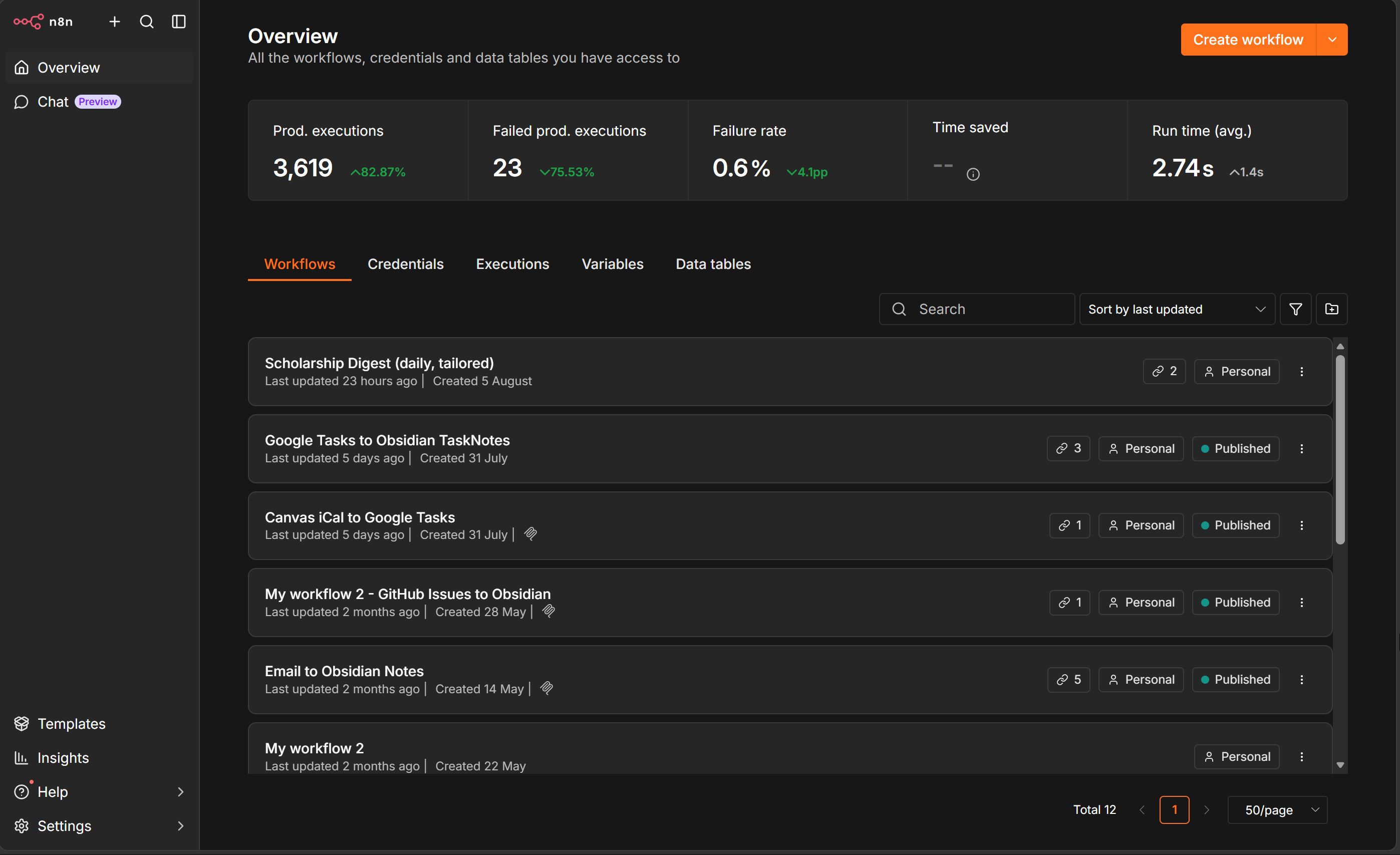
n8n
Here's how it actually works.
GITHUB
I already had n8n running for other stuff. The price was right (free if you self-host), the visual flow editor is readable enough that I can understand what I built three weeks later, and the community has nodes for basically everything. Gmail, GitHub, HTTP requests, AI/LLM calls, Discord, whatever.
The thing that sold me on using it for the vault specifically is the interaction that appears when you sync and back your vault up on GitHub. My vault syncs through a GitHub repo. So n8n can drop a new file, commit it, and my vault pulls it on the next sync. This pipeline is so beautiful in just how configurable you can get with it.
Here’s some stuff I’ve built.
The email workflow
I covered this briefly in the first post but here's the actual shape of it.
n8n polls Gmail every minute looking for unread messages. When it finds one:
- Pulls the full message - subject, from, to, date, body
- Strips and converts the HTML body to Markdown (Gmail API hands you HTML by default, which is annoying)
- Calls an LLM (I use a small local model for this just something to get me writing yk) and asks it to draft a suggested reply
- Builds a Markdown file with frontmatter and two sections: the email and the suggested response
- Commits the file to my vault repo
The frontmatter ends up looking like:
---
from: whoever@example.com
to: me@gmail.com
subject: Re: Your application
date: 2026-08-06
source: gmail
status: unread
tags:
  - email
---
One thing that took some work: a lot of my mail comes forwarded from an Outlook address for school stuff. The raw from field on forwarded messages says it's from me, which is completely useless. So there's a step that tries to parse the forwarded header and pull out the real original sender before building the note.
Doesn't catch everything but it's right like 90% of the time, which is better than "email from yourself" being the only useful info.
The scholarship layer
I wanted to get into this layer just because it shows how nutty you can get with n8n I have an LLM search for scholarships daily sorts what I would be a good fit for it then sends me an email with these ready to work on.
This lets me take what should be wildly different objects standardize them into markdown and slot them right into my workflow. Once the reminder to apply hits I’m only a few clicks away from actually putting work in.
To expand even more on the configurability of a system like this the LLM is able to parse scholarships research the org and craft frontmatter and notes specifically for it:
---
type: scholarship
status: review
deadline: [extracted if found, otherwise empty]
amount: [extracted if found]
eligibility: [LLM-extracted summary]
tags:
  - scholarship
  - action-needed
---
The LLM does a second pass on scholarship emails specifically to try to pull out the deadline, award amount, and eligibility requirements in plain language. It's not perfect - sometimes the deadline is buried in a PDF link the workflow can't open but even an imperfect extraction means I don't have to reread the full email later to remember what I was even looking at.
Then in Obsidian a combination of Datacore and bases gives me a list of every scholarship with status: review sorted by deadline. This basically killed my issue of window shopping and making a list.
The jobs layer
Jobs are a little different because I'm not just passively receiving job alerts, I'm also generating them through my own automation.
The email side works the same as scholarships - keywords, sender filters, LLM pass to extract job title, company, location, and tech stack. Recruiter cold emails get a slightly different template than job board alerts because a recruiter email usually has context worth keeping, like a person's name or a specific pitch.
But I also have a separate workflow that generates job leads and pushes them directly into the vault without going through email at all. That one hits APIs based on search terms I care about and commits notes directly. So the vault ends up with two input paths:
- Inbound - job emails and recruiter outreach coming through Gmail
- Generated - job leads from my own search automation
- Third secret option of me actually searching them out something something job market.
Both end up in the same Job/ folder with the same frontmatter schema, so the dashboard can query them together without caring where they came from.
The job note frontmatter looks roughly like:
---
type: job
company: Some Company
role: Software Engineer
location: Remote
stack: [Python, TypeScript]
status: review
source: linkedin-alert
applied: false
tags:
  - job
  - action-needed
---
Datacore powers a job board that shows everything with applied: false, sorted by date added, filtered by status. When I apply I update the status and flip applied to true. When I get a response I update again. If there's a recruiter email tied to the opportunity I can link it from the note directly.
It's not magic. I still have to actually apply to things and rewrite the LLM content cuz it just doesn't hold up lol. But I don't have to remember to check three different job boards and two email folders and a spreadsheet anymore. The vault is already doing that part.
What breaks
Stuff breaks sometimes. The Gmail API has rate limits that kick in when something in my life generates a lot of email fast - final exam week, application windows, anything like that. The LLM extraction for deadlines will sometimes return a confidently wrong date. HTML emails with funky encoding occasionally come out garbled in a way that's more annoying than useful.
None of it is a disaster because the fallback is just that the email still exists in Gmail. The note might be incomplete but I can fix it manually. The automation is additive, not a replacement for the inbox.
Use Obsidian as the everything app it’s meant to be
The difference between "didn't I see something about that scholarship" and coming up empty versus having a Datacore dashboard tell me I have eight days left - it's not close.
The n8n setup took a weekend to get right and lowkey not as much tweaking as I expected since. It runs quietly and allows your files to stay your files.
If your vault is just a note-taking app this is probably overkill. But if your vault is already trying to be a workspace and you’re the kind of person who forgets to check their email but never that Obsidian homepage n8n bridges that for you. Most importantly n8n has that files over app vibe that Obsidian has cultivated.
Next thing I want to do is get scholarship notes to automatically push their deadlines to Google Calendar. The dates are in the frontmatter, Google Calendar has an API, n8n has a Google Calendar node. Maybe have it set a reminder to do the dashboard episode.